6 Best Wi-Fi Extenders Under $30 in 2026
Six Wi-Fi extenders under $30, comparing NETGEAR and TP-Link AC1200 models with budget brands on setup, Ethernet ports and realistic range.



At a Glance
A little more headroom than the cheapest tier lets you step into recognised AC1200 hardware from NETGEAR and TP-Link, alongside lesser-known brands that promise enormous range. The question at this price is whether support and clear documentation are worth more to you than a bigger number on a listing. For most households the answer is yes, because a confusing setup wastes the savings.
Four things separate the picks here: whether the unit is dual band, how setup works, whether an Ethernet port is present, and how believable the coverage claim is. A branded AC1200 extender will usually walk you through pairing in an app or with a WPS button. A generic repeater may rely on a printed manual and a phone browser page.
We evaluated each model from its listing and buyer feedback, not from claimed bench work. Keep in mind that no extender raises your internet plan speed; it only extends the reach of the signal your router already makes. That is why the sections below spend as much time on placement, ports and setup as on raw speed numbers, and why a modest unit in the right outlet can beat a bigger one in the wrong spot.
6 Criteria to Look For Before Buying a Wi-Fi Extenders Under $30
Key buying criteria so you get the right fit the first time.
Brand support and setup flow
A guided setup removes the biggest source of returns, which is failing to pair the extender with the router. NETGEAR's EX5000 offers app-guided setup or WPS, TP-Link's RE315 uses its own routing and pairing, and the Yawitoso relies on a phone browser and a printed manual. If you are setting this up for a relative, favour guided flows over big claims.
Dual-band speeds that are stated
A dual-band extender should tell you its speed on each band. The PEDUMMY states 867 Mbps on 5 GHz and 300 Mbps on 2.4 GHz, while the RE315 gives 867 Mbps for 5 GHz but not the other band. The Yawitoso lists only a 300 Mbps maximum. When a listing hides the speeds, assume the lowest.
Ethernet port and AP mode
A wired port stabilises a TV or console, and access-point mode turns a cable run into Wi-Fi. The PEDUMMY and the Ethernet TP-Link include ports, and the PEDUMMY adds AP mode. The EX5000 and RE315 skip the port. For a streaming box near the dead spot, a port can matter more than a faster radio.
Range claims versus walls
Square footage on listings is a best-case open-space number. The 1,500 sq ft NETGEAR and 1200 sq ft TP-Link ratings are believable for a room or two, while the 8470 sq ft Yawitoso and 5200 sq ft PEDUMMY claims are ceilings. Plan around rooms and walls, since concrete and metal cut range sharply.
New versus renewed hardware
The RE7000 is renewed, which gives AC1900 class and MU-MIMO but a less certain warranty path than new NETGEAR and TP-Link units. If you keep devices for years, new stock has an edge. If you want the most bandwidth in this tier, renewed can be sensible when return terms are clear.
Placement beats specs
Place the extender roughly halfway between router and dead zone, at chest height and away from microwaves and large metal objects. An extender inside the dead zone only rebroadcasts a weak signal. A well-placed 1.2 Gbps unit will outperform a badly placed AC1900. Many extenders also create a second network name, so devices may stay attached to the router until you switch manually. Giving the extended network a clear label, such as the room name, makes that switch easy to remember for everyone in the house.
6 Best Wi-Fi Extenders Under $30 in 2026
NETGEAR WiFi Extender EX5000, 1.2 Gbps
About this pick
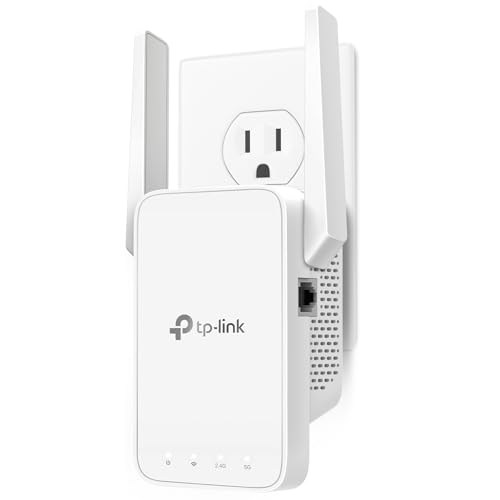
The EX5000 is the easiest of these extenders to live with. NETGEAR offers guided setup through its Nighthawk app or a one-press WPS pairing, and the unit shares 1.2 Gbps across two bands for HD video and calls. It is aimed at bedrooms, garages, basements and backyards, and Wi-Fi 5 works fine with ordinary older routers.
The specs essentially match the TP-Link RE315 in the same class rather than beating it, so you are paying for the software and brand support more than raw speed. The 1,500 sq ft figure is a best-case open-space number, and it is not the pick for demanding gaming from a far room.
If you or a relative dislikes tinkering with router pages, the app flow is the draw. Compared with the PEDUMMY at 867 Mbps on 5 GHz you give up the Ethernet port, and compared with the Linksys RE7000 you give up MU-MIMO. Choose it for clarity of setup rather than any benchmark advantage.
Best for: Non-technical households that want guided app setup and a trusted brand.
Check price on AmazonSpecs
- Class: AC1200 Wi-Fi 5
- Throughput: 1.2 Gbps, two bands
- Coverage: Up to 1,500 sq ft
- Setup: Nighthawk app or WPS
Pros
- +Guided Nighthawk app setup or one-press WPS pairing
- +1.2 Gbps across two bands for HD video and calls
- +Aimed at bedrooms, garages, basements and backyards
- +Wi-Fi 5 works fine with ordinary older routers
Cons
- −Specs match the TP-Link RE315 rather than beat it
- −1,500 sq ft is a best-case open-space number
- −Not the pick for demanding far-room gaming
TP-Link AC1200 Dual Band WiFi Extender (RE315)
About this pick
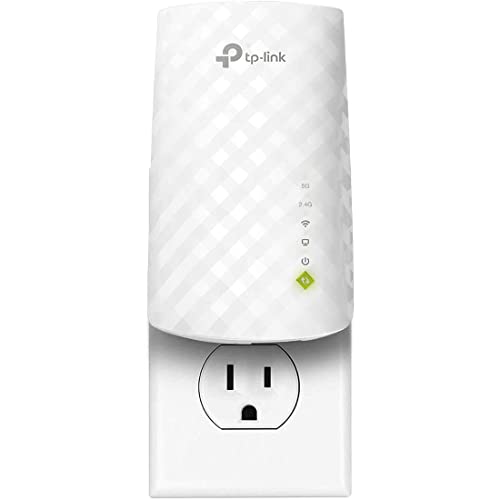
Where the NETGEAR leans on its app, the RE315 leans on hardware you can adjust. Two antennas can be angled toward the room you want to reach, and Adaptive Path Selection picks the better route back to the router. The 5 GHz radio is stated at 867 Mbps and a second band carries the longer-reach signal.
The 2.4 GHz speed is not broken out separately, and two antennas is a modest count. Its 1500 sq ft claim is a best-case number, so treat it as a ceiling in a house with walls and floors.
Physically it is a compact plug-in that leaves room on a power strip. Against the NETGEAR EX5000 the main difference is the antenna aiming and the setup style, since both claim the same coverage. Against the Ethernet TP-Link with 1200 sq ft you gain a clearer 5 GHz number but lose a wired port.
Best for: Homes where angling the antennas toward a stubborn corner makes a difference.
Check price on AmazonSpecs
- 5 GHz: 867 Mbps
- Coverage: Up to 1500 sq ft
- Antennas: 2 adjustable
- Routing: Adaptive Path Selection
Pros
- +Two bands share one small plug-in body
- +5 GHz rated at 867 Mbps with 2.4 GHz for reach
- +Angle both antennas toward the weak corner
- +Adaptive Path Selection helps pick the best route
Cons
- −No separate 2.4 GHz speed on the page
- −Two antennas is a modest count for the class
- −1500 sq ft is an open-space ceiling only
PEDUMMY WiFi Extender Booster 1200Mbps
About this pick
The PEDUMMY is the only pick in this group that states both band speeds clearly: 867 Mbps on 5 GHz and 300 Mbps on 2.4 GHz. It also includes an Ethernet port and an access-point mode, so a wired jack can be turned into Wi-Fi or a TV can be connected by cable. The listing claims up to 5200 sq ft, the largest figure in the comparison.
Treat that coverage claim as an optimistic open-space figure, since a plug-in unit does not fill a house. The brand also offers less documentation than TP-Link or NETGEAR, so the setup guidance is thinner.
It appeals if you want a wired port and AC1200 class numbers in one device. Compared with the EX5000, you get the Ethernet jack and an AP mode but lose the app setup. Compared with the RE315 you gain a port, though not the aimable antennas, and support depends on the seller.
Best for: Wired TV or console setups that also need clear dual-band speeds.
Check price on AmazonSpecs
- 5 GHz: 867 Mbps
- 2.4 GHz: 300 Mbps
- Coverage claim: Up to 5200 sq ft
- Modes: Extender, AP
Pros
- +Spec sheet states a clear 867Mbps on 5GHz
- +Ethernet port gives a stable wired link
- +Access-point mode repurposes a wired jack
- +300Mbps on 2.4GHz is also stated plainly
Cons
- −Range claim is an optimistic open-space figure
- −Brand offers less documentation than TP-Link
- −No app-guided setup is described
TP-Link Dual Band WiFi Extender With Ethernet Port
About this pick
This TP-Link pairs dual-band operation with an Ethernet port, and the listing says it delivers up to 44 percent more bandwidth than a single-band unit. Its coverage claim of 1200 sq ft is the most modest here, which also makes it the most believable. The compact body suits a crowded outlet strip.
It lists no explicit 5 GHz speed figure, so you cannot compare its ceiling directly with the 867 Mbps of the RE315 or PEDUMMY. The coverage claim is also the smallest in the comparison, so it is for a room, not a floor.
Use it where a wired device sits beside the dead spot and you want a recognised brand. It undercuts the EX5000 on claims but also on ambition, and it is a gentler option than the PEDUMMY for people who prefer documentation. If a number matters, choose a model that states one.
Best for: A single room with a wired TV and a preference for realistic claims.
Check price on AmazonSpecs
- Bands: Dual band
- Port: Ethernet
- Coverage: Up to 1200 sq ft
- Gain: 44% over single band
Pros
- +Wired port gives a streaming box a steady link
- +Dual-band layout avoids the single-radio slowdown
- +The 1200 sq ft rating is a claim a flat can meet
- +Slim plug-in body leaves neighbouring sockets free
Cons
- −Lowest coverage rating among these six picks
- −Listing gives no 5 GHz speed to compare directly
Linksys AC1900 Gigabit Extender RE7000 (Renewed)
About this pick
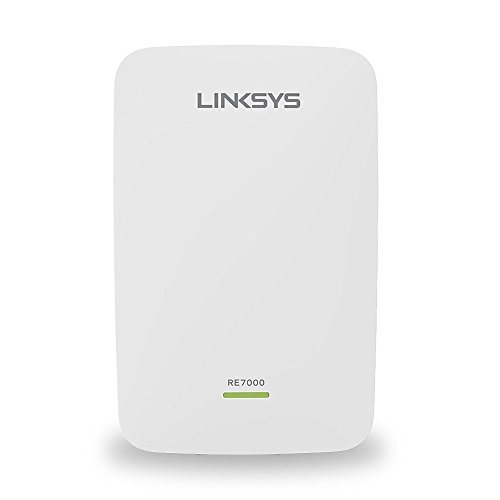
The RE7000 is the highest-class unit in the group at AC1900, and MU-MIMO support helps when a router serves many devices at once. Spot Finder Technology guides you to a good outlet, and Linksys states the unit is certified refurbished with updated firmware. A gigabit port provides a fast wired option.
Being a renewed unit rather than new stock is the central compromise. It is a Wi-Fi 5 design with no Wi-Fi 6 features, and the listing gives no rated square footage, so the reach is unclear.
It makes sense for crowded households on a Wi-Fi 5 router. Against the new EX5000 at 1.2 Gbps it offers more class and a wired gigabit port, while giving up the clean warranty story. Against the Yawitoso at 300 Mbps maximum it is in a different league on speed, even if it costs a bit of peace of mind.
Best for: Busy households that want more bandwidth and accept renewed hardware.
Check price on AmazonSpecs
- Class: AC1900 Wi-Fi 5
- Feature: MU-MIMO
- Port: Gigabit
- Condition: Certified refurbished
Pros
- +AC1900 class bandwidth for busy households
- +MU-MIMO suits a router serving many devices
- +Spot Finder Technology guides plug-in location
- +Maker states refurbished units carry updated firmware
Cons
- −Sold renewed, so warranty paths are less simple
- −Wi-Fi 5 only, with no Wi-Fi 6 features
- −The page gives no square footage rating
Yawitoso WiFi Signal Extender Booster, 300 Mbps
About this pick
The Yawitoso is the budget generalist of the group. It sets up from a phone or laptop without a special app, includes a printed manual for first-time users, and is advertised for indoor and outdoor spots. The 8470 sq ft claim suggests wide basic reach, though that is an ideal-conditions maximum.
Its 300 Mbps ceiling limits busy streaming, and the listing gives little detail on bands. In practice it suits light browsing, smart devices and basic video calls at the edge of coverage.
It is for the buyer who wants the simplest instructions and a low-stakes fix. Compared with the NETGEAR EX5000 you give up dual-band 1.2 Gbps and app guidance, and compared with the PEDUMMY you lose the Ethernet port. If your devices are demanding, step up. If your goal is a weak signal in a shed or patio, it is enough.
Best for: Light use and outdoor-adjacent spots where easy instructions beat raw speed.
Check price on AmazonSpecs
- Speed: 300 Mbps maximum
- Coverage claim: Up to 8470 sq ft
- Setup: Phone or laptop
- Use: Indoor and outdoor
Pros
- +Phone setup needs no special app
- +Printed manual helps first-time users
- +Advertised for indoor and outdoor spots
- +Wide basic reach claim for casual use
Cons
- −300 Mbps ceiling limits busy streaming
- −Range claim is an ideal-conditions maximum
- −Little detail on bands in the listing
How We Evaluated These Wi-Fi Extenders Under $30
Each pick was assessed across 5 criteria weighted for real-world use.
Setup experience
We compared the setup routes listed. The NETGEAR EX5000 leads with app and WPS guidance, the RE315 and Ethernet TP-Link follow with brand documentation, and the PEDUMMY and Yawitoso depend on thinner instructions.
Stated speed and band layout
We read stated throughput. The Linksys RE7000 leads on class, the NETGEAR EX5000 and RE315 follow at AC1200, and the Yawitoso's 300 Mbps maximum places it at the bottom.
Ports and modes
We credited Ethernet ports and AP mode. The PEDUMMY offers both, the Ethernet TP-Link gives a port, and the RE7000 has a gigabit port. Units with neither were scored as wireless-only.
Claim credibility
Square footage claims were checked for plausibility. The 1200 sq ft and 1,500 sq ft ratings were treated as realistic, and the 5200 and 8470 sq ft figures as upper limits. Credibility affected the score.
Value at this ceiling
We weighed each pick against the budget cap. The EX5000 leads for ease of use, the PEDUMMY for a stated wired spec sheet, and the RE7000 for bandwidth. Scores come from product specs and buyer feedback only.
How to Choose the Right Wi-Fi Extenders Under $30
By Who Is Setting It Up
Setup difficulty is the hidden cost at this tier.
| Situation | Pick | Why |
|---|---|---|
| Setting up for a relative | NETGEAR WiFi Extender EX5000, 1.2 Gbps | Nighthawk app or one-press WPS |
| Comfortable with antennas | TP-Link AC1200 Dual Band WiFi Extender (RE315) | Aimable antennas, 867 Mbps on 5 GHz |
| Likes printed instructions | Yawitoso WiFi Signal Extender Booster, 300 Mbps | Manual and phone setup |
| Wants a wired TV link | PEDUMMY WiFi Extender Booster 1200Mbps | Ethernet port and AP mode |
| Wants maximum class | Linksys AC1900 Gigabit Extender RE7000 (Renewed) | AC1900 with MU-MIMO |
A pairing that works the first time is worth more than extra square footage.
By Budget
Within this cap the tiers are set by brand, class and condition.
| Tier | Pick | What you get |
|---|---|---|
| Lower end | Yawitoso WiFi Signal Extender Booster, 300 Mbps | Basic reach, simple instructions |
| Lower end | TP-Link Dual Band WiFi Extender With Ethernet Port | Dual band and a port |
| Middle | PEDUMMY WiFi Extender Booster 1200Mbps | Clear AC1200 specs, AP mode |
| Middle | TP-Link AC1200 Dual Band WiFi Extender (RE315) | Aimable antennas, new stock |
| Near the cap | NETGEAR WiFi Extender EX5000, 1.2 Gbps | App setup and brand support |
| Near the cap | Linksys AC1900 Gigabit Extender RE7000 (Renewed) | Most bandwidth, renewed |
The cap buys clarity and support, not extra range.
Branded vs Generic
Two philosophies sit in this lineup.
Branded
NETGEAR, TP-Link and Linksys offer documentation, app or button pairing, and predictable support. The EX5000, RE315, Ethernet TP-Link and RE7000 sit here. Choose this if you value an easy first setup.
Generic
PEDUMMY and Yawitoso offer large coverage claims and extra modes at a low entry point, with thinner documentation. Choose this if you are comfortable troubleshooting and want features over support.
Brand buys predictability; generic buys features on paper.
By Number of Devices
Device load changes what you need.
| Load | Pick | Reason |
|---|---|---|
| Many phones, laptops and TVs | Linksys AC1900 Gigabit Extender RE7000 (Renewed) | MU-MIMO for many devices |
| A family of four streaming | NETGEAR WiFi Extender EX5000, 1.2 Gbps | 1.2 Gbps across two bands |
| A couple with a TV | TP-Link AC1200 Dual Band WiFi Extender (RE315) | 867 Mbps on 5 GHz |
| A few smart devices | Yawitoso WiFi Signal Extender Booster, 300 Mbps | 300 Mbps is plenty |
| One wired box plus phones | TP-Link Dual Band WiFi Extender With Ethernet Port | Port for the box, dual band for phones |
Device count matters less than whether the busy devices are streaming.
For a Basement or Garage Specifically
Outbuildings and lower levels stress range.
Look for
A 2.4 GHz band for reach through concrete, antennas you can aim, and a placement halfway between router and the space. Expect speeds to drop with each wall.
In this comparison
The NETGEAR EX5000 is aimed at garages, basements and backyards, and the RE315 lets you angle antennas. The Yawitoso advertises indoor and outdoor use but with a 300 Mbps ceiling.
A wired access-point link beats any repeater for a detached space.
When to Spend More
Where this cap stops being enough.
| Spend more if | Save if |
|---|---|
| You want seamless roaming under one network name | The EX5000 covers one troublesome room |
| You own a Wi-Fi 6 router and want matching speed | Your router is Wi-Fi 5 and the RE315 matches it |
| You need a full warranty on a high-class unit | You accept the renewed terms on the RE7000 |
| Several rooms are dead | A single bedroom needs a boost from the Ethernet TP-Link |
Mesh is the answer for whole-home dead zones, not another extender.
Frequently Asked Questions
Is NETGEAR or TP-Link better here?
On paper the EX5000 and RE315 are the same class, both AC1200 and rated for 1,500 sq ft. NETGEAR leans on app-guided setup, while TP-Link offers aimable antennas and routing. Choose by setup style.
Do I need an Ethernet port?
Only if a TV, console or desktop is near the extender. A cable avoids wireless contention and is more stable. The PEDUMMY and the Ethernet TP-Link include one, and the EX5000 does not.
Can I trust the 8470 sq ft claim?
Treat it as an ideal-conditions ceiling. Real homes have walls and floors that cut range heavily. The Yawitoso's 300 Mbps maximum is also a limiting factor for busy use.
Will it work with my router?
Standalone extenders generally pair with any router that has Wi-Fi, though ISP-branded pods may work only with the provider's gateway. Match generations too: a Wi-Fi 6 router will be limited to Wi-Fi 5 speeds on the extended link.
Is a renewed extender worth it?
It can be if bandwidth matters. The RE7000 offers AC1900 class and MU-MIMO. Check the condition and return terms, since new stock has a simpler warranty path.
Where should I plug it in?
Halfway between the router and the weak area, at chest height, away from microwaves and big metal objects. Plugging it in the dead zone simply repeats a weak signal. If the status light shows a poor link to the router, move the unit a little closer and pair again.
Can one extender cover a whole house?
Usually not. Even the 1,500 sq ft NETGEAR EX5000 and RE315 are open-space ratings, and each wall or floor takes a share of the signal. One unit fixes one weak area. If three or more rooms are weak, a mesh system is the more honest solution.
Bottom Line
best overall: NETGEAR WiFi Extender EX5000, 1.2 Gbps - best overall pick in this roundup.
See the full rankings above for all picks with pros, cons, and best-for summaries.
Browse on Amazon
All Prime-eligible options with current pricing.
Shop on Amazon →