6 Best Wi-Fi Extenders Under $25 in 2026
Six Wi-Fi extenders under $25, from dual-band TP-Link plug-ins to renewed Linksys units, with honest tradeoffs on bands, ports and coverage claims.


At a Glance
The lowest price tier for Wi-Fi extenders is crowded with oversized promises. Listings advertise thousands of square feet and dozens of devices, yet the hardware underneath is usually a small plug-in repeater that does one job: pull a weak signal from your router and rebroadcast it. This guide separates the extenders with clear, believable specs from the ones that rely on headline claims.
At the very bottom of the budget, the biggest choice is between a modern dual-band plug-in and an older single-band or renewed unit. Dual-band models keep a faster 5 GHz link for phones and laptops, while single-band N300 designs share one radio for everything and lose roughly half their throughput. Renewed Linksys units sit in the middle, offering more bandwidth in exchange for a short warranty.
We evaluated each pick from its listing, stated speeds and buyer feedback, not from claimed hands-on testing. Remember that an extender cannot raise the speed of your internet plan. It only reaches farther, so placement matters as much as the model you buy.
6 Criteria to Look For Before Buying a Wi-Fi Extenders Under $25
Key buying criteria so you get the right fit the first time.
Dual band versus single band
A single-band extender uses one radio to talk to both the router and your devices, which roughly halves throughput. Dual-band models keep a second link for devices. The TP-Link RE315 at 867 Mbps on 5 GHz and the Linksys AC750 renewed at 750 Mbps across two bands follow the dual-band route, while the RE105 and the Jancane do not. Choose dual band for streaming and calls.
Believable coverage numbers
Square footage on listings is a best-case open-space figure, and walls reduce it sharply. The 1200 sq ft claim on the Ethernet TP-Link is easy to trust, while the 5800 sq ft Jancane claim is not. Treat any figure above about 2000 sq ft with caution for a plug-in. Think in rooms, not square feet.
Ethernet port for wired devices
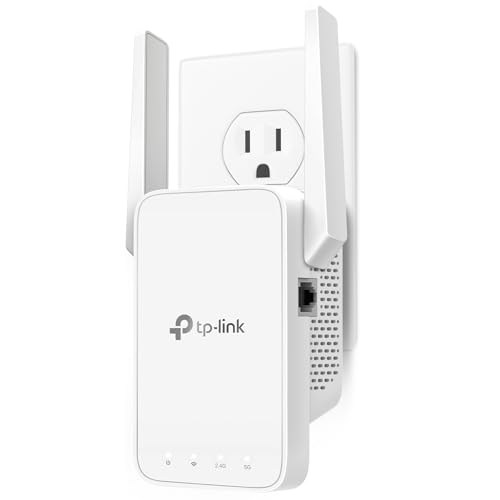
A wired port gives a TV, console or desktop a stable connection that does not compete with wireless traffic. The Ethernet TP-Link, the RE105 and the Jancane include one, and the RE7000 has a gigabit port. If a streaming box sits within cable reach, a port often beats a faster radio. Fast Ethernet is enough for most streaming.
Placement and setup method
Plug the extender about halfway between router and dead zone, where the signal is still strong, at chest height and away from microwaves and metal. Pairing by WPS push button or Push Button Connect is the simplest, with an app or browser as the fallback. Linksys Spot Finder Technology helps with placement.
Renewed versus new
Renewed Linksys units give more bandwidth for the money but come with shorter warranties, such as 90 days on the AC750. New TP-Link units give a clearer support path. Check return terms and condition notes. A renewed AC1900 can beat a new N300 for speed, but not for peace of mind.
Match your router generation
An extender cannot raise your internet speed, and a weaker extender becomes the bottleneck. Every pick here is Wi-Fi 5 or older, so they pair best with Wi-Fi 5 or older routers. A Wi-Fi 6 router will fall back to older speeds on the extended link. If a whole house is dead, a mesh system is the right fix.
6 Best Wi-Fi Extenders Under $25 in 2026
TP-Link AC1200 WiFi Extender Dual Band (RE315)
About this pick
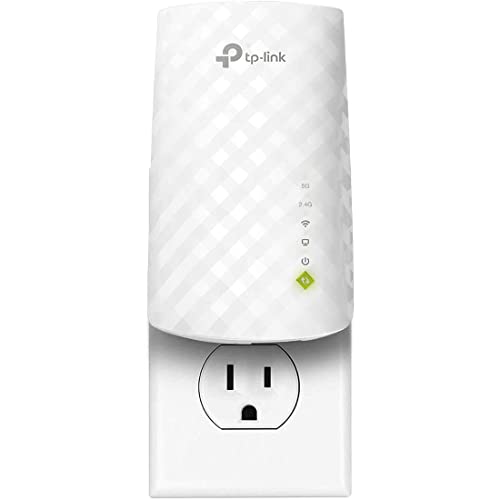
The RE315 is the strongest all-round extender in this tier because it keeps both bands in a single compact unit. The 5 GHz radio is rated at 867 Mbps for devices that sit close enough, and the 2.4 GHz band handles longer reach through walls. Two adjustable antennas let you angle the signal toward the dead zone. TP-Link's 1500 sq ft figure is a best-case rating in open space, so a real home with walls will see less. The listing also does not break out the 2.4 GHz speed separately, and two antennas is modest next to larger extenders. It is still the most sensible default for a small flat or a single weak bedroom. Setup uses Adaptive Path Selection routing, which picks the better route back to the router. Against the 1200 sq ft Ethernet model it adds speed headroom, and against the single-band RE105 it avoids the halved throughput. If you can only afford one extender at the lowest price tier, start here.
Best for: One weak room in a small home where you want speed on both bands.
Check price on AmazonSpecs
- Class: AC1200 dual band
- 5 GHz: 867 Mbps
- Coverage: Up to 1500 sq ft
- Antennas: 2 adjustable
Pros
- +Both bands in one compact unit
- +867 Mbps on 5 GHz plus a 2.4 GHz reach band
- +Two aimable antennas point at the dead zone
- +Adaptive Path Selection routing chooses the better path
Cons
- −2.4 GHz speed is not stated separately
- −Only two antennas, modest next to larger units
- −1500 sq ft is a best-case open-space rating
TP-Link Dual Band Extender With Ethernet Port
About this pick
This TP-Link adds a wired Ethernet port to a dual-band design, which is the feature to want if a smart TV, console or streaming box sits near the dead zone. The listing claims 44 percent more bandwidth than a single-band unit, and the dual-band layout beats the old N300 class it descends from. The body is compact enough for a crowded outlet strip. It claims the smallest coverage in the tier at 1200 sq ft, which is also the easiest number to trust. The listing gives no explicit 5 GHz speed figure, so the exact ceiling is unclear. It is the more modest sibling of the RE315, trading some headline range for a port. For day-to-day use the Ethernet jack matters more than a few hundred square feet. Plug a TV in by cable and the extender handles the wireless side for phones. If you have no wired devices, the RE315 gives you more antennas and a clearer 867 Mbps spec.
Best for: Rooms where a TV or console can be wired directly to the extender.
Check price on AmazonSpecs
- Bands: Dual band
- Port: Ethernet
- Coverage: Up to 1200 sq ft
- Bandwidth: 44% more than single band
Pros
- +Ethernet port lets a TV or console go wired
- +Dual-band design beats old single-band N300 units
- +Modest 1200 sq ft claim is easy to trust
- +Compact body suits a crowded outlet strip
Cons
- −Smallest listed coverage in this comparison
- −No explicit 5 GHz speed figure on the listing
TP-Link N300 WiFi Extender (RE105)
About this pick
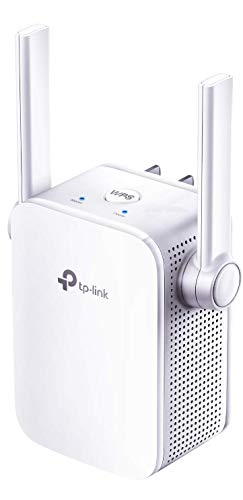
The RE105 is the older, simpler design: one band, two external antennas and a Fast Ethernet port. Because it focuses on the longer-range 2.4 GHz band, it reaches through walls reasonably well, and it works with any router or gateway. Access point mode turns a wired jack into Wi-Fi when you have a cable but no signal. The tradeoff is the single radio. It uses the same channel to talk to the router and to your devices, which roughly halves throughput, and it has no 5 GHz band for phones and laptops. That makes it a poor match for HD streaming, though it suits smart plugs, cameras and light browsing. Its value is in being the cheapest brand-name option with a wired port. Next to the dual-band RE315 you give up speed and gain nothing but price, so only choose it for low-demand devices. For a spare room that just needs a web page to load, it is adequate.
Best for: Low-demand devices like smart plugs and cameras at the edge of coverage.
Check price on AmazonSpecs
- Class: N300 single band
- Antennas: 2 external
- Port: Fast Ethernet
- Modes: Extender, access point
Pros
- +Focused on the longer-range 2.4 GHz band
- +Fast Ethernet port for a wired device
- +Access point mode turns a wired jack into Wi-Fi
- +Works with any router or gateway
Cons
- −No 5 GHz band for phones and laptops
- −Single radio roughly halves throughput
- −Not suited to HD streaming or video calls
Linksys AC1900 Gigabit Extender RE7000 (Renewed)
About this pick
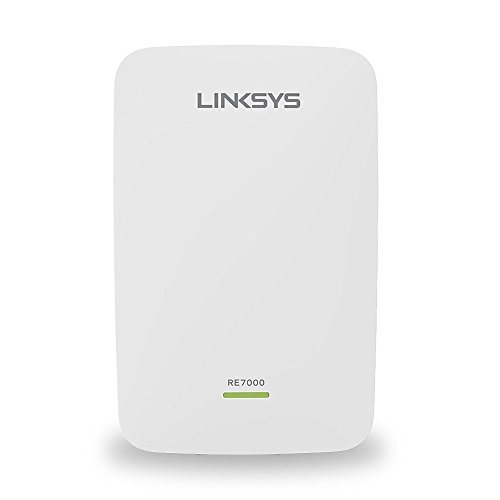
This renewed Linksys is the highest-bandwidth class here at AC1900, and it carries MU-MIMO support for routers that serve many devices at once. A gigabit port provides a fast wired option, and Spot Finder Technology guides you to a sensible plug-in location. Linksys states it is certified refurbished with updated firmware. Because it is a renewed unit rather than new stock, condition and warranty terms matter. It is a Wi-Fi 5 design with no Wi-Fi 6 features, and the listing gives no rated square footage, so coverage is hard to judge from the page alone. It makes sense if you have a busy household and a Wi-Fi 5 router and want the most bandwidth in this price tier. Against the renewed AC750 it offers a clear step up in capability, while against the new RE315 it adds MU-MIMO and a gigabit port at the cost of buying refurbished. Check the return terms first.
Best for: Busy homes with a Wi-Fi 5 router that want gigabit wired access and MU-MIMO.
Check price on AmazonSpecs
- Class: AC1900 Wi-Fi 5
- Port: Gigabit
- Feature: MU-MIMO
- Condition: Certified refurbished
Pros
- +AC1900 class bandwidth above the AC750 refurb
- +MU-MIMO support for routers serving many devices
- +Linksys states updated firmware on certified refurbished units
Cons
- −Renewed unit rather than brand new stock
- −Wi-Fi 5 design with no Wi-Fi 6 features
- −No rated square footage given in the listing
Linksys AC750 WiFi 5 Range Extender (Renewed)
About this pick
The renewed AC750 is the smallest unit in the tier, matched to a single room at 1,000 sq ft and 750 Mbps across two bands. Push Button Connect pairs it with the router in a single press, and Spot Finder Technology helps with placement. The seller includes original accessories and a 90-day warranty. The warranty is short, and the listing's coverage claims are inconsistent with each other, so treat the 1,000 sq ft figure as approximate. It has the lowest bandwidth and range of the group, which fits a studio or one bedroom, not a multi-story house. Its value is brand support: Linksys documentation is easy to find and the unit pairs with ordinary routers. Compared with the AC1900 RE7000 renewed unit it gives up bandwidth and MU-MIMO, and against the RE315 it offers a shorter warranty. Buy it for a small, simple dead spot.
Best for: A studio or single bedroom that needs a modest, easy dual-band boost.
Check price on AmazonSpecs
- Class: AC750 Wi-Fi 5
- Coverage: Up to 1,000 sq ft
- Pairing: Push Button Connect
- Warranty: 90 days
Pros
- +Dual-band AC750 with Push Button Connect pairing
- +Spot Finder Technology helps place it well
- +Includes original accessories and a 90-day warranty
- +Smallest rated area, matched to one room
Cons
- −Refurbished unit with a short 90-day warranty
- −Listing coverage claims are inconsistent with each other
- −Lowest bandwidth and range of the group
Jancane WiFi Extender, Ethernet Repeater or AP
About this pick
The Jancane leans on features: an Ethernet port, repeater and access-point modes, and support for 55 devices on the listing. Access-point mode turns a wired jack into Wi-Fi, which is useful in an outbuilding or an office with a cable run. It works with older 802.11 N/B/G gear, so ancient laptops and speakers connect. An older standard also limits modern streaming speeds, and the 5800 sq ft coverage claim reads as a best-case figure rather than something a house will see. The brand is less established than TP-Link or Linksys, so support is less certain. Choose it for mixed duty: a wired TV on the Ethernet port, a few phones on the wireless side, and a cable-fed access point if you need one. If your devices are modern and you want streaming speed, the RE315 is the better engineered option.
Best for: Older devices and wired jacks where access-point mode adds flexibility.
Check price on AmazonSpecs
- Coverage claim: Up to 5800 sq ft
- Devices: 55
- Modes: Repeater, access point
- Standard: 802.11 N/B/G
Pros
- +Access-point mode turns a wired jack into Wi-Fi
- +Supports 55 devices at once per the listing
- +Ethernet port serves a TV or desktop
- +Works with older 802.11 N/B/G gear
Cons
- −Older standard limits modern streaming speeds
- −Coverage claim reads as a best-case figure
- −Less established brand than TP-Link or Linksys
How We Evaluated These Wi-Fi Extenders Under $25
Each pick was assessed across 5 criteria weighted for real-world use.
Band layout and speed
We compared stated band configuration and speeds. The RE315 leads with 867 Mbps on 5 GHz, the Linksys RE7000 renewed leads on class at AC1900, and single-band units were scored lower for streaming.
Coverage claim credibility
We marked down inflated square footage claims and favoured believable ones. The 1200 sq ft and 1000 sq ft ratings on the Ethernet TP-Link and the AC750 were treated as realistic, while the 5800 sq ft Jancane claim was treated as a ceiling.
Ports and modes
We read which units offer Ethernet, access-point mode or both. The Jancane and RE105 give repeater and AP modes, the Ethernet TP-Link offers a wired port with dual band, and the RE7000 adds gigabit.
Support and condition
Brand documentation, warranty terms and new versus renewed status were weighed. TP-Link units scored well on support, and renewed Linksys units were credited for bandwidth but flagged for the 90-day warranty.
Value at the lowest tier
We judged each pick against its tier. The RE315 leads for overall balance, the Ethernet TP-Link for wired use, and the RE7000 for bandwidth. Scores reflect product specs and buyer feedback, not claimed testing.
How to Choose the Right Wi-Fi Extenders Under $25
By Room Situation
Start with the dead spot you are trying to fix.
| Situation | Pick | Why |
|---|---|---|
| Bedroom with phones and laptops | TP-Link AC1200 WiFi Extender Dual Band (RE315) | 867 Mbps on 5 GHz |
| Living room TV that can be wired | TP-Link Dual Band Extender With Ethernet Port | Ethernet port plus dual band |
| Smart plugs and cameras only | TP-Link N300 WiFi Extender (RE105) | 2.4 GHz range is enough |
| Busy house with many devices | Linksys AC1900 Gigabit Extender RE7000 (Renewed) | MU-MIMO and AC1900 class |
| Small studio | Linksys AC750 WiFi 5 Range Extender (Renewed) | Rated for 1,000 sq ft |
One dead room is an extender job; several dead rooms call for mesh.
By Budget
Within this ceiling, think in feature tiers.
| Tier | Pick | What you get |
|---|---|---|
| Lower end | TP-Link N300 WiFi Extender (RE105) | Single band, Ethernet, simple |
| Lower end | Jancane WiFi Extender, Ethernet Repeater or AP | Repeater and AP modes, big claims |
| Middle | TP-Link Dual Band Extender With Ethernet Port | Dual band and a wired port |
| Middle | Linksys AC750 WiFi 5 Range Extender (Renewed) | Dual band, branded, short warranty |
| Near the cap | TP-Link AC1200 WiFi Extender Dual Band (RE315) | 867 Mbps on 5 GHz, new stock |
| Near the cap | Linksys AC1900 Gigabit Extender RE7000 (Renewed) | AC1900 class and gigabit port |
Moving up buys a second band, not a larger home footprint.
New Stock vs Renewed
Condition changes the value equation.
New stock
A clean warranty path and current firmware. The RE315, the Ethernet TP-Link and the RE105 are new TP-Link units, and the Jancane is new but from a lesser-known brand. Choose this if you want the least hassle.
Renewed
More bandwidth per unit, with conditions. The RE7000 and the AC750 are certified refurbished with updated firmware, and the AC750 carries a 90-day warranty. Choose this if bandwidth matters and you accept the shorter protection.
Renewed for speed, new for simplicity.
By Wired Needs
Ports and modes decide which units fit.
| Need | Pick | Reason |
|---|---|---|
| Fast wired TV link | Linksys AC1900 Gigabit Extender RE7000 (Renewed) | Gigabit port |
| Wired TV with dual band | TP-Link Dual Band Extender With Ethernet Port | Ethernet beside 5 GHz |
| Cable-fed access point | Jancane WiFi Extender, Ethernet Repeater or AP | AP mode for a wired jack |
| Wired extra with 2.4 GHz only | TP-Link N300 WiFi Extender (RE105) | Fast Ethernet and AP mode |
| No wired devices | TP-Link AC1200 WiFi Extender Dual Band (RE315) | Skip the port, take the antennas |
A cable to one device often beats a faster radio.
For a Small Apartment Specifically
Small spaces have simple requirements.
Look for
A dual-band unit with an honest coverage rating near 1000 to 1500 sq ft and easy WPS pairing. Place it midway between router and dead room, never inside the dead zone.
In this comparison
The Linksys AC750 renewed at 1,000 sq ft and the RE315 at 1500 sq ft are right-sized. The RE315 has newer stock, while the AC750 is more compact.
Bigger claims do not fix a small flat; placement does.
When to Spend More
Know where this tier runs out.
| Spend more if | Save if |
|---|---|
| You need seamless roaming under one network name | The RE315 covers a single weak bedroom |
| Your router is Wi-Fi 6 and you want matching speed | Your router is Wi-Fi 5 and the RE7000 matches it |
| You want a longer warranty than the AC750's 90 days | You accept renewed terms for extra bandwidth |
| Several rooms are dead at once | Only one room needs help and the Ethernet TP-Link fits |
A mesh system is the real upgrade for multiple dead zones.
Frequently Asked Questions
Will an extender make my internet faster?
No. An extender only reaches farther by rebroadcasting your router's signal, so it cannot exceed your plan's speed. It can make a weak room usable. Placement halfway between router and dead zone matters most.
Which is best for streaming video?
The dual-band picks do better, especially the RE315 with 867 Mbps on 5 GHz or the renewed RE7000 at AC1900 class. Single-band units like the RE105 share one radio and are not suited to HD video. Wiring the TV through an Ethernet port is better still.
Are the 10000 sq ft claims believable?
No listing covers that much in a real home. Square footage is an open-space best case and walls reduce it. The 1200 sq ft and 1500 sq ft ratings on the TP-Link models are more realistic for plug-in units.
Is a renewed Linksys a good idea?
It can be, if you value bandwidth over warranty. Linksys states the units are certified refurbished with updated firmware, but the AC750 carries only 90 days of coverage. Check return terms before buying.
Where do I plug it in?
Pick an outlet where your phone still shows decent bars from the router, roughly midway to the problem room. Metal shelves and kitchen appliances are poor neighbours. The Linksys units add Spot Finder Technology to confirm the spot.
Do extenders create a second network name?
Many do, which means your devices may not roam seamlessly between router and extender. Mesh systems solve that with one network name. For one dead room, a second name is a minor inconvenience.
Can I use an extender as an access point?
Some can. The RE105 and the Jancane list access-point modes that turn a wired jack into Wi-Fi. That is handy for an outbuilding or office with a cable run, but a Wi-Fi 5 or older radio limits speeds.
Bottom Line
best overall: TP-Link AC1200 WiFi Extender Dual Band (RE315) - best overall pick in this roundup.
See the full rankings above for all picks with pros, cons, and best-for summaries.
Browse on Amazon
All Prime-eligible options with current pricing.
Shop on Amazon →