6 Best Digital Photo Frames Under $75 in 2026
Six 10.1 inch WiFi digital photo frames that let family send pictures from afar, compared on app, storage and screen so you pick one that suits a loved one.
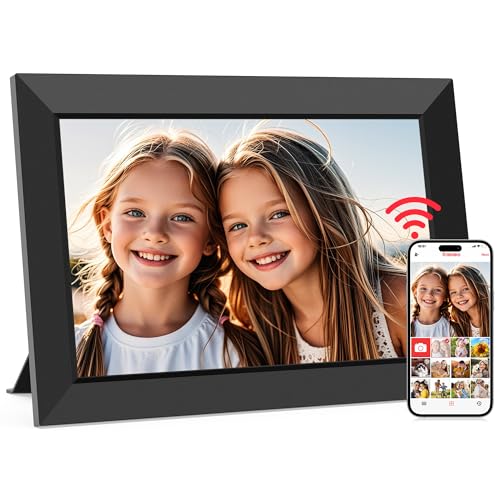
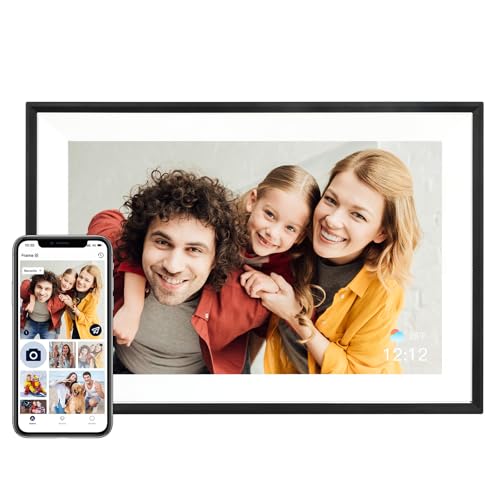


At a Glance
A WiFi photo frame is one of the few gadgets that works equally well for the person who sets it up and the person who just looks at it. A grandchild sends a picture from their phone, and a few seconds later it appears on a screen in a parent's kitchen. At this budget cap you can get exactly that experience in a 10.1 inch frame, and the differences come down to the app, the storage and a few handling details.
We evaluated six frames on their listed specs and buyer feedback. Almost all use a 1280x800 IPS touchscreen with 32GB of memory, so the real decisions are which sharing app the frame uses, whether it works without WiFi, how photos rotate and how much hardware polish you get. Each of those affects how often the frame actually gets used.
This is the entry bracket for the category, and it is sufficient for most households. A frame in this range will not match the polish of a premium brand, but it will do the one thing that matters, which is showing fresh family pictures without anyone needing to touch a computer. That is why we weigh ecosystem and reliability above raw screen numbers. Bigger screens and premium finishes are discussed where they matter, but no pick here requires a monthly subscription for its core sharing. The sections below help you match a frame to the person receiving it.
6 Criteria to Look For Before Buying a Digital Photo Frames Under $75
Key buying criteria so you get the right fit the first time.
Sharing App and Platform
The app is how relatives will actually use the frame, so it matters more than the panel. Frameo is the most common platform and is used by the MaxAngel Frameo 10.1 Inch WiFi Digital Picture Frame and the USIN 10.1 Inch WiFi Frameo Digital Picture Frame. AiMOR powers the AEEZO 10.1 Inch Digital Photo Frame and the Linkdaze 10.1 Inch HD IPS Digital Picture Frame. Choose the app your family will be happiest installing.
Storage and Expansion
Most frames here carry 32GB, which holds tens of thousands of photos. A microSD slot extends that and lets you preload pictures. The MaxAngel lists over 80,000 photos, the Linkdaze lists over 50,000 with Micro SD expansion, and the USIN adds card import. Storage is rarely the limit, but expansion is handy for large archives.
Screen Resolution and Size
A 10.1 inch IPS panel at 1280x800 is the common standard in this bracket, with wide viewing angles for a room. The Annalivkg 10.1 Inch WiFi Digital Picture Frame claims 1080P. The step up to 15.6 inches and full HD is a higher bracket. For a kitchen shelf, 10.1 inches is adequate.
WiFi Dependence
A frame that depends on WiFi to show anything becomes a blank screen if the network drops. Offline playback keeps the slideshow running. The USIN lists offline viewing and the Pastigio Frameo 10.1 Inch Digital Picture Frame supports use without WiFi. Consider the home network of the person receiving the frame.
Orientation and Placement
Portrait photos from phones look best when the frame can rotate. The AEEZO uses a gravity sensor, the Annalivkg lists auto rotation, and it also offers wall mounting. Think about where the frame will stand before buying. A frame that is hard to place may go unused.
Subscriptions and Hidden Fees
Some branded frames lock features behind a monthly fee. The Frameo-based frames in this guide, including the USIN, state that core sharing needs no subscription. Read the listing for any premium tier. A recurring fee for basic sharing is a reason to look elsewhere.
6 Best Digital Photo Frames Under $75 in 2026
MaxAngel Frameo 10.1 Inch WiFi Digital Picture Frame
About this pick
This MaxAngel frame runs the Frameo platform, so relatives can send photos and clips of up to 15 seconds through a free app. It has a 10.1 inch IPS touchscreen at 1280x800, 32GB of built-in memory said to hold over 80,000 photos, and a microSD slot for more. There is no subscription requirement for core sharing.
The Frameo ecosystem is the reason it leads, because it is a widely used platform and the app is straightforward for relatives. The caution is that Frameo is used by many hardware makers, so build quality depends on the vendor. The screen resolution is also the standard HD class rather than anything sharper.
In use, you connect to WiFi, pair the app and invite family. Compared with the AEEZO, which uses the AiMOR app, the MaxAngel is tied to the better-known platform. It is the sensible default for a first frame.
Best for: A first frame for a parent when relatives want an easy, well-known sharing app.
Check price on AmazonSpecs
- Screen: 10.1 inch IPS touch, 1280x800
- Storage: 32GB built in
- Expansion: microSD slot
- Video sharing: Clips up to 15 seconds
Pros
- +Frameo app lets relatives send photos and clips
- +32GB memory holds a very large library
- +microSD slot extends storage further
- +Core sharing needs no subscription
Cons
- −Build quality depends on this specific vendor
- −Resolution is standard HD, not full HD
AEEZO 10.1 Inch Digital Photo Frame
About this pick
The AEEZO pairs a 10.1 inch IPS touchscreen with adjustable brightness and a built-in gravity sensor that turns pictures to match how the frame is placed. It uses the AiMOR app so family can send moments to the frame from anywhere. Memory is 32GB.
Auto-rotation is a quiet convenience, because portrait phone photos fill the screen when the frame is stood upright. The tradeoff is an app ecosystem that is newer than Frameo, so long-term support deserves a look at current buyer feedback. Its hardware specs are otherwise identical to its neighbors.
Setup follows the same pattern as the other frames: power on, join WiFi and link the app. Next to the MaxAngel, the AEEZO swaps a familiar platform for a gravity sensor feature. It makes sense if you will move the frame between landscape and portrait.
Best for: People who like to change a frame between portrait and landscape.
Check price on AmazonSpecs
- Screen: 10.1 inch IPS touch, 1280x800
- Sharing app: AiMOR
- Orientation: Gravity-sensor auto-rotate
- Storage: 32GB built in
Pros
- +Gravity sensor rotates photos automatically
- +Brightness can be adjusted on the touchscreen
- +AiMOR app shares moments from anywhere
- +32GB of built-in memory for a big library
Cons
- −AiMOR ecosystem is newer than Frameo
- −Long-term support needs checking in reviews
USIN 10.1 Inch WiFi Frameo Digital Picture Frame
About this pick
USIN's frame supports photo and supported video playback on a 10.1 inch responsive IPS touchscreen, with 32GB of storage and a microSD slot for importing pictures. It uses the Frameo app for remote sharing without a monthly fee and lets you send 15-second video clips. The listing highlights offline viewing, so a frame keeps playing stored photos when WiFi drops.
Offline viewing matters in homes with flaky internet, because the slideshow does not stop. The limitation is a spec sheet that matches the cheaper rivals, so the case for it rests on that reliability and the microSD import route. It makes no claims about resolution beyond 1280 by 800.
A nice consequence of the microSD slot is that you can load photos before gifting the frame. Compared with the Linkdaze, the USIN uses the more established app. It fits a relative with unreliable WiFi.
Best for: Homes with unreliable WiFi or relatives who prefer loading photos by card.
Check price on AmazonSpecs
- Screen: 10.1 inch IPS, 1280 x 800
- Storage: 32GB plus microSD import
- App: Frameo, no monthly fee
- Video: 15-second clips
Pros
- +Keeps playing stored photos when WiFi drops
- +microSD import allows preloading before gifting
- +Frameo sharing with no monthly subscription
- +Responsive 10.1 inch IPS touchscreen
Cons
- −Specs match the cheapest rivals
- −Video clips limited to 15 seconds
Pastigio Frameo 10.1 Inch Digital Picture Frame
About this pick
Pastigio describes this frame as officially authorized by Frameo and gives it 32GB of built-in memory, enough for over 50,000 photos by its own count. It supports non-WiFi use, so photos can be loaded another way and displayed without a network. The screen is a 10.1 inch 1280x800 IPS touchscreen.
The no-WiFi mode makes it a practical gift for a home without internet or for a relative who does not want another device on the network. The cost is that you lose live sharing until the frame is connected. As with the other Frameo frames, the platform is common but the build depends on the maker.
It asks little of you once photos are loaded, which is a plus for anyone who dislikes tech setup. In comparison with the USIN, the Pastigio emphasizes official authorization rather than offline playback features. It suits a gift for someone away from WiFi.
Best for: Gifts for relatives without WiFi who just want a slideshow.
Check price on AmazonSpecs
- Screen: 10.1 inch IPS touch, 1280x800
- Storage: 32GB, 50,000+ photos
- No-WiFi use: Supported
- Platform: Frameo
Pros
- +Supports use without a WiFi connection
- +Officially authorized Frameo hardware
- +32GB holds more than 50,000 photos
- +10.1 inch IPS touchscreen at 1280x800
Cons
- −Live sharing requires a network connection
- −Gift-focused listing says little about build
Linkdaze 10.1 Inch HD IPS Digital Picture Frame
About this pick
Linkdaze offers a 10.1 inch IPS touch display at 1280x800 and 32GB of internal storage said to hold over 50,000 photos, with Micro SD expansion. Sharing runs through the AiMOR app, so a relative can send a spontaneous photo that appears on the frame. The listing frames it as a way to surprise loved ones.
Expansion is the practical benefit, since a card can multiply the library for people who have decades of pictures. The weakness is a spec sheet that offers nothing unique beyond the AiMOR ecosystem. It is the same panel as the AEEZO without the gravity sensor mention.
It works as a plug-in, link and forget gift. Compared with the AEEZO, the Linkdaze highlights card expansion in place of auto-rotation. It suits a family with a large photo archive.
Best for: Families with a large archive who want to add storage by card.
Check price on AmazonSpecs
- Screen: 10.1 inch IPS touch, 1280x800
- Storage: 32GB internal, 50,000+ photos
- Expansion: Micro SD cards
- App: AiMOR
Pros
- +Micro SD expansion extends the library
- +32GB internal storage for 50,000 plus photos
- +AiMOR app sends surprise pictures instantly
- +Responsive 10.1 inch IPS touchscreen
Cons
- −Nothing unique beyond card expansion
- −Relies on the newer and smaller AiMOR app
Annalivkg 10.1 Inch WiFi Digital Picture Frame
About this pick
Annalivkg calls out a 10.1 inch 1080P HD touchscreen, auto rotation, and the choice of wall mount or desktop placement. The listing talks up easy setup with smart auto selection of photos. It is a WiFi frame intended for all ages.
The flexibility of placement is the standout, because a frame that can hang beside a doorway or sit on a shelf suits more rooms. The caution is that the listing gives fewer details on the sharing app and storage than the Frameo and AiMOR frames. Check what you get before ordering.
Once positioned, the auto rotation does the rest. Compared with the MaxAngel, the Annalivkg leaves out app and storage specifics but claims a higher resolution. It is a fit for a household that cares about mounting.
Best for: Spaces where the frame might hang on a wall as well as stand on a shelf.
Check price on AmazonSpecs
- Screen: 10.1 inch HD touch, 1080P per listing
- Orientation: Auto rotation
- Placement: Wall mount or desktop
- Connectivity: WiFi
Pros
- +Wall mount and desktop placement both supported
- +Listing describes a 1080P HD touchscreen
- +Auto rotation fits portrait and landscape
- +Setup is described as simple by the maker
Cons
- −Fewer storage and app details are listed
- −Sharing platform is not named clearly
How We Evaluated These Digital Photo Frames Under $75
Each pick was assessed across 5 criteria weighted for real-world use.
Sharing ecosystem
We compared the apps behind each frame. Frameo supports the MaxAngel, USIN and Pastigio, and AiMOR supports the AEEZO and Linkdaze. The Annalivkg lists the least detail, which cost it points.
Storage and import
Memory and card options were compared. The MaxAngel, USIN, Linkdaze and Pastigio carry 32GB with various expansion routes, and the USIN adds card import. We favored frames that make loading photos easy.
Reliability without WiFi
Offline behavior was assessed from listings. The USIN lists offline viewing and the Pastigio lists no-WiFi use. Frames with no stated offline behavior were scored cautiously.
Display and handling
Panel size, resolution and orientation features were compared. The Annalivkg claims 1080P, the AEEZO has a gravity sensor, and the rest share 1280x800. We treated wall mounting as a plus for flexibility.
Cost of ownership
We checked for subscription requirements. The Frameo frames state no monthly fee for core sharing. No pick in this guide needs a recurring charge for basic use.
How to Choose the Right Digital Photo Frames Under $75
By Recipient
Who will own the frame is the best first question.
| Recipient | Pick | Why |
|---|---|---|
| Parent with good WiFi | MaxAngel Frameo 10.1 Inch WiFi Digital Picture Frame | Popular app and 32GB memory |
| Relative with patchy WiFi | USIN 10.1 Inch WiFi Frameo Digital Picture Frame | Offline viewing and card import |
| Relative without WiFi | Pastigio Frameo 10.1 Inch Digital Picture Frame | Supports use without a network |
| Large photo archive | Linkdaze 10.1 Inch HD IPS Digital Picture Frame | Micro SD expansion |
| Portrait photo fan | AEEZO 10.1 Inch Digital Photo Frame | Gravity sensor rotation |
Ask the recipient where the frame will sit and what the WiFi is like before ordering, since a frame hidden in a dim corner or out of signal range will rarely be enjoyed. If you can, visit once to test the signal at the exact spot.
By Budget
All six sit inside the cap, so the tiers show their position within it.
| Tier within the cap | Pick | What you get |
|---|---|---|
| Entry | AEEZO 10.1 Inch Digital Photo Frame | The basic panel with rotation |
| Entry | Linkdaze 10.1 Inch HD IPS Digital Picture Frame | Card expansion on a basic panel |
| Mid | MaxAngel Frameo 10.1 Inch WiFi Digital Picture Frame | The Frameo ecosystem |
| Mid | USIN 10.1 Inch WiFi Frameo Digital Picture Frame | Offline viewing |
| Upper | Pastigio Frameo 10.1 Inch Digital Picture Frame | Official Frameo authorization |
| Upper | Annalivkg 10.1 Inch WiFi Digital Picture Frame | Wall mount and a 1080P claim |
At this level the tiers reflect ecosystem and extras, not different screen technology, so pay for the app or the offline behavior you will genuinely use.
Frameo vs AiMOR
These two apps cover most frames in the bracket.
Frameo
A widely used sharing platform where relatives send photos and 15-second clips through a free app. The MaxAngel Frameo 10.1 Inch WiFi Digital Picture Frame, USIN 10.1 Inch WiFi Frameo Digital Picture Frame and Pastigio Frameo 10.1 Inch Digital Picture Frame use it. Choose this side for a mature ecosystem.
AiMOR
A newer app that also sends photos to the frame from anywhere. The AEEZO 10.1 Inch Digital Photo Frame and Linkdaze 10.1 Inch HD IPS Digital Picture Frame use it. Choose this side if the frame has features you want and you accept a smaller ecosystem.
Pick Frameo for the safest bet; pick AiMOR when a specific feature is the draw. Whichever you choose, install the app on two or three relatives' phones in advance so the frame receives pictures from the very first week.
By Network Situation
The home network can decide whether a frame is useful.
| Network | Pick | Detail |
|---|---|---|
| Reliable WiFi | MaxAngel Frameo 10.1 Inch WiFi Digital Picture Frame | Live sharing with the Frameo app |
| Occasional drops | USIN 10.1 Inch WiFi Frameo Digital Picture Frame | Offline viewing |
| No WiFi at all | Pastigio Frameo 10.1 Inch Digital Picture Frame | Non-WiFi use |
| Unknown setup | Annalivkg 10.1 Inch WiFi Digital Picture Frame | Easy setup and auto selection |
Preload photos by card before gifting if you are unsure about the recipient's network.
For Gifting to Seniors Specifically
A frame for an older relative should be simple and forgiving.
Look for
Touch controls that are easy to use, a setup that you can do for them, offline playback and a screen that is bright but not harsh.
In this comparison
The USIN 10.1 Inch WiFi Frameo Digital Picture Frame offers offline viewing and card import, and the Pastigio Frameo 10.1 Inch Digital Picture Frame supports no-WiFi use. The MaxAngel Frameo 10.1 Inch WiFi Digital Picture Frame is the easiest for relatives to feed.
Set the frame up at your own home first, then deliver it ready to plug in. Preload a few dozen favorite pictures so the first thing your relative sees is a familiar face, not an empty slideshow.
When to Spend More
A few needs go past this bracket.
| Spend more if | Save if |
|---|---|
| You want a larger screen than 10.1 inches, which none of these six provide | The MaxAngel size suits a shelf or counter |
| You want email-based sharing without an app | Relatives are comfortable installing Frameo |
| You want a premium finish or frame style | The plain USIN body is fine |
| You need full HD panel quality | The 1280x800 IPS on the AEEZO looks sharp enough to you |
Check the higher bracket guides for 15.6 inch and email-based options.
Frequently Asked Questions
Do these frames need a subscription?
The Frameo frames, including the MaxAngel and USIN, state that core sharing needs no monthly fee. Always read the listing for premium tiers. None of the picks here requires a recurring charge for basic use.
How do relatives send photos?
They install the companion app, such as Frameo or AiMOR, and link to the frame with a code. After that they can send pictures and short clips from their phone. The Frameo listings mention clips of up to 15 seconds. The frame must be online to receive them.
Will the frame work without internet?
Some will display stored photos offline. The USIN lists offline viewing, and the Pastigio supports non-WiFi use. You can load photos with a microSD card where a slot exists. Live sharing needs a connection.
How many photos can it hold?
Thirty-two gigabytes holds tens of thousands of pictures. The MaxAngel lists over 80,000, while the Linkdaze and Pastigio list over 50,000. Videos use more space. A card slot adds room if you need it.
Is 1280x800 good enough?
For a 10.1 inch screen viewed from a few feet, yes. Most pictures look clear on an IPS panel with wide viewing angles. A higher resolution matters more on larger frames. The Annalivkg claims 1080P, though other specs are thin. Keep brightness moderate in a dim room so the picture looks natural rather than glaring.
Can I change the photo orientation?
Several frames rotate automatically. The AEEZO uses a gravity sensor and the Annalivkg lists auto rotation. Others let you set it by hand in settings. Portrait photos look best in an upright frame.
Is it safe to send private photos?
Frameo describes sharing as private and secure, but you should still choose your invitees carefully. Share the frame's code only with trusted relatives. Keep the app updated. Remove access if someone no longer needs it.
Bottom Line
best overall: MaxAngel Frameo 10.1 Inch WiFi Digital Picture Frame - best overall pick in this roundup.
See the full rankings above for all picks with pros, cons, and best-for summaries.
Browse on Amazon
All Prime-eligible options with current pricing.
Shop on Amazon →