6 Best Digital Photo Frames Under $100 in 2026
Digital photo frames from 10.1 inch to 15.6 inch full HD, compared on screen size, storage and sharing apps to help you choose a display for a family room.


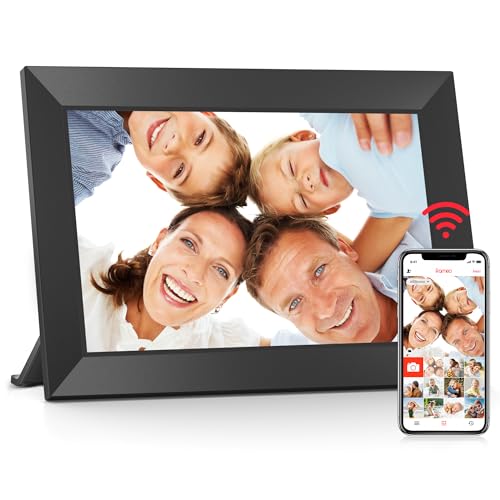
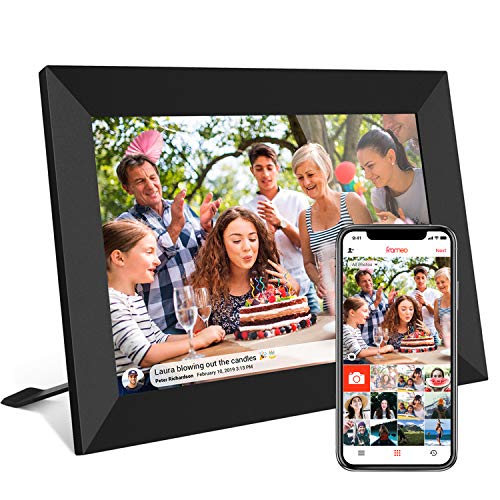


At a Glance
The extra room in this budget bracket buys the single upgrade most people actually notice: a bigger screen. Two of the frames below measure 15.6 inches with a 1920x1080 panel, large enough to read from across a living room. The others stay at 10.1 inches, so the guide doubles as a way to decide whether size is worth chasing for the person you are buying for.
We evaluated six frames on their listed specs and buyer feedback. Because most of them share the same basic ingredients, WiFi sharing through an app and a touchscreen, we paid close attention to the things that differ: panel size and resolution, built-in memory, which app is used, and how much the listing actually tells you. A frame that omits basic specs is harder to trust.
If you want a bright, easily seen display for a relative with weaker eyesight, the larger panels are worth the step up. If you want a bedside or shelf frame, a 10.1 inch model is enough. The sections below show which size and which ecosystem suit which room.
6 Criteria to Look For Before Buying a Digital Photo Frames Under $100
Key buying criteria so you get the right fit the first time.
Screen Size and Distance
How far you sit from the frame decides how big it should be. A 10.1 inch frame suits a viewer within about two meters, while a 15.6 inch frame suits a living room. The BIGASUO 15.6 Inch Frameo Digital Picture Frame and Pastigio Frameo 15.6 Inch Digital Picture Frame are the large options here. Bigger screens also need a wall mount or stronger stand.
Resolution
A 1920x1080 panel looks noticeably sharper on a large frame, where a 1280x800 panel would look soft. The two 15.6 inch frames list full HD, and the 10.1 inch frames list 1280x800. On a small screen the difference is less visible. Match the resolution to the screen size, not just the number.
Built-In Memory
Storage decides how large a library the frame can hold without a card. The BIGASUO 15.6 Inch Frameo Digital Picture Frame offers 64GB, about 100,000 photos, and the 10.1 inch models offer 32GB. For most families even 32GB is more than enough. Choose 64GB if you plan on lots of video clips.
App Ecosystem
The app controls how easily family can send pictures. Frameo is the platform for the BIGASUO frames, the Pastigio and the akimart Frameo 10.1 Inch Smart WiFi Digital Photo Frame. The Anna Bella 10.1 Inch WiFi Digital Picture Frame uses Aimor. A familiar app tends to mean smoother help from relatives.
WiFi Band Support
Some frames connect only to 2.4GHz networks. The BIGASUO 15.6 listing says 2.4GHz only. If your router combines bands or is set to 5GHz, a frame may fail to connect until you adjust it. Check this before gifting to a relative with a newer router.
Placement Options
A frame must sit somewhere that works. The akimart comes with a detachable holder and rotates between portrait and landscape. Larger frames usually need a wall mount. Think about outlet position and viewing angle before ordering. A frame angled away from a window avoids glare on the glass, which matters more on a large 15.6 inch panel than on a small one, and a short cord run keeps the display looking tidy.
6 Best Digital Photo Frames Under $100 in 2026
BIGASUO 15.6 Inch Frameo Digital Picture Frame, 64GB
About this pick
BIGASUO builds this frame around a 15.6 inch IPS panel at 1920x1080, with 64GB of built-in storage that the maker says holds about 100,000 photos, plus expandable storage. It runs the Frameo app for private sharing of photos and short videos. The listing notes that WiFi support is limited to the 2.4GHz band.
The size and the full HD panel are the draw, because pictures look sharp and can be seen from a couch several steps away. The caution is that it is third-party hardware, so check current buyer feedback, and the 2.4GHz limit may need a router adjustment at home. It lacks the premium finish of a pricier brand.
Setup is the usual WiFi pairing, though a large frame needs a wall or a sturdy stand. Next to the BIGASUO 10.1 inch model with its basic panel, this one quadruples the storage and nearly doubles the diagonal. It is the strongest value for a main living space. Expect to spend a little time choosing a mounting spot, since a 15.6 inch panel dominates a small wall and needs an outlet nearby. Once placed and loaded, the slideshow runs on its own and the relatives do the rest.
Best for: Living rooms where the frame must be seen from across the room.
Check price on AmazonSpecs
- Screen: 15.6 inch IPS FHD touch
- Resolution: 1920 x 1080
- Storage: 64GB, about 100,000 photos
- WiFi: 2.4GHz only
Pros
- +15.6 inch full HD panel is sharp and large
- +64GB memory holds about 100,000 photos
- +Storage can be expanded further
- +Frameo app shares photos privately
Cons
- −Supports only 2.4GHz WiFi networks
- −Third-party hardware, check current feedback
Pastigio Frameo 15.6 Inch Digital Picture Frame
About this pick
Pastigio offers a 15.6 inch FHD IPS touchscreen at 1920x1080, with Frameo handling the sharing of photos and clips up to 15 seconds. The listing pitches it as a gift for birthdays and weddings. It gives the same large-format experience as the BIGASUO but says less about memory.
Its upside is the large panel at a competitive price in this bracket. The downside is that the listing is vaguer on built-in storage than the 64GB BIGASUO, so confirm the capacity before you commit. It is also third-party hardware on a shared platform.
The routine is plug in, connect and invite relatives. Compared with the BIGASUO 15.6, the Pastigio matches the screen but omits the 64GB figure. It is the alternative to pick if the other is unavailable or if you prefer its styling. Because the listing is quiet on storage, it is wise to ask the seller or check the product page for the exact figure, and to keep your original pictures backed up on a phone or computer.
Best for: Buyers who want a 15.6 inch screen and a familiar sharing app.
Check price on AmazonSpecs
- Screen: 15.6 inch FHD touch
- Resolution: 1920 x 1080 pixels
- App: Frameo
- Video clips: Up to 15 seconds
Pros
- +15.6 inch FHD IPS panel suits a living room
- +Frameo handles photos and short clips
- +Touchscreen makes browsing straightforward
- +Large display reads well from a distance
Cons
- −Memory capacity is less clearly stated
- −Third-party hardware on a shared platform
BIGASUO Frameo 10.1 Inch Digital Picture Frame
About this pick
This smaller BIGASUO uses a 10.1 inch IPS touchscreen at 1280x800 with 32GB of memory and the Frameo app. The listing says setup takes only a few minutes and the touch interface suits all ages. Relatives are invited to share directly to the frame with no distance limit.
Its value is a no-fuss installation in a compact format. The limit is the smaller screen, which will not be read comfortably from a distance. It also uses the common 1280x800 panel rather than the full HD found on the larger models.
Day to day it behaves like a bedside or kitchen frame that grows its library by app. Compared with the 15.6 inch BIGASUO, it gives up size and half the storage but takes up far less room. It makes sense when a shelf is all you have.
Best for: Shelves and bedside tables where a compact frame fits best.
Check price on AmazonSpecs
- Screen: 10.1 inch IPS touch
- Resolution: 1280 x 800
- Storage: 32GB
- Setup: A few minutes
Pros
- +Setup takes only a few minutes
- +Touchscreen suits users of all ages
- +Frameo app invites family to share easily
- +Compact 10.1 inch body fits a shelf
Cons
- −Smaller screen is harder to read from afar
- −Panel is 1280x800 rather than full HD
akimart Frameo 10.1 Inch Smart WiFi Digital Photo Frame
About this pick
The akimart is Frameo-branded hardware with a 10.1 inch 1280x800 IPS LCD touchscreen and 32GB of memory. It rotates photos automatically between portrait and landscape and comes with a detachable holder that serves as a stand. Short videos up to 15 seconds can be sent through the app.
The detachable holder gives some freedom in placement, since you can use it on a desk or take it off to mount the frame. The compromise is the basic panel resolution, which looks plainer than the FHD alternatives. Ecosystem support is smaller than some premium brands.
It asks for the usual WiFi setup and then runs by itself. In contrast to the Oqsonwu, the akimart names its hardware and platform clearly. It is a dependable mid-size option for a desk, and the removable holder means the same frame can move to a wall later if the room changes. The auto-rotate behavior is helpful when family sends a mix of vertical phone shots and wide landscape pictures.
Best for: Desks and shelves where a removable stand and auto-rotation help.
Check price on AmazonSpecs
- Screen: 10.1 inch IPS LCD touch
- Storage: 32GB
- Orientation: Auto-rotate
- Stand: Detachable holder
Pros
- +Auto-rotates between portrait and landscape
- +Detachable holder allows a flexible setup
- +Built for the Frameo app from the start
- +32GB of built-in storage for photos
Cons
- −Basic resolution compared with FHD frames
- −Smaller ecosystem than premium brands
Anna Bella 10.1 Inch WiFi Digital Picture Frame
About this pick
Anna Bella sells this 10.1 inch frame as a heartfelt gift, with a 1280x800 IPS touchscreen, 32GB of storage and sharing through the Aimor app on iOS and Android. The listing talks about bridging distance by sending moments instantly. It is a WiFi frame in the standard 10.1 inch class.
Its upside is a clear mention of both phone platforms, which matters for mixed families. The downside is a sparse spec sheet and a smaller app ecosystem than Frameo. It does not stand out on hardware.
Expect a quick pairing and then regular app uploads. Compared with the akimart, it has no detachable holder or rotation callout. It is an acceptable gift when you want the Aimor app. Before wrapping it, charge your own phone with the app and send a test picture, so you know the pairing works and can walk the recipient through it.
Best for: Mixed iPhone and Android families who want an Aimor-based frame.
Check price on AmazonSpecs
- Screen: 10.1 inch IPS touch
- Resolution: 1280 x 800
- Storage: 32GB
- App: Aimor on iOS and Android
Pros
- +Works with Aimor on both iOS and Android
- +10.1 inch IPS touchscreen at 1280x800
- +32GB of storage for a large library
- +Simple WiFi pairing for gift use
Cons
- −Sparse listing with few distinguishing specs
- −Smaller app ecosystem than Frameo
Oqsonwu 10.1 Inch WiFi Digital Picture Frame
About this pick
Oqsonwu markets a 10.1 inch touchscreen frame that connects over WiFi and receives photos and short videos through a smart app. The pitch is that many relatives can contribute to the same frame, so parents and grandparents see the whole family. You can also preload favorite moments and add more after birthdays.
The multi-contributor idea is the selling point, because a frame is only as lively as the number of people feeding it. The weakness is a thin spec listing, with no resolution or storage numbers in the details we have. That makes it harder to compare with the named competition.
It behaves like any other WiFi frame, with an app to configure and invite people. Against the Anna Bella, the Oqsonwu leans on the social angle rather than specs. Treat it as a budget-friendly option and verify the details on the page. If the family is large and enthusiastic, the social angle may matter more than any single spec, because a frame that receives new pictures every week stays interesting for years.
Best for: Large families where many people want to add pictures.
Check price on AmazonSpecs
- Screen: 10.1 inch touchscreen
- Connectivity: WiFi
- Sharing: Smart app, multiple relatives
- Content: Photos and short videos
Pros
- +Many relatives can contribute to one frame
- +Photos and short videos arrive via WiFi
- +Preload favorites then add new moments later
- +10.1 inch touchscreen fits most shelves
Cons
- −Resolution and storage figures are not given
- −Harder to compare against named rivals
How We Evaluated These Digital Photo Frames Under $100
Each pick was assessed across 5 criteria weighted for real-world use.
Display quality
Panel size and resolution were the first test. The BIGASUO 15.6 and Pastigio 15.6 lead with full HD, and the rest share the 1280x800 class. Larger panels scored higher for shared rooms.
Storage clarity
We favored listings that state memory plainly. The BIGASUO 15.6 lists 64GB and about 100,000 photos, while the 10.1 inch frames list 32GB. The Oqsonwu and Pastigio were marked down for being vague.
App and sharing
Frameo and Aimor frames were compared for the ease of getting pictures onto the frame. The Oqsonwu stresses multiple contributors, and the BIGASUO 10.1 stresses quick setup. Buyer feedback about app reliability informed the score.
Handling features
Rotation, stands and mounting were compared. The akimart's detachable holder and auto-rotation stand out. Large frames were judged on whether they can be wall mounted.
Listing transparency
A frame that tells you its specs is easier to trust. The BIGASUO 15.6 and akimart give clear numbers, and the Oqsonwu gives few. Transparency counted as a modest plus, because a clear spec sheet lets a buyer compare frames fairly and spot gaps before spending money. We did not reward marketing adjectives that carried no measurable detail.
How to Choose the Right Digital Photo Frames Under $100
By Room
Where the frame will live is the quickest way to narrow the choice.
| Room | Pick | Why |
|---|---|---|
| Living room | BIGASUO 15.6 Inch Frameo Digital Picture Frame, 64GB | Large full HD panel and 64GB |
| Living room alternative | Pastigio Frameo 15.6 Inch Digital Picture Frame | 15.6 inch FHD display |
| Bedside table | BIGASUO Frameo 10.1 Inch Digital Picture Frame | Compact with quick setup |
| Desk or shelf | akimart Frameo 10.1 Inch Smart WiFi Digital Photo Frame | Detachable holder and auto-rotation |
| Family hub | Oqsonwu 10.1 Inch WiFi Digital Picture Frame | Many contributors |
Measure the wall or shelf before buying a 15.6 inch frame, since it is much larger than it looks in photos.
By Budget
Everything here sits under the cap, so these tiers describe position within it.
| Tier within the cap | Pick | What you get |
|---|---|---|
| Entry | Anna Bella 10.1 Inch WiFi Digital Picture Frame | A basic Aimor frame |
| Entry | Oqsonwu 10.1 Inch WiFi Digital Picture Frame | A social-sharing frame |
| Mid | BIGASUO Frameo 10.1 Inch Digital Picture Frame | Quick setup on Frameo |
| Mid | akimart Frameo 10.1 Inch Smart WiFi Digital Photo Frame | A holder and auto-rotation |
| Upper | Pastigio Frameo 15.6 Inch Digital Picture Frame | Large full HD screen |
| Upper | BIGASUO 15.6 Inch Frameo Digital Picture Frame, 64GB | Large screen and 64GB |
The upper tier is where size jumps, so decide first whether you need it.
10.1 Inch vs 15.6 Inch
Size is the main structural choice in this bracket.
10.1 inch
A compact frame at 1280x800 that suits a shelf, desk or bedside. The BIGASUO Frameo 10.1 Inch Digital Picture Frame, akimart, Anna Bella and Oqsonwu fit here. Choose this side if the viewer sits close.
15.6 inch
A large full HD frame that fills a wall area and reads from far away. The BIGASUO 15.6 Inch Frameo Digital Picture Frame, 64GB, and the Pastigio Frameo 15.6 Inch Digital Picture Frame fit here. Choose this side for shared family rooms or weak eyesight.
Choose large if more than one person will watch it at once.
By Sharing App
Which app relatives use is a secondary choice that shapes daily experience.
| App | Pick | Note |
|---|---|---|
| Frameo | BIGASUO 15.6 Inch Frameo Digital Picture Frame, 64GB | Private sharing of photos and clips |
| Frameo | akimart Frameo 10.1 Inch Smart WiFi Digital Photo Frame | Frameo-branded hardware |
| Aimor | Anna Bella 10.1 Inch WiFi Digital Picture Frame | iOS and Android support |
| Generic smart app | Oqsonwu 10.1 Inch WiFi Digital Picture Frame | Multiple contributors |
Test the app on one relative's phone before telling the whole family to install it.
For Shared Family Viewing Specifically
A frame placed in a main room is watched by several people at once.
Look for
A big, bright full HD screen, wide viewing angles and enough storage for a long slideshow.
In this comparison
The BIGASUO 15.6 Inch Frameo Digital Picture Frame, 64GB, leads on size and storage. The Pastigio Frameo 15.6 Inch Digital Picture Frame matches the screen. Both beat every 10.1 inch frame for group viewing.
Wall mount a large frame at eye level so the picture is not viewed from a sharp angle.
When to Spend More
Some needs go beyond what this bracket covers.
| Spend more if | Save if |
|---|---|
| You want email-based sharing with no app | Relatives happily install Frameo for the BIGASUO frames |
| You want a premium finish or wood frame | A plain frame blends into your room |
| You want brand-backed long-term support | You accept third-party hardware |
| You want a screen bigger than 15.6 inches | The Pastigio 15.6 inch frame is big enough |
The higher bracket adds an email-based option for relatives who avoid apps.
Frequently Asked Questions
Is a 15.6 inch frame worth the extra over a 10.1 inch one?
If the frame sits in a main room and several people watch, yes. The larger panels at 1920x1080 stay sharp and readable from across the room. For a bedside or desk, a 10.1 inch frame is plenty. The BIGASUO 15.6 also adds 64GB of storage.
Do I need to pay a monthly fee?
The Frameo-based frames, such as the BIGASUO and akimart models, advertise core sharing without a subscription. Check each listing for premium tiers. Never assume a free app stays free forever. Read the terms in the app store.
What does 2.4GHz only mean for me?
The BIGASUO 15.6 can connect only to the 2.4GHz WiFi band. Many routers broadcast both bands, so it usually works, but some setups hide the 2.4GHz network. If the frame cannot connect, check the router settings. Ask the relative's internet provider if unsure.
How do I add photos without the app?
Some frames accept a memory card or a USB drive, but the listings here vary. Check for a card slot before relying on it. The app is the main route. Ask the maker about local import.
Can I mount a 15.6 inch frame on a wall?
Many large frames are designed for wall mounting, but you should confirm on the listing and check the weight. A sturdy stand also works for a shelf. Choose a spot near an outlet to avoid trailing cords.
How private is photo sharing?
Frameo describes its sharing as private, with invitations controlled by the frame's owner. Treat the code like a password. Remove contributors who no longer need access. Be careful about sharing photos of children.
What if the app is discontinued?
Third-party frames carry that risk, so check how active the app is. Popular platforms tend to be supported for longer. If you worry, keep the original photos backed up elsewhere. The frame itself will usually keep showing stored images.
Bottom Line
best overall: BIGASUO 15.6 Inch Frameo Digital Picture Frame, 64GB - best overall pick in this roundup.
See the full rankings above for all picks with pros, cons, and best-for summaries.
Browse on Amazon
All Prime-eligible options with current pricing.
Shop on Amazon →