6 Best Digital Photo Frames Under $150 in 2026
The widest budget for digital photo frames adds email-based sharing and 15.6 inch screens; here is how six picks compare for gifting and daily family use.


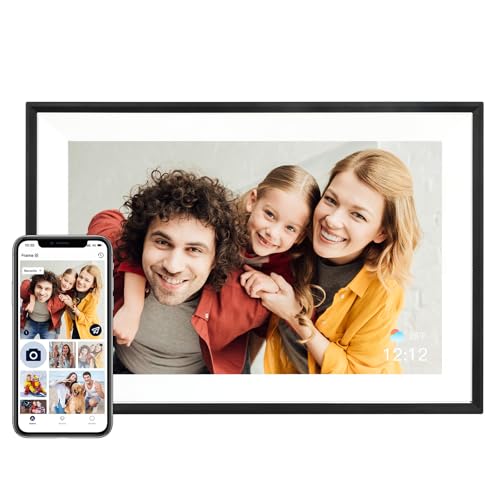

At a Glance
The top of the budget range changes the conversation. Instead of asking which cheap frame is good enough, you can ask which sharing method suits your family best. The six frames here include an email-based option from Skylight that needs no app on the sender's phone, two 15.6 inch full HD panels, and a few smaller 10.1 inch frames that show what the lower brackets already deliver.
We evaluated each frame on its listed specs and buyer feedback, giving weight to the points that decide whether a frame stays in use after the first month: how easy it is for relatives to send pictures, how the screen looks from across the room, and how clearly the maker explains what you are getting. A frame that is awkward to feed quickly becomes a blank rectangle on a shelf.
Because many 10.1 inch models cost far less, the question for this bracket is what the extra allowance buys. In most cases it buys either size, an easier sending method or both. The sections below separate those benefits so you can pay only for the ones you will use.
6 Criteria to Look For Before Buying a Digital Photo Frames Under $150
Key buying criteria so you get the right fit the first time.
Email vs App Sharing
The way pictures reach the frame decides who will actually use it. Email sharing lets anyone send without installing software, while app sharing offers private invitations and often video clips. The Skylight 10 Inch Digital Picture Frame uses a unique email address, and the BIGASUO 15.6 Inch Frameo Digital Picture Frame, 64GB, uses the Frameo app. If older relatives will be sending photos, email is the safer route.
Screen Size for the Room
Match the diagonal to the viewing distance. A 10 or 10.1 inch frame works within a couple of meters, while the 15.6 inch Pastigio Frameo 15.6 Inch WiFi Digital Picture Frame and the BIGASUO suit a living room. Larger panels also show more detail on full HD. If the frame will sit on a bedside table, the larger size adds little.
Storage Transparency
Clear storage figures make a frame easier to trust. The BIGASUO lists 64GB and about 100,000 photos, and the USIN 10.1 Inch Frameo WiFi Digital Picture Frame lists 32GB with microSD import. The Oqsonwu and Pastigio say little. When a figure is missing, assume nothing and ask before buying.
Subscription Boundaries
Some frames keep the basics free but gate extras. Skylight lists no subscription for core sharing but offers a Plus plan for some remote-management features. The Frameo-based frames state no monthly fee for sharing. Read where the free tier ends so a surprise charge does not appear later.
Offline Behavior
A frame that goes blank without WiFi disappoints, especially for relatives with weak connections. The USIN lists offline viewing so stored pictures keep playing. Other listings are silent on the point. Ask about it if the home network is unreliable.
Orientation Handling
Phone photos are often vertical, and a frame that cannot rotate wastes the screen. The AEEZO 10.1 Inch Smart Digital Picture Frame uses a gravity sensor for orientation. Large frames are usually wall mounted in landscape. Think about which direction most of your pictures face.
6 Best Digital Photo Frames Under $150 in 2026
Skylight 10 Inch Digital Picture Frame
About this pick
Skylight takes a different route to sharing. After you plug the frame in and connect it to WiFi, you pick a unique Skylight email address, and anyone can mail photos to it from any device. The 10 inch touchscreen frame is sold with no subscription needed for core sharing, and the listing positions it as a bridge across generations for relatives who are not on certain apps.
The email method is why it ranks first, because grandparents, cousins and friends can contribute without installing anything. The tradeoff is that some remote-management extras sit behind a Skylight Plus subscription, and the maker lists fewer hard display specs than the Frameo models. It also costs more than the plain 10.1 inch alternatives.
Ownership is easy: put the frame in a spot with WiFi and share the address. Compared with the MaxAngel at 32GB and a free app, the Skylight trades app-based sharing for email simplicity. It is the best pick when the senders include people who avoid apps. A practical habit is to circulate the address once, add it to your relatives' contacts under a clear name, and remind them at holidays, because the frame is only as lively as the mail it receives. Treat the address like a private mailbox and change it if strangers ever find it.
Best for: Families where some relatives refuse to install another app.
Check price on AmazonSpecs
- Screen: 10 inch touchscreen
- Sharing method: Unique Skylight email address
- Sender app: Not required
- Core subscription: None needed
Pros
- +Anyone can send photos to a plain email address
- +Senders do not need any app installed
- +Core photo sharing works without a subscription
- +Setup is just power, WiFi and an email address
Cons
- −Some remote features need a Skylight Plus plan
- −Fewer display specs are published
BIGASUO 15.6 Inch Frameo Digital Picture Frame, 64GB
About this pick
This is a large-format Frameo frame with a 15.6 inch full HD IPS touchscreen, 64GB of memory and room for about 100,000 photos. It lets relatives send images and short clips through the Frameo app, and it expands with extra storage. The listing is explicit that it only supports 2.4GHz WiFi.
It has the largest, sharpest picture in the lineup, which turns a slideshow into a feature of the room. The limits are that it is third-party hardware with no premium finish options, and its WiFi band restriction needs a quick check at setup. It also demands wall or stand space that a 10 inch model does not.
For day-to-day use it needs only a power outlet and a router. Against the Skylight, it swaps the email method for the Frameo app and nearly doubles the diagonal. It is the pick for a family room. Plan the cable route and mounting hardware before it arrives, because a frame this size looks best flush against a wall or on a sturdy stand at eye level. Keep it out of strong direct sunlight to protect the picture quality.
Best for: Family rooms where a big, bright slideshow is the goal.
Check price on AmazonSpecs
- Screen: 15.6 inch IPS
- Resolution: 1920 x 1080
- Storage: 64GB, about 100,000 photos
- Network: 2.4GHz WiFi
Pros
- +Largest full HD panel in this group
- +64GB holds about 100,000 pictures
- +Expandable storage for large libraries
- +Frameo app handles photos and clips
Cons
- −Connects only to 2.4GHz networks
- −No premium finish options on offer
Pastigio Frameo 15.6 Inch WiFi Digital Picture Frame
About this pick
Pastigio's large frame carries a 15.6 inch FHD IPS panel at 1920x1080 and uses Frameo to receive photos and clips of up to 15 seconds. The listing presents it as a gift for birthdays and weddings. It brings the large-format experience without the premium prices of some brands.
Its strength is the screen, which gives vivid color for a family montage. The caution is that the listing says little about memory, and the hardware is third-party on a shared platform, so confirm current buyer feedback. Fewer specifics than the BIGASUO make it harder to compare.
Setting it up follows the standard Frameo pairing. In contrast to the BIGASUO, it does not state a storage number, which is the main reason it ranks second. It is a fine choice for anyone who prefers its look. Since both large frames use Frameo, a family that already has one Frameo frame can send to both with the same app, which makes a second frame for another household an easy addition.
Best for: Gift buyers who want a large frame and a widely used app.
Check price on AmazonSpecs
- Screen: 15.6 inch FHD IPS
- Resolution: 1920 x 1080
- Platform: Frameo
- Video clips: Up to 15 seconds
Pros
- +15.6 inch FHD panel gives vivid color
- +Frameo handles photos and short clips
- +Touchscreen controls are easy to learn
- +Good gift sizing for a main room
Cons
- −Storage capacity is not clearly stated
- −Third-party hardware, check buyer feedback
USIN 10.1 Inch Frameo WiFi Digital Picture Frame
About this pick
USIN's 10.1 inch frame has a responsive IPS touchscreen at 1280x800, 32GB of built-in storage and a microSD slot for importing pictures. It uses the Frameo app for remote sharing with no monthly fee and plays supported videos. The listing also mentions offline viewing, which keeps the slideshow going without a connection.
Offline playback is a reassuring trait for a relative who sometimes loses WiFi. What you give up is screen size and resolution compared with the 15.6 inch frames, as well as the email simplicity of the Skylight. It is a plain, capable frame.
Photo cards can be loaded before delivery, which makes gift setup easy. Compared with the Oqsonwu, the USIN names its storage and app clearly. It is a sensible small frame for a bedside.
Best for: A bedside frame that keeps working when WiFi is unreliable.
Check price on AmazonSpecs
- Screen: 10.1 inch IPS
- Resolution: 1280 x 800
- Storage: 32GB with microSD import
- Fee: No monthly subscription
Pros
- +Offline viewing keeps the slideshow running
- +microSD import allows preloading photos
- +Frameo sharing without a monthly fee
- +Responsive 10.1 inch IPS touchscreen
Cons
- −Smaller and lower resolution than the large frames
- −Requires an app, unlike email-based sharing
AEEZO 10.1 Inch Smart Digital Picture Frame
About this pick
AEEZO's frame offers a 10.1 inch 1280x800 IPS touchscreen with adjustable brightness and a built-in gravity sensor that reorients photos when the frame is turned. Sharing runs through the AiMOR app, and memory is 32GB. It is the straightforward small-frame entry in this guide.
The gravity sensor is handy if the frame moves between a shelf and an upright stand. The compromise is that the AiMOR ecosystem is newer than Frameo, so long-term support deserves a look at buyer feedback. It cannot match the larger panels or the email route.
Pairing is quick, and the frame sits happily on a desk. Next to the USIN, the AEEZO swaps offline viewing for rotation. It is the pick for an upright photo display. Because vertical portraits suit family snapshots, letting the frame rotate by itself saves the owner from fiddling with menus. Keep expectations modest on ecosystem and enjoy it as a tidy desk frame.
Best for: Upright desk displays where photo orientation changes often.
Check price on AmazonSpecs
- Screen: 10.1 inch IPS touch
- Resolution: 1280 x 800
- Rotation: Built-in gravity sensor
- App: AiMOR
Pros
- +Gravity sensor corrects photo orientation
- +Adjustable brightness on the touchscreen
- +AiMOR app sends photos from anywhere
- +32GB of memory stored inside the frame
Cons
- −Newer AiMOR ecosystem than Frameo
- −Same panel class as much cheaper rivals
Oqsonwu 10.1 Inch WiFi Digital Picture Frame
About this pick
Oqsonwu's frame is a 10.1 inch touchscreen model that connects over WiFi and receives photos and short videos through its smart app. The pitch is shared ownership, with several relatives invited to add pictures so parents and grandparents see the whole family. The listing also suggests preloading favorites before gifting.
Its best quality is the contribution model, which keeps the content changing. Its weak point is a sparse spec sheet, with no resolution or storage figures in the details we have, so you must confirm them yourself. It lacks the clear numbers of the BIGASUO.
Setup is the usual app and WiFi routine. Compared with the Skylight, it relies on an app rather than email, which could be a barrier for some senders. It suits a lively family group chat. When the senders are already in one messaging thread, adding the frame to the routine costs almost nothing, and the steady stream of fresh pictures does the rest.
Best for: Tech-comfortable families who like many people adding pictures.
Check price on AmazonSpecs
- Screen: 10.1 inch touchscreen
- Connectivity: WiFi
- Contributors: Multiple relatives
- Content: Photos and short videos
Pros
- +Many relatives can add to one frame
- +Photos and short videos arrive by WiFi
- +Preload favorites before giving the frame
- +Touchscreen suits a shelf or counter
Cons
- −Resolution and storage are not given
- −App-based sending can deter some senders
How We Evaluated These Digital Photo Frames Under $150
Each pick was assessed across 5 criteria weighted for real-world use.
Ease of sending
We ranked the sharing methods by how little effort they ask of the sender. The Skylight's email address leads, the Frameo and AiMOR apps follow, and the Oqsonwu's generic app is in the same class. Buyer feedback about app reliability informed the order.
Display and size
Panel size and resolution were compared. The BIGASUO and Pastigio lead with 15.6 inch full HD, the Skylight offers a 10 inch screen, and the rest are 10.1 inch at 1280x800.
Storage and clarity
We favored frames that state their memory. The BIGASUO's 64GB and the USIN's 32GB with microSD are explicit. The Pastigio and Oqsonwu received lower marks for vagueness.
Ongoing costs
Subscription terms were checked. The Skylight offers a Plus plan for extras, while the Frameo and AiMOR frames advertise free sharing. No pick here needs a payment for its core function.
Resilience
Offline behavior and rotation were compared. The USIN keeps playing offline and the AEEZO rotates photos itself. Frames silent on both received less credit.
How to Choose the Right Digital Photo Frames Under $150
By Who Sends the Photos
The people who will feed the frame should shape the decision.
| Senders | Pick | Why |
|---|---|---|
| Relatives who avoid apps | Skylight 10 Inch Digital Picture Frame | Send by email, no app |
| Phone-confident family | BIGASUO 15.6 Inch Frameo Digital Picture Frame, 64GB | Frameo app and large screen |
| A big group of contributors | Oqsonwu 10.1 Inch WiFi Digital Picture Frame | Multiple relatives can add |
| One or two senders | AEEZO 10.1 Inch Smart Digital Picture Frame | AiMOR sharing and rotation |
Ask the likely senders which method they will tolerate before ordering.
By Budget
Everything here sits under the cap, so these tiers describe where each falls within it.
| Tier within the cap | Pick | What you get |
|---|---|---|
| Entry | AEEZO 10.1 Inch Smart Digital Picture Frame | A basic rotating frame |
| Entry | Oqsonwu 10.1 Inch WiFi Digital Picture Frame | A sharing-first small frame |
| Mid | USIN 10.1 Inch Frameo WiFi Digital Picture Frame | Offline viewing and card import |
| Upper | Pastigio Frameo 15.6 Inch WiFi Digital Picture Frame | A large full HD screen |
| Upper | BIGASUO 15.6 Inch Frameo Digital Picture Frame, 64GB | Large screen and 64GB |
| Upper | Skylight 10 Inch Digital Picture Frame | Email-based sharing |
Climb the tiers only for a benefit you will use: size or email sharing.
Email Sharing vs App Sharing
This is the most important choice at the top of the budget range.
Email sharing
Senders write to a dedicated address and photos appear on the frame. The Skylight 10 Inch Digital Picture Frame works this way. Choose this side if some of your relatives struggle with apps.
App sharing
Senders use a companion app with an invite code, often with private controls and video clips. The BIGASUO 15.6 Inch Frameo Digital Picture Frame, 64GB, Pastigio Frameo 15.6 Inch WiFi Digital Picture Frame, USIN 10.1 Inch Frameo WiFi Digital Picture Frame, AEEZO and Oqsonwu frames use this method. Choose this side for privacy and richer controls.
Email is lower friction; apps offer more control. Choose by the least tech-savvy sender.
By Screen Format
Size and resolution are the second axis to settle.
| Format | Pick | Detail |
|---|---|---|
| 15.6 inch full HD | BIGASUO 15.6 Inch Frameo Digital Picture Frame, 64GB | 1920 x 1080, 64GB |
| 15.6 inch full HD | Pastigio Frameo 15.6 Inch WiFi Digital Picture Frame | 1920 x 1080 |
| 10 inch | Skylight 10 Inch Digital Picture Frame | Touchscreen with email upload |
| 10.1 inch HD | USIN 10.1 Inch Frameo WiFi Digital Picture Frame | 1280 x 800 with offline play |
Bigger is not always better in a small room; a large frame can feel crowded.
For Long-Distance Grandparents Specifically
A frame for faraway grandparents has to be effortless for them and rewarding for the senders.
Look for
A frame that needs nothing from the recipient, accepts pictures from many people and keeps playing if WiFi falters.
In this comparison
The Skylight 10 Inch Digital Picture Frame is easiest for senders, the USIN 10.1 Inch Frameo WiFi Digital Picture Frame keeps playing offline, and the BIGASUO 15.6 Inch Frameo Digital Picture Frame, 64GB, gives the largest picture.
Pre-set the frame at your own home, then ship it ready to plug in.
When to Spend More
A few wishes lie beyond even this bracket.
| Spend more if | Save if |
|---|---|
| You want a premium wood or metal frame finish | A plain black body is fine |
| You want brand-backed customer support | You accept third-party makers like BIGASUO |
| You want a screen larger than 15.6 inches | The BIGASUO 15.6 inch panel is already big enough |
| You need advanced remote management without a plan | You can live without Skylight Plus extras |
Compare the lower brackets if you only need a simple 10.1 inch frame, because the cheaper models share the same panel class and the same free sharing apps. Pay the premium here only for the size or the email method, not for the cosmetics.
Frequently Asked Questions
What is the big advantage of the Skylight?
Photos arrive by email, so senders do not install anything. The frame has a unique address that anyone can write to. Core sharing needs no subscription. Some remote management extras sit in a Plus plan.
Which frame has the largest screen?
The BIGASUO and Pastigio frames both measure 15.6 inches at 1920x1080. The Skylight is 10 inches and the rest are 10.1 inches. The BIGASUO also lists 64GB of storage. Larger frames need more wall or shelf space.
Do frames need a subscription to work?
Not for basic sharing in this guide. The Skylight offers an optional Plus plan for some extras, and the Frameo and AiMOR frames advertise no monthly fee. Always read the app store listing as well. Terms can change over time.
Can the frame play video?
Frameo frames list short clips of up to 15 seconds, and the USIN mentions supported videos. The Oqsonwu lists short videos too. Longer videos are generally not supported. Check the listing if video matters to you.
What happens when WiFi fails?
A frame with stored photos can usually keep playing, but not all listings say so. The USIN states offline viewing. New pictures cannot arrive until the connection returns. A mobile hotspot can serve as a temporary link.
Is a 15.6 inch frame hard to hang?
It is larger and heavier, so use a proper wall anchor or a stable stand. Follow the maker's mounting guidance. Place it near an outlet and avoid direct sunlight. A flat, even wall gives the best result.
Can I change the slideshow order?
Most frames let you adjust timing and shuffle through settings on the touchscreen. Check the app for options. Some let you delete individual images. Preloading a curated set gives the best first impression.
Bottom Line
best overall: Skylight 10 Inch Digital Picture Frame - best overall pick in this roundup.
See the full rankings above for all picks with pros, cons, and best-for summaries.
Browse on Amazon
All Prime-eligible options with current pricing.
Shop on Amazon →