5 Best Computer Mice for Large Hands in 2026
Five full size computer mice for large hands compared by body shape, grip, connection and battery life, so your fingers and palm are fully supported.

At a Glance
If you have large hands, the typical office mouse feels like a toy. The fingertips overhang the buttons, the palm hovers instead of resting, and the pinky drags on the desk. The result is a claw-like grip that tires you out faster than it should. A mouse built for a bigger hand fills the palm, lets the fingers lie flat on the buttons and gives the thumb somewhere to rest.
This guide compares five full size mice that do exactly that. The Logitech Signature M550 L and M650 L are labelled for large hands. The Redragon Large Wireless Gaming Mouse is a big-bodied tri-mode mouse for medium to larger hands. The Logitech M705 Marathon is a sculpted right-hand mouse with a long battery life, and the Logitech M510 is a full size ambidextrous mouse with soft rubber grips. Only the M550 L and M650 L are explicitly sized for large hands by the maker, so we say how each of the others is positioned.
We evaluated each from listing specifications and buyer feedback patterns, not from hands-on bench work, and we kept the focus on comfort and ease of use. Because only five listings genuinely match the large-hand angle, we limited this guide to five picks rather than padding it with compact mice. The sections below cover each pick and then offer tables that match common situations to a specific mouse. We also kept the focus on mice that suit an adult desk at home, where a heavier, bigger body is an advantage rather than a nuisance, and we left out ultralight and travel designs.
6 Criteria to Look For Before Buying a Computer Mice for Large Hand
Key buying criteria so you get the right fit the first time.
Body length and palm support
A mouse for large hands needs enough length that the palm rests on the body and the fingers lie flat on the buttons. The Logitech M550 L and M650 L are labelled for large hands, and the Redragon is positioned for medium to larger hands. If the mouse is too short, your fingers curl and the palm floats. Compare the listing's size statement with your hand length measured from wrist crease to fingertip.
Thumb rest and side grips
Large hands tend to grip harder when the thumb has nowhere to rest. The Signature mice offer a soft thumb area and rubber side grips, and the M510 offers soft rubber grips. A textured side stops the mouse from slipping out of the hand. Look for a visible, contoured thumb area, and prefer soft materials over hard plastic.
Connection and ports
The M650 L connects by Bluetooth Low Energy or Logi Bolt, the Redragon by 2.4G, Bluetooth or cable, and the M705 and M510 use a 2.4 GHz USB-A nano receiver. Choose Bluetooth for a laptop with no spare port and a receiver for a desktop. A wired fallback, as on the Redragon, removes battery worries entirely. Check which ports you have before ordering.
Battery life
Larger mice have room for longer-lasting power. The M550 L, M650 L and M510 each claim two years, and the M705 is designed for low power use. The Redragon is rechargeable, with a wired mode as a backup. Long battery life means fewer interruptions, though all runtimes are maker claims.
Click noise
A big mouse can make a click sound heavier. The M550 L offers silent clicks, which makes it comfortable in quiet rooms. The others do not state silent clicks in the text we have. If you share a room or take calls, favor a silent model and check the listing before ordering.
Weight and desk space
Full size mice are heavier and take more space. A large body may knock against a keyboard on a small desk. Measure your mouse area before buying. For a travel setup, a smaller mouse may be a better companion, since a big mouse is awkward on a tray table.
5 Best Computer Mice for Large Hands in 2026
Logitech Signature M550 L Wireless Mouse
About this pick
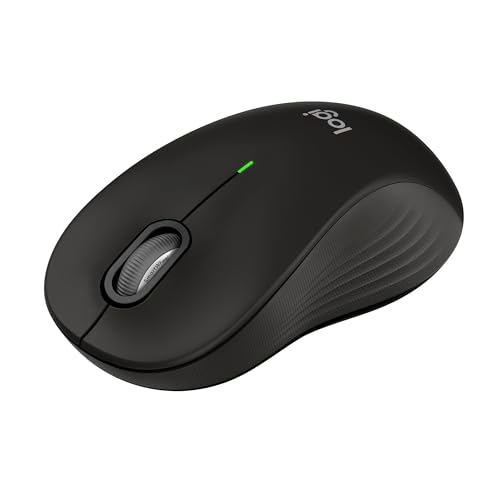
The M550 L is the mouse that most directly answers the question. The listing says the full size body is designed for larger hands for the optimal fit, with a contoured shape, a soft thumb area and rubber side grips that keep your hand snug through long sessions. It adds a two-year battery life and silent clicks, and a scroll wheel that moves line by line for documents and very fast for long web pages.
The silent clicks are an underrated feature for a big mouse, because a larger body can make a click sound louder in a quiet room. The soft thumb area matters just as much, as it spares the thumb from pressing against hard plastic. The tradeoff is portability: it is a desk mouse, and it will take up real room in a laptop bag.
Compared with the M650 L, it is the simpler and less expensive of the two Signature mice. Compared with the M510, it is bigger and more specifically shaped, though less symmetrical. If you want the safest answer to a large-hand problem, this is it, and it is the one we would buy first for a desktop computer. A very large mouse also changes how far your arm travels, so set the sensitivity a little higher to keep the movement small.
Best for: Large right hands on a desktop where comfort matters most.
Check price on AmazonSpecs
- Size: Full size, for large hands
- Battery life: 2 years per listing
- Clicks: Silent
- Grip: Soft thumb area, rubber sides
Pros
- +Labelled for larger hands
- +Soft thumb area and rubber grips
- +Silent clicks
- +Two years of battery per listing
Cons
- −Not very portable
- −Right-hand shaped
- −Bulky for a small desk
Logitech Signature M650 L Wireless Mouse
About this pick
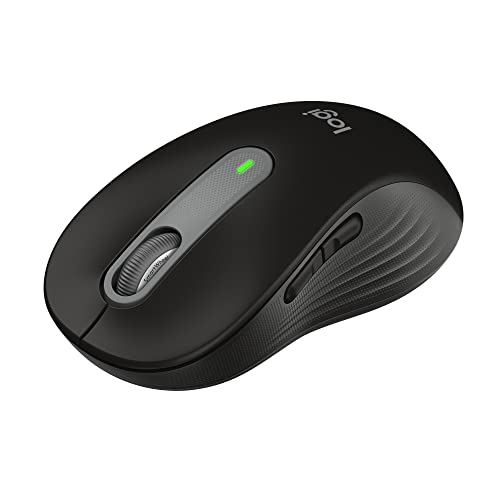
The M650 L is the connectivity upgrade to the M550 L. The listing says it connects instantly via Bluetooth Low Energy or the Logi Bolt USB receiver, so you can use it with a laptop that has no spare port or with a desktop that prefers a dongle. It keeps the large-hand shape, a soft thumb area, rubber side grips and the two-year battery claim.
The tradeoff is that the text we have for this listing does not spell out whether the clicks are silent the way the M550 L does, so check the version you order. It is also a large, right-hand shaped mouse that takes space on the desk. The Logi Bolt receiver is not interchangeable with older Logitech receivers, so it is not a spare part for another mouse.
Compared with the M550 L, it is the pick if you want the receiver option as well as Bluetooth. Compared with the Redragon, it is calmer, with fewer buttons and no lights. For anyone with large hands who uses both a laptop and a desktop, it gives the most flexible connection. Setup is simple: install the receiver or pair over Bluetooth, and then spend the first day finding where your thumb naturally rests.
Best for: Large hands and mixed laptop and desktop setups.
Check price on AmazonSpecs
- Size: Full size, for large hands
- Connection: Bluetooth Low Energy or Logi Bolt USB receiver
- Battery life: 2 years per listing
- Scrolling: Line-by-line precision, fast mode
Pros
- +Sized for large hands
- +Bluetooth or Logi Bolt receiver
- +Soft thumb area and rubber grips
- +Two years of battery per listing
Cons
- −Silent clicks not confirmed in the text we have
- −Large for travel
- −Higher price tier
Redragon Large Wireless Gaming Mouse BM-2995
About this pick
The Redragon is the big, busy option. The listing says the comfortable full-size body is designed for medium to larger hands, and that it connects three ways: a 2.4G receiver, Bluetooth or a cable, which removes any battery anxiety because you can plug in and keep working. Programmable buttons can be mapped through software to shortcuts and macros.
The tradeoff is that it is a gaming mouse and looks like one, with RGB lighting and extra buttons that many adults will never use. The software is needed for the programmable features. The wired mode is a genuine bonus, since a flat battery just means you plug it in.
Compared with the Logitech Signature mice, it is less refined for plain office comfort but more flexible. Compared with the M705, it offers three connection modes rather than one. If you have large hands and also play games or like custom buttons, it is a good-value choice, and the cable fallback is reassuring. The cable is a handy rescue when the battery runs flat, and the lighting can be switched off in software if it distracts you.
Best for: Large hands that also want gaming features and a wired fallback.
Check price on AmazonSpecs
- Size: Full size for medium to larger hands
- Connection: 2.4G receiver, Bluetooth, wired
- Power: Rechargeable
- Buttons: Programmable through software
Pros
- +Full size for medium to larger hands
- +Three connection modes
- +Programmable buttons
- +Wired mode when the battery is low
Cons
- −Gaming styling
- −Software needed for buttons
- −Needs charging
Logitech M705 Marathon Wireless Mouse
About this pick
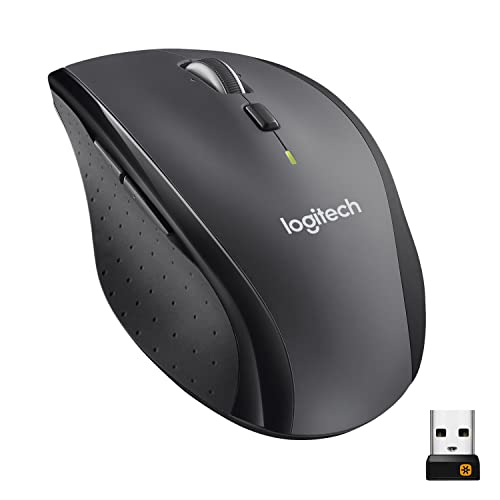
The M705 Marathon is named for its stamina. The listing says it uses far less power than comparable wireless mice, so you click, scroll and do more between battery changes. The sculpted right-hand shape guides your hand into a natural position, with two thumb buttons within reach, and a nearly frictionless metal scroll wheel lets you fly through long pages.
The tradeoff is that the shape is for the right hand only, and the listing in the text we have does not state a size for large hands specifically, though it is a full size mouse. It needs a USB-A port for its nano receiver. It is not as quiet as the Signature mice.
Compared with the M550 L, the M705 is older and plainer, but its hyper-fast wheel and thumb buttons add speed. Compared with the M510, it is more sculpted and less symmetrical. If you want a full size, right-hand mouse with a long battery and quick scrolling, it remains a solid choice. Reach for the thumb buttons by feel, since their position is set by the sculpted shape.
Best for: Right-handed users who read long documents and want long battery life.
Check price on AmazonSpecs
- Shape: Sculpted, right-hand, full size
- Connection: 2.4 GHz USB-A nano receiver
- Scrolling: Hyper-fast metal wheel
- Buttons: 5 customizable
Pros
- +Low power use, long battery
- +Sculpted right-hand shape
- +Hyper-fast metal scroll wheel
- +Five customizable buttons
Cons
- −Right hand only
- −Large-hand sizing not stated
- −Needs a USB-A port
Logitech M510 Full Size Wireless Mouse
About this pick
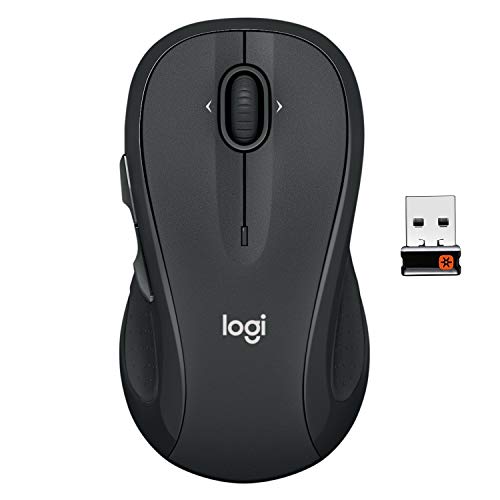
The M510 is the value option for people with larger hands. The listing describes an ergonomically designed full size mouse with a contoured shape, soft rubber grips and a gently curved body that lets the hand relax hour after hour. It has a two-year battery life, an on-off switch and a smart sleep mode to save power, and a tilt-to-scroll wheel.
The tradeoff is that it is not labelled specifically for large hands the way the M550 L is, so the very largest hands may find it a little shorter than ideal. It needs a USB-A port and lacks Bluetooth. The listing does mention that its tilt-to-scroll function is aimed at right-handers.
Compared with the M550 L, it is less specifically sized and not silent, but it is also lower in price tier. Compared with the M705, it is more symmetrical and softer in the grip. For a household that wants a comfortable full size mouse without paying for the premium sizing, it is the economical pick. The on-off switch under the body is worth using when you travel, as it saves the battery for months.
Best for: Medium to large hands that want comfort at a lower price tier.
Check price on AmazonSpecs
- Shape: Full size, contoured
- Battery life: 2 years per listing
- Connection: 2.4 GHz USB-A nano receiver
- Scrolling: Tilt-to-scroll wheel
Pros
- +Soft rubber grips
- +Two years of battery per listing
- +On-off switch and sleep mode
- +Full size body
Cons
- −Not sized specifically for large hands
- −No Bluetooth
- −Needs a USB-A port
How We Evaluated These Computer Mice for Large Hands
Each pick was assessed across 5 criteria weighted for real-world use.
Fit for large hands
We looked first for explicit sizing: the M550 L and M650 L are labelled for large hands, the Redragon for medium to larger hands, and the M705 and M510 are full size but not labelled. Explicit statements ranked above general claims. Hand length was the starting point for every pick.
Grip and comfort
We compared thumb areas and side grips, finding soft rubber on the Signature mice and the M510, and a sculpted rest on the M705. Materials that spare the hand from hard plastic earned extra credit. Soft materials were preferred because the thumb works harder on a big body.
Connection and power
We compared connection modes and battery claims, from the M650 L's Bluetooth and Logi Bolt to the Redragon's three modes, and from two-year claims on the Logitech models to the Redragon's rechargeable battery. Wired fallback modes were credited for reliability.
Noise and extras
We noted silent clicks on the M550 L, custom buttons on the M705 and Redragon, and the metal wheel on the M705. Extras were weighed against simplicity. We kept gaming styling from being a negative where the buttons are optional.
Lineup positioning
The M550 L leads on large-hand fit and quiet, the M650 L on connection options, the Redragon on features, the M705 on stamina and scrolling, and the M510 on value. We chose the M550 L overall. The ranking weights fit first and features second.
How to Choose the Right Computer Mice for Large Hands
By Your Situation
Match the mouse to your setup.
| Situation | Best pick | Why |
|---|---|---|
| Desktop, long hours | Logitech Signature M550 L Wireless Mouse | Sized for large hands, silent clicks |
| Laptop and desktop | Logitech Signature M650 L Wireless Mouse | Bluetooth or Logi Bolt |
| Gaming and office | Redragon Large Wireless Gaming Mouse BM-2995 | Three modes and buttons |
| Long documents | Logitech M705 Marathon Wireless Mouse | Hyper-fast wheel and low power |
| Value full size | Logitech M510 Full Size Wireless Mouse | Soft grips at a lower tier |
Measure your hand before you buy.
By Budget
Relative cost.
| Budget tier | Best pick | Why |
|---|---|---|
| Entry | Logitech M510 Full Size Wireless Mouse | Full size at a low tier |
| Entry to mid | Redragon Large Wireless Gaming Mouse BM-2995 | Feature-rich for the money |
| Mid | Logitech M705 Marathon Wireless Mouse | Long battery and fast wheel |
| Mid to premium | Logitech Signature M550 L Wireless Mouse | Sized and silent |
| Premium | Logitech Signature M650 L Wireless Mouse | Connection flexibility |
Spend more for exact sizing and quiet.
Labelled Large vs Generic Full Size
Sizing statements differ.
Labelled for large hands
The maker states the size. Picks on this side: Logitech Signature M550 L Wireless Mouse and Logitech Signature M650 L Wireless Mouse, with the Redragon positioned for medium to larger hands. Choose these if your hand is really large. These are the models most likely to fill an unusually large palm without leaving the little finger on the desk.
Generic full size
A big mouse that suits many hands. Picks on this side: Logitech M705 Marathon Wireless Mouse and Logitech M510 Full Size Wireless Mouse. Choose these for medium to large hands and lower cost. They are also easier to find in shops, so you can hold one before buying if you wish.
Labelled for the biggest hands, generic for the rest.
Connection Style
Ports and devices.
| Preference | Best pick | Why |
|---|---|---|
| Bluetooth and receiver | Logitech Signature M650 L Wireless Mouse | Both supported |
| Wired fallback | Redragon Large Wireless Gaming Mouse BM-2995 | Cable mode |
| Receiver only | Logitech M705 Marathon Wireless Mouse | Nano receiver |
| Receiver, value | Logitech M510 Full Size Wireless Mouse | Nano receiver |
Check ports.
For Long Desk Sessions Specifically
Comfort over hours.
Look for
Palm support, soft thumb area and quiet clicks. Take breaks and keep your wrist straight. Also check that your chair and desk heights let the forearm rest level, because a perfect mouse cannot fix a poor setup.
In this comparison
Logitech Signature M550 L Wireless Mouse suits long sessions best. Logitech M510 Full Size Wireless Mouse is the budget alternative. The Logitech Signature M650 L Wireless Mouse is the better choice if you want to switch between a laptop and a desktop through the day.
When to Spend More
Where extra money helps.
| Spend more if | Save if |
|---|---|
| You have truly large hands, so Logitech Signature M550 L Wireless Mouse fits | Your hands are medium to large, so Logitech M510 is enough |
| You use two devices, so Logitech Signature M650 L Wireless Mouse helps | You use one, so M550 L suffices |
| You want gaming features, so Redragon fits | You do not, so skip it |
| You read long documents, so Logitech M705 suits | You do not, so any will do |
Frequently Asked Questions
How do I know if I have large hands?
Measure from the wrist crease to the tip of your middle finger. A length above about 7.5 inches is often treated as large, though makers do not agree on a standard. If standard mice make your fingers hang over the buttons or your palm float above the body, you probably need a bigger one.
Are large mice heavier?
Usually a little, since there is more body. The extra weight is rarely noticeable on a desk, and a larger mouse often glides more steadily. Gaming mice with extra weights can feel heavy, so check the listing if weight matters to you.
Is a big mouse good for laptops?
It works, but it is bulky in a bag and awkward on a small tray table. The Signature mice are really desk mice. Keep a compact mouse for travel and use the large one at home. A second, smaller mouse in the bag costs little and saves your wrist when you travel.
Do I need the Logi Bolt receiver?
Only if you want a receiver connection with the M650 L, since Bluetooth Low Energy works without it. The receiver is useful on computers with weak or crowded Bluetooth. It is not interchangeable with older Logitech receivers, so keep it with the mouse.
Are gaming mice fine for office use?
Yes, the Redragon works well for office tasks and its extra buttons are optional. The styling and RGB lighting may not suit every desk. You can usually turn the lighting off in the software.
Are there left-handed large mice?
Few exist. The M510 listing describes an ambidextrous shape, though its tilt-to-scroll feature is described as favoring right-handers. Read the listing carefully, and consider a symmetrical mouse if you are left-handed. Trackball mice are another way round the problem for some left-handers.
Will a large mouse stop my hand aching?
It can improve comfort by giving the palm and fingers proper support, but it is not a treatment. Posture, desk height and regular breaks matter just as much. If you have persistent discomfort, ask a doctor or occupational therapist.
Bottom Line
best overall: Logitech Signature M550 L Wireless Mouse - best overall pick in this roundup.
See the full rankings above for all picks with pros, cons, and best-for summaries.
Browse on Amazon
All Prime-eligible options with current pricing.
Shop on Amazon →