7 Best Computer Mice in 2026
Seven computer mice compared by size, connection, battery life and comfort, from simple wired models to premium Bluetooth mice, for everyday home use.



At a Glance
A computer mouse is one of the few pieces of technology you hold for hours at a time, which makes comfort a bigger deal than any spec sheet suggests. A mouse that is too small makes you clench, one that is too big makes you reach, and one with a flaky connection makes you lose your place in the middle of an email. The good news is that you do not have to spend much to get something pleasant, and you do not have to give up simplicity to get something modern.
This guide compares seven mice that cover the useful range: the Logitech B100 wired and the Amazon Basics 3-Button wired for plug-and-play simplicity, the Logitech M185 compact and M510 full size wireless mice on a USB receiver, the Logitech M720 Triathlon that pairs with several devices, and the Logitech MX Master 3S and MX Master 4 at the premium end. Battery claims range from about a year on the M185 to 24 months on the M720.
We evaluated each one from listing specifications and buyer feedback patterns, not from hands-on bench work, and we kept the focus on ease of use: how quickly it works out of the box, how comfortable the shape looks for long sessions, and how much fuss the battery or connection involves. The sections below cover each pick and then give tables that match common situations to a specific mouse.
6 Criteria to Look For Before Buying a Computer Mice
Key buying criteria so you get the right fit the first time.
Hand size and shape
Fit decides comfort, so check it before features. Compact mice such as the Logitech M185 suit small hands and bags, while full size shapes such as the M510, M720 and MX Master 3S support a larger palm. A mouse that is too small makes you grip tightly, and one that is too large makes you stretch. If you can, compare the listed dimensions against the length of your hand.
Wired or wireless
Wired mice such as the B100 and Amazon Basics never need a battery or pairing. Wireless ones remove cable drag but add a battery, and some need a USB-A port for the receiver. Battery claims range from up to one year on the M185 to two years on the M510 and 24 months on the M720. For a laptop with only USB-C ports, check for Bluetooth or an adapter.
Receiver or Bluetooth
A 2.4 GHz receiver, as on the M185 and M510, pairs automatically but uses a port. Bluetooth, as on the M720 and the MX Master 3S Bluetooth edition, frees the port and allows multiple devices. The MX Master 3S Bluetooth edition ships with no receiver, so your computer must support Bluetooth. Choose the one that matches the computer you own.
Sensor and dpi
DPI describes how finely the sensor tracks movement. The B100 is 800 dpi, the Amazon Basics mouse 1000 dpi and the MX Master 3S 8000 DPI. For documents and web browsing, 1000 is plenty, while large or multiple monitors benefit from higher or adjustable settings. Do not pay for a high number you will never use.
Scroll wheel and buttons
The scroll wheel is your most-used control. The M510 has tilt-to-scroll, the M720 has hyper-fast scrolling with instant stop, and the MX models use MagSpeed. Simple mice such as the Amazon Basics have three buttons. Extra buttons help if you set them up, and distract if you do not.
Noise and extras
Click noise matters in shared spaces. The MX Master 3S says Quiet Clicks cut noise by 90 percent. Other extras include haptics on the MX Master 4 and zoom scrolling on the B100. Decide which extras you will really use before paying for them.
7 Best Computer Mice in 2026
Logitech M510 Full Size Wireless Mouse
About this pick
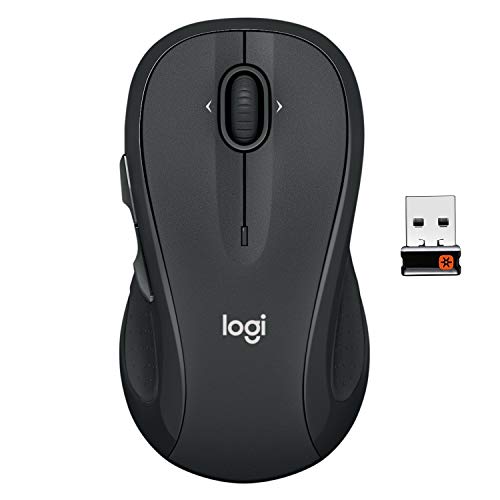
The M510 is the mouse we would hand to most people. The listing describes an ergonomically contoured shape with soft rubber grips that keeps the hand relaxed hour after hour, and a battery life of two years that nearly removes the chore of changing batteries. It connects through a tiny 2.4 GHz nano receiver that stays in a USB port, so there is no pairing menu to navigate.
The controls are straightforward: three standard buttons, a scroll wheel with tilt-to-scroll for flipping through photo albums and web pages, and an on-off switch to save power. The tradeoff is that it needs a free USB-A port, and a newer laptop with only USB-C ports will need an adapter. It is also a full size mouse, so people with small hands may find it a stretch.
Compared with the compact M185, the M510 is larger, more cushioned and has a battery that lasts twice as long. Compared with the M720, it does not pair with several devices, but it is simpler and quieter in daily use. For a desktop or a laptop that lives on a desk, it is the most comfortable, least fussy choice here.
Best for: Daily desktop use where comfort and long battery life matter most.
Check price on AmazonSpecs
- Connection: 2.4 GHz USB-A nano receiver
- Battery life: Two years per listing
- Shape: Full size, ambidextrous listing
- Scrolling: Tilt-to-scroll wheel
Pros
- +Contoured shape with soft rubber grips
- +Two years of battery life per listing
- +No pairing, just plug in the receiver
- +On-off switch and sleep mode save power
Cons
- −Needs a USB-A port
- −Full size may be large for small hands
- −No Bluetooth option
Logitech M185 Compact Wireless Mouse
About this pick
The M185 is the small, simple option. The listing calls it a compact mouse with a comfortable, contoured shape that works in either hand, which makes it useful for left-handers and for households where the mouse is shared. It uses a 2.4 GHz nano receiver and claims up to a year of battery life thanks to a sleep mode.
The tradeoff is size. A compact mouse is easy to carry, but people with larger hands may find the palm unsupported after a long session. The scroll wheel is line-by-line, which is precise but slower for very long documents, and there is no Bluetooth, so the receiver must stay in a USB-A port.
Compared with the M510, you give up cushioning and half of the claimed battery life, but you gain portability and a shape that suits either hand. It works with Windows, Mac and most laptops, as the listing says, so it is a safe, inexpensive default. For a travel bag, a second computer or a small desk, the M185 is a very practical choice.
Best for: Small hands, left-handers and laptop bags.
Check price on AmazonSpecs
- Connection: 2.4 GHz USB-A nano receiver
- Battery life: Up to one year per listing
- Shape: Compact, ambidextrous
- Compatibility: Windows, Mac, laptops
Pros
- +Compact ambidextrous shape
- +Up to one year of battery life
- +Simple USB receiver connection
- +Works with Windows and Mac
Cons
- −Too small for large hands
- −Needs a USB-A port
- −No Bluetooth
Logitech M720 Triathlon Wireless Mouse
About this pick
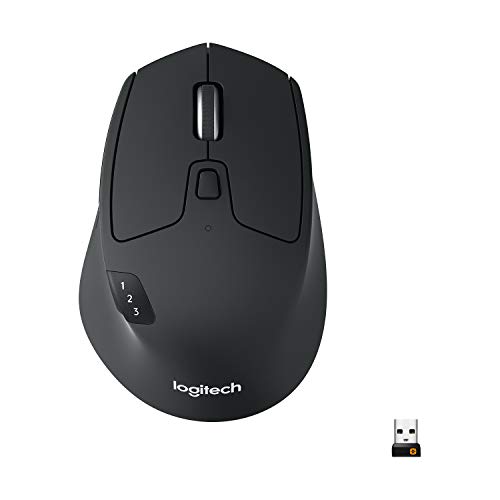
The M720 Triathlon suits households with more than one device. The listing says it connects by Bluetooth or the included USB-A receiver and works with computers, laptops and tablets across Windows and other systems, so a single mouse can serve a desktop, a laptop and a tablet. Battery life is quoted at 24 months, matching the M510 at the top of the group.
The shape is full size and crafted for the right hand, with a rubber body and sculpted palm rest. The scroll wheel has a hyper-fast mode with an instant-stop feature, useful for long documents and web pages. The tradeoff is that right-hand only shape excludes left-handers, and switching between devices needs a button press that some people find fiddly at first.
Compared with the M510, you gain Bluetooth and multi-device switching but lose ambidextrous symmetry. Compared with the MX Master 3S, it is simpler and far less expensive in price tier, with fewer premium features. If you move between a desktop and a tablet during the day, this is the right size and the right price of mouse.
Best for: People who use a desktop, laptop and tablet and want one mouse for all.
Check price on AmazonSpecs
- Connection: Bluetooth or USB-A receiver
- Battery life: 24 months per listing
- Shape: Full size, right hand
- Devices: Computers, laptops, tablets
Pros
- +Bluetooth and USB receiver options
- +24 month battery per listing
- +Sculpted rubber right-hand shape
- +Hyper-fast scroll wheel
Cons
- −Right hand only
- −Device switching takes a button press
- −Full size is large for small hands
Logitech B100 Wired Mouse
About this pick
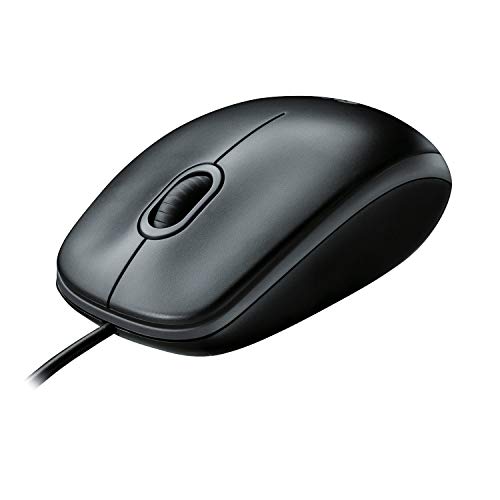
The B100 is the no-surprises mouse. It is corded, so it has no batteries to replace and no pairing to lose, and the listing describes a comfortable ambidextrous shape that feels good in either hand. The 800 dpi sensor is enough for editing documents and browsing the web, and the listing mentions side-to-side scrolling and zoom for spreadsheets.
The tradeoff is the cord and the sensor. A cable can drag on a small desk, and an 800 dpi sensor feels slower than the 1000 dpi sensor on the Amazon Basics wired mouse when you have a large monitor. It also lacks a higher dpi setting, so it is best for basic tasks and small screens.
Compared with the M185, it is cheaper in price tier and never needs a battery, but it is less portable. Compared with the Amazon Basics mouse, it has an ambidextrous shape and scroll features. For a family computer, a library desk or a backup mouse in a drawer, it is hard to beat for reliability.
Best for: A reliable family or backup mouse that never needs charging.
Check price on AmazonSpecs
- Connection: USB corded
- Sensor: 800 dpi
- Shape: Ambidextrous
- Extras: Scroll and zoom
Pros
- +No batteries or pairing
- +Ambidextrous shape
- +Side-to-side scrolling and zoom
- +Lowest price tier in the guide
Cons
- −Cord can drag on a small desk
- −800 dpi feels slow on big screens
- −Basic feature set
Amazon Basics 3-Button USB Wired Mouse
About this pick
The Amazon Basics wired mouse is about as plain as a mouse gets, and that is its appeal. The listing describes a 3-button design with 1000 dpi optical tracking for responsive cursor control and easy text selection, plug-and-play setup and compatibility with Windows and Mac. The connection is USB-A, and the listing is honest that a USB-C-only device needs an adapter.
The tradeoff is that it offers nothing beyond the basics: no side buttons, no special scrolling, and no battery-free flexibility of a longer cord shown in the listing. It is a symmetrical mouse in appearance, though the listing does not call it ambidextrous. The 1000 dpi sensor is a notch above the B100's 800 dpi, which helps on larger screens.
Compared with the B100, it has a faster sensor but fewer ergonomic touches. For a spare mouse, a classroom or a computer that sees light use, it is a safe and economical choice. If you want something that simply works with no setup, this is it.
Best for: Light use and spare computers where cost and simplicity come first.
Check price on AmazonSpecs
- Connection: USB-A wired
- Sensor: 1000 dpi optical
- Buttons: Three
- Compatibility: Windows and Mac
Pros
- +Plug and play
- +1000 dpi optical tracking
- +No batteries
- +Windows and Mac compatible
Cons
- −USB-C devices need an adapter
- −Very basic feature set
- −Ergonomics are plain
Logitech MX Master 3S Bluetooth Wireless Mouse
About this pick
The MX Master 3S is the comfort and precision upgrade. The listing describes an 8000 DPI sensor that can track on virtually any surface, even glass, Quiet Clicks that cut click noise by 90 percent, and MagSpeed scrolling that spins quickly and stops precisely. It is a large, sculpted mouse with a thumb rest and extra buttons.
The tradeoff is that this Bluetooth edition ships with no USB receiver and no charging cable, a point the listing makes clearly, so your computer must support Bluetooth and you will need your own USB-C cable. It is also large and best suited to right-handed users, and it sits at the top of the price tier here.
Compared with the M720, it offers a more refined shape, silent clicks and a better sensor. Compared with the MX Master 4, it lacks haptic feedback but has a simpler feature set. For people who spend many hours at a computer and want the most comfortable, quietest mouse, it is the premium pick.
Best for: Long daily sessions where comfort, precision and quiet clicks matter.
Check price on AmazonSpecs
- Connection: Bluetooth only
- Sensor: 8000 DPI
- Click noise: 90 percent less per listing
- Scrolling: MagSpeed
Pros
- +8000 DPI tracking on any surface
- +Quiet Clicks reduce noise
- +MagSpeed scrolling
- +Sculpted shape with thumb support
Cons
- −Bluetooth only, no receiver included
- −Large and right-hand oriented
- −Premium price tier
Logitech MX Master 4 Wireless Mouse with Haptics
About this pick
The MX Master 4 adds touch feedback and shortcuts to the premium formula. The listing describes a Haptic Sense Panel that gives customizable feedback on actions and notifications, an Actions Ring overlay that places favorite tools within reach, and a MagSpeed scroll wheel that scrolls up to 1,000 lines per second and stops on a pixel.
The tradeoff is complexity and cost. The haptics and Actions Ring require software setup to be useful, which may not appeal to someone who wants a simple pointer. It is the most expensive mouse in the guide, and many of its features are wasted if you only browse the web and read email.
Compared with the MX Master 3S, it adds the new touch features, and compared with the M720 it is a larger step in both capability and price tier. If you do creative or office work with many repeated actions and like to customize your tools, it is the most capable mouse here. Otherwise, the M510 or M720 gives you more comfort for the money.
Best for: Heavy computer users who want custom shortcuts and haptic feedback.
Check price on AmazonSpecs
- Feedback: Haptic Sense Panel
- Overlay: Actions Ring
- Scrolling: MagSpeed, 1,000 lines per second
- Price tier: Highest in the guide
Pros
- +Haptic feedback on custom actions
- +Actions Ring shortcuts
- +Very fast MagSpeed scrolling
- +Ergonomic premium build
Cons
- −Needs software setup
- −Highest price tier
- −Features overkill for simple use
How We Evaluated These Computer Mice
Each pick was assessed across 5 criteria weighted for real-world use.
Comfort and fit
We looked at shape and size claims, from the compact ambidextrous M185 to the sculpted right-hand M720 and MX Master 3S. Rubber grips, thumb rests and contoured palms earned credit for long sessions.
Connection and setup
A mouse should work immediately. We favored plug-and-play wired designs like the B100 and Amazon Basics, receiver-based mice like the M185 and M510, and Bluetooth models like the M720. We noted that the MX Master 3S Bluetooth edition ships without a receiver.
Battery and upkeep
We compared battery claims: up to one year on the M185, two years on the M510 and 24 months on the M720. Wired mice avoided the issue altogether. Longer claims score better, though they are maker figures.
Precision and scrolling
We compared sensors from 800 dpi on the B100 to 8000 DPI on the MX Master 3S, and scrolling from line-by-line on the M185 to MagSpeed on the MX models. Higher numbers were weighed against whether a home user would use them.
Lineup positioning
The M510 leads on comfort and battery, the M185 on portability, the M720 on multi-device use, the B100 and Amazon Basics on simplicity, the MX Master 3S on quiet precision and the MX Master 4 on features. The M510 became our overall pick.
How to Choose the Right Computer Mice
By How You Use Your Computer
Match the mouse to your daily routine.
| Situation | Best pick | Why |
|---|---|---|
| Desktop for email and browsing | Logitech M510 Full Size Wireless Mouse | Comfortable shape, two years of battery |
| Laptop bag and travel | Logitech M185 Compact Wireless Mouse | Compact and light |
| Desktop, laptop and tablet | Logitech M720 Triathlon Wireless Mouse | Bluetooth and receiver options |
| Spare or family computer | Logitech B100 Wired Mouse | No batteries, ambidextrous |
| Long hours of detailed work | Logitech MX Master 3S Bluetooth Wireless Mouse | Quiet Clicks and precise scrolling |
Hand size should break any ties.
By Budget
Relative cost across the lineup.
| Budget tier | Best pick | Why |
|---|---|---|
| Entry | Logitech B100 Wired Mouse | Lowest price tier, no batteries |
| Entry to mid | Amazon Basics 3-Button USB Wired Mouse | 1000 dpi at a low price |
| Mid | Logitech M185 Compact Wireless Mouse | Wireless at a modest cost |
| Mid to premium | Logitech M510 Full Size Wireless Mouse | Comfort and a long battery |
| Premium | Logitech MX Master 3S Bluetooth Wireless Mouse | Refinement and quiet clicks |
Most home users never need to leave the entry and mid tiers.
Wired vs Wireless
This is the first decision most people face.
Wired
No batteries, no pairing and no lag. Picks on this side: Logitech B100 Wired Mouse and Amazon Basics 3-Button USB Wired Mouse. The cost is a cord that can drag. Choose wired for fixed desks and backup use.
Wireless
Freedom from the cord, at the cost of batteries and a port or pairing. Picks on this side: Logitech M185, M510, M720 Triathlon, MX Master 3S and MX Master 4. Choose wireless for laptops and tidy desks.
Wired for reliability, wireless for neatness.
Receiver vs Bluetooth
Connection type affects ports and devices.
| Preference | Best pick | Why |
|---|---|---|
| Plug in and forget | Logitech M510 Full Size Wireless Mouse | Nano receiver, no pairing |
| Free up the USB port | Logitech MX Master 3S Bluetooth Wireless Mouse | Bluetooth only |
| Both options | Logitech M720 Triathlon Wireless Mouse | Bluetooth or receiver |
| Smallest receiver setup | Logitech M185 Compact Wireless Mouse | Nano receiver |
Check your computer's ports before you buy.
For Left-Handed Users Specifically
Shape matters for left-handers.
Look for
A symmetrical, ambidextrous body without a right-side thumb rest. Avoid sculpted right-hand shapes.
In this comparison
Logitech M185 Compact Wireless Mouse and Logitech B100 Wired Mouse are both ambidextrous. Logitech M720 and MX Master models are shaped for the right hand.
When to Spend More
Spend where it helps.
| Spend more if | Save if |
|---|---|
| You work many hours, so Logitech MX Master 3S Bluetooth Wireless Mouse is worth it | You browse lightly, so Amazon Basics 3-Button USB Wired Mouse is enough |
| You use several devices, so Logitech M720 Triathlon Wireless Mouse saves effort | You use one computer, so Logitech M510 Full Size Wireless Mouse suffices |
| You want shortcuts, so Logitech MX Master 4 Wireless Mouse with Haptics suits you | You do not customize, so skip it |
| You value quiet, so Quiet Clicks help | You work alone, so click noise is not a problem |
Frequently Asked Questions
What is the most comfortable mouse for everyday use?
A full size contoured mouse with a rubber grip, like the Logitech M510, is comfortable for most hands. Premium models such as the MX Master 3S add a sculpted thumb rest. Fit matters more than price, so match the size to your hand.
Is wireless as reliable as wired?
For normal office and home use, yes. A 2.4 GHz receiver gives a stable connection and Bluetooth is fine for most tasks. The only real downside is a battery, which the M510 and M720 stretch to about two years per their listings.
Do I need a high dpi mouse?
Not for everyday tasks. The B100 at 800 dpi and Amazon Basics at 1000 dpi are enough for documents and browsing. Higher numbers such as the MX Master 3S at 8000 DPI help on large monitors or glass surfaces.
Will a mouse work on my laptop with only USB-C?
Bluetooth mice such as the M720 and MX Master 3S connect without a port. Receiver mice need USB-A or an adapter. The Amazon Basics listing notes an adapter is needed for USB-C only devices.
How long do mouse batteries last?
Listings quote up to one year for the M185, two years for the M510 and 24 months for the M720. Real life varies with use. Switching the mouse off when traveling extends life.
Is a quiet mouse worth it?
In a shared room, yes. The MX Master 3S says Quiet Clicks cut click noise by 90 percent. At a solo desk you may not notice.
Bottom Line
best overall: Logitech M510 Full Size Wireless Mouse - best overall pick in this roundup.
See the full rankings above for all picks with pros, cons, and best-for summaries.
Browse on Amazon
All Prime-eligible options with current pricing.
Shop on Amazon →