7 Best Bluetooth Computer Mice in 2026
Seven Bluetooth computer mice compared by pairing, battery, noise and size, for laptops and tablets without a spare USB port or a dongle to lose.



At a Glance
A Bluetooth mouse solves a very specific modern problem: thin laptops and tablets that have no spare USB-A port for a receiver. It pairs straight to the device, leaves every port free, and nothing sticks out of the side to snap off in a bag. The price of that convenience is a pairing step, a slightly less automatic reconnect after sleep on some systems, and the need to make sure your computer actually has Bluetooth.
The seven mice here cover the practical spread. The Logitech M240 and M196 are compact, Bluetooth-only mice with no dongle. The Logitech M550 L and M720 Triathlon are full size, with the M550 L aimed at large hands and the M720 able to switch devices. The Afaartcci and TECKNET are rechargeable dual-mode mice that add a USB receiver option. The Lenovo WL310 is a quiet, ergonomic Bluetooth mouse with three DPI steps.
We evaluated them from listing specifications and buyer feedback patterns, not from hands-on bench work, and we kept the focus on what matters when you buy for a laptop or tablet: how simply it pairs, how long the battery lasts, how quiet the clicks are, and whether the size suits your hand. The sections below cover each pick and then give tables that match common situations to a specific mouse.
6 Criteria to Look For Before Buying a Bluetooth Computer Mice
Key buying criteria so you get the right fit the first time.
Does your device have Bluetooth
Almost every current laptop and tablet does, but older desktops may not. If yours lacks it, a Bluetooth-only mouse such as the Logitech M240 or M196 will not connect without a separate adapter. Dual-mode mice such as the TECKNET and Afaartcci include a 2.4G receiver as a fallback. Check your device settings before ordering. Look in your system settings under Bluetooth, and if there is no such entry, you probably need an adapter.
Bluetooth only or dual mode
Bluetooth-only mice leave every port free and are the neatest option. Dual-mode mice add a receiver, which gives you a second connection and a fallback if Bluetooth misbehaves. The M720 offers both, as do the Afaartcci and TECKNET. Choose Bluetooth-only for simplicity and dual-mode for flexibility. A receiver is also useful on a shared work laptop where Bluetooth is blocked by policy.
Battery life and power
Listings claim up to 18 months for the M240, two years for the M550 L and 24 months for the M720. Rechargeable models such as the Afaartcci claim over 7 days of use per charge. A long battery life means fewer interruptions, but a rechargeable mouse never needs fresh cells. Pick the routine you will actually follow. Some people prefer rechargeable for the environmental reason of not buying cells, which is a fair preference.
Click noise
Silent clicks are valuable in shared rooms and on late-night video calls. The M240 claims 90 percent less noise, the M550 L offers silent clicks, and the Lenovo and Afaartcci also advertise silent buttons. A silent mouse feels the same under the finger but does not echo through a quiet room. If you work near others, seek one. Silent models usually cost a little more, and most buyers say they are worth it.
Size and hand fit
Compact mice such as the M240 and M196 suit small to medium hands and bags. The M550 L is sized for large hands, and the M720 is full size for the right hand. A mouse that is too small causes cramped fingers, and one that is too large causes reaching. Match the size to your hand and where you use it. Hold the mouse in a shop if you can, and compare it with your old one.
Pairing and multi-device switching
Pairing is a one-time step, but switching devices daily is a habit. The M720 is built for multiple devices, and TECKNET, Afaartcci and ProtoArc-style dual-mode mice link two. If you use one laptop, you can ignore this. If you use several, make sure you are comfortable with the switch button. If the switch button is awkward to reach, you will not use the feature.
7 Best Bluetooth Computer Mice in 2026
Logitech M240 Silent Bluetooth Mouse
About this pick
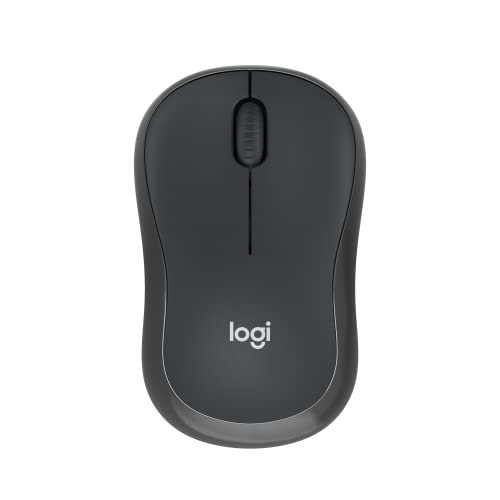
The M240 is the Bluetooth mouse that suits almost everyone who owns a laptop. The listing says it pairs in seconds with no dongle and no port required, that the clicks are 90 percent quieter with the same click feel, and that the battery can last up to 18 months thanks to an auto sleep feature. It is a compact mouse, available in graphite and rose.
The tradeoff is size and extras. Compact bodies suit small to medium hands but can feel cramped to large ones, and the button count is basic, with no side buttons advertised. Bluetooth also needs a computer that supports it, so an older desktop may need a dongle after all.
Compared with the M196, the M240 adds silent clicks and a longer stated battery life. Compared with the M720, it is smaller, quieter and simpler, but it cannot switch between devices. For a laptop or tablet owner who wants a mouse that connects once and stays out of the way, it is the easiest choice to recommend. It also reconnects quickly when you open the lid, which makes it feel almost wireless in the old sense.
Best for: Laptop and tablet owners who want a quiet mouse with no dongle.
Check price on AmazonSpecs
- Connection: Bluetooth, no dongle
- Click noise: 90 percent reduced per listing
- Battery life: Up to 18 months per listing
- Size: Compact
Pros
- +Pairs in seconds with no dongle
- +Silent clicks, 90 percent less noise
- +Up to 18 months of battery
- +Compact and light
Cons
- −Compact for large hands
- −No multi-device switching
- −Needs Bluetooth on the computer
Logitech M196 Compact Bluetooth Mouse
About this pick
The M196 is the small, symmetrical one. The listing describes a convenient portable mouse for laptops and tablets that connects in seconds with pair-and-play Bluetooth, a lightweight, travel-ready body that fits in any bag, and a contoured ambidextrous shape. It uses optical tracking and line-by-line scrolling on a variety of surfaces.
The tradeoff is that it does not carry the silent-click feature of the M240, and the listing in the text we have does not state a battery runtime. It is a compact body, so large hands may find it small. It keeps things basic, with the standard buttons and no frills.
Compared with the M240, it is the better pick if noise does not matter and you want an ambidextrous shape, since it works equally well in either hand. Compared with the TECKNET, it is simpler and has fewer settings. For a left-hander with a tablet or a traveler who wants the smallest reliable Bluetooth mouse, it is a sensible choice. Its small size means it can sit in a coat pocket, so pack it inside a pouch to protect the scroll wheel.
Best for: Left-handers and travelers who want the simplest Bluetooth mouse.
Check price on AmazonSpecs
- Connection: Bluetooth, no receiver
- Shape: Ambidextrous, contoured
- Scrolling: Line-by-line
- Targets: Laptops and tablets
Pros
- +Ambidextrous contoured shape
- +Light enough for any bag
- +Pair-and-play Bluetooth
- +Works on many surfaces
Cons
- −No silent clicks stated
- −Battery runtime not stated
- −Compact for large hands
Logitech Signature M550 L Bluetooth Mouse
About this pick
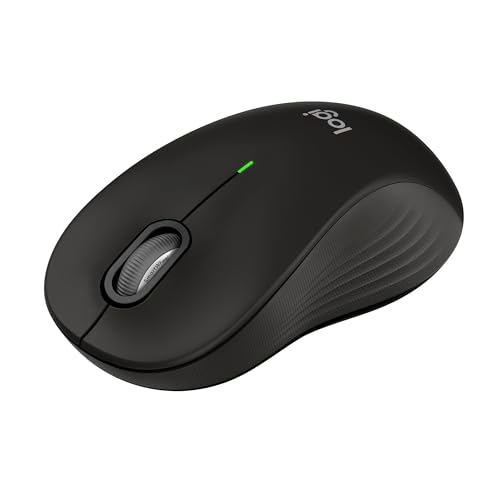
The M550 L is the comfortable full size option. The listing says it is designed for larger hands, with a contoured shape, soft thumb area and rubber side grips, a two-year battery life and silent clicks. Scrolling offers line-by-line precision for documents and super-fast scrolling for long web pages.
The tradeoff is that it is large, so smaller hands will find it unwieldy, and it is not the most travel-friendly mouse. The listing places it in the upper price tier here. It connects wirelessly, though the text we have does not spell out every connection option, so check the version you order.
Compared with the M240, it is much bigger and sturdier, with a longer stated battery life. Compared with the M720, it has silent clicks and a gentler shape but no multi-device switching. If your hand is large and you spend hours at a desk, it is the one that fits. Make sure your desk is deep enough for a mouse this size, otherwise your wrist will hover.
Best for: Large hands and long desk sessions.
Check price on AmazonSpecs
- Size: Full size, large
- Battery life: 2 years per listing
- Clicks: Silent
- Grip: Soft thumb area, rubber sides
Pros
- +Sized for larger hands
- +Silent clicks
- +Two years of battery per listing
- +Soft thumb area and rubber grips
Cons
- −Too large for small hands
- −Not very portable
- −Upper price tier
Logitech M720 Triathlon Multi-Device Mouse
About this pick
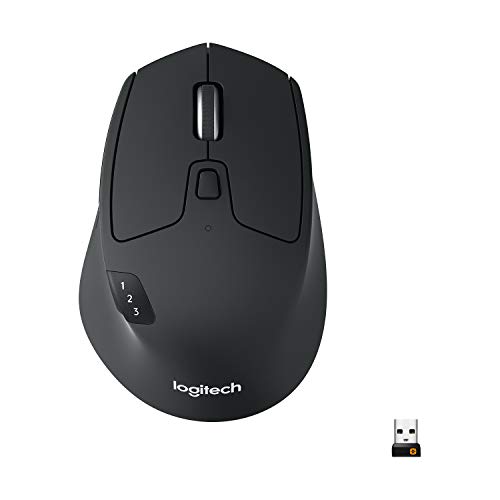
The M720 is the Bluetooth mouse for people with several devices. The listing says it connects by Bluetooth or the included USB-A receiver and works with computers, laptops and tablets, with a 24 month battery life. The full size body has a rubber coating and sculpted palm rest, built for the right hand.
The tradeoff is the right-hand only shape and the learning curve of switching devices, which takes a button press and an adjustment. It is also larger than the compact options, so it lives on a desk rather than in a bag. The hyper-fast scroll wheel with instant stop is handy but unnecessary for short pages.
Compared with the M240, it is bigger, supports multiple devices and has a longer stated battery. Compared with the M550 L, it offers device switching but no silent clicks. If you move between a desktop, a laptop and a tablet in the same day, it is the most convenient choice. Give the switch button a few tries on day one, then it becomes second nature.
Best for: People who use a desktop, laptop and tablet during the same day.
Check price on AmazonSpecs
- Connection: Bluetooth or USB-A receiver
- Battery life: 24 months per listing
- Compatibility: Computers, laptops, tablets
- Shape: Full size, right hand
Pros
- +Bluetooth or receiver
- +24 month battery per listing
- +Works across computers and tablets
- +Sculpted rubber body
Cons
- −Right hand only
- −Large for travel
- −No silent clicks stated
Lenovo WL310 Bluetooth Silent Mouse
About this pick
Lenovo's WL310 is a quiet, ergonomically shaped Bluetooth mouse. The listing says it fits the hand, offers silent clicks for quiet workspaces, late-night work or shared environments, and lets you switch between 1000, 1200 and 1600 DPI. It uses Bluetooth 5.0 and is portable.
The tradeoff is detail. The listing does not state a battery runtime in the text we have, and the body size is not given, so fit is a judgment call. Three DPI steps are enough for office use but lower than the TECKNET.
Compared with the M240, it has an ergonomic emphasis and adjustable DPI, and compared with the Afaartcci it lacks a receiver option. If you want a quiet mouse with a bit more shape than a compact travel mouse, this is a good middle ground. It sits well beside a laptop, and the dpi steps keep it usable on a large monitor too.
Best for: Quiet shared spaces and users who want a bit more shape than a travel mouse.
Check price on AmazonSpecs
- Connection: Bluetooth 5.0
- Clicks: Silent
- DPI: 1000/1200/1600
- Use: Windows and other systems
Pros
- +Silent clicks
- +Three DPI levels
- +Ergonomic shape
- +Bluetooth 5.0
Cons
- −Battery life not stated
- −Size not given
- −No receiver option
TECKNET Dual-Mode Bluetooth Wireless Mouse
About this pick
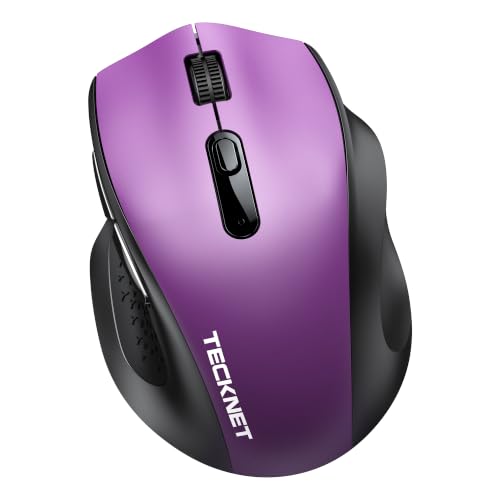
TECKNET gives you both connection options in one small mouse. The listing describes dual-mode connection with Bluetooth 5.2 and 3.0 plus a 2.4G USB-A receiver, letting you link two devices. It has a contoured shape with textured rubber grips, five DPI levels of 800, 1600, 2400, 3200 and 4000, and a memory function that retains your DPI choice.
The tradeoff is that the compact shape suits small to medium hands, and the listing does not give a battery runtime in the text we have. Dual-mode adds a second pairing to learn. The high DPI ceiling is rarely needed for ordinary tasks.
Compared with the Afaartcci, it has a clearer DPI list and better grips. Compared with the Lenovo, it adds a receiver option. For two devices and a modest budget, it is a flexible choice. The memory feature means you set your speed once and never again.
Best for: Two-device households on a modest budget.
Check price on AmazonSpecs
- Connection: Bluetooth 5.2/3.0 and 2.4G USB-A
- DPI: 800/1600/2400/3200/4000
- Grips: Textured rubber
- Memory: Retains DPI setting
Pros
- +Bluetooth and 2.4G receiver
- +Textured rubber grips
- +Five DPI levels
- +Remembers DPI choice
Cons
- −Battery runtime not stated
- −Compact shape
- −High DPI is rarely needed
Afaartcci Rechargeable Silent Bluetooth Mouse
About this pick
Afaartcci is the lowest price tier in the guide, and it still offers dual-mode connection, so you can pair one device over Bluetooth 5.2 and another through a 2.4G receiver. The listing describes a 500mAh lithium-ion battery that charges in two hours for over seven days of use and 30 days on standby, plus silent buttons and seven colorful LED lights.
The tradeoff is charging frequency and styling. Seven days of use means you will plug it in roughly weekly, and the lights change randomly, which some people enjoy and others find distracting. The brand is less established than Logitech or Lenovo.
Compared with the TECKNET, it is cheaper and silent but less documented on DPI. Compared with the M240, it needs recharging and lacks the 18-month battery. For a budget buyer who wants Bluetooth and a receiver, it is a fair deal. Keep the cable at the desk and plug in on Sunday evening, and it will never run flat during the week.
Best for: Budget buyers who want Bluetooth plus a receiver and do not mind charging.
Check price on AmazonSpecs
- Connection: Bluetooth 5.2/3.0 and 2.4G USB
- Battery: 500mAh, 2 hour charge
- Runtime: Over 7 days, 30 days standby
- Clicks: Silent
Pros
- +Lowest price tier
- +Bluetooth 5.2 and 2.4G modes
- +Silent buttons
- +Rechargeable battery
Cons
- −Roughly weekly charging
- −Random LED lights
- −Less established brand
How We Evaluated These Bluetooth Computer Mice
Each pick was assessed across 5 criteria weighted for real-world use.
Pairing and connection
We looked at how each mouse connects, favoring Bluetooth that pairs in seconds like the M240 and M196, and noting the receiver fallback on the M720, TECKNET and Afaartcci. Ease of first setup was weighed heavily. Fast pairing mattered more than any other setup feature, since it is the only step a non-technical buyer has to do.
Battery and upkeep
We compared claims: up to 18 months for the M240, two years for the M550 L, 24 months for the M720 and over 7 days per charge for the Afaartcci. We treated all runtimes as maker claims and scored unstated runtimes cautiously. We discounted the claim whenever a listing offered no runtime at all.
Noise and comfort
We favored silent clicks on the M240, M550 L, Lenovo and Afaartcci, and comfortable shapes such as the M550 L's soft thumb area and the TECKNET's textured grips. Silent models were credited especially for evening and shared use.
Size and portability
We compared sizes from the compact M240 and M196 to the full size M550 L and M720. Portability was weighed against comfort for long sessions. Larger mice were not penalized for size, only for being unsuitable for travel.
Lineup positioning
The M240 leads on all-round simplicity, M196 on ambidextrous travel, M550 L on large hands, M720 on multi-device, Lenovo on quiet shape, TECKNET on dual-mode value and Afaartcci on budget. We chose the M240 overall. The ranking favors simplicity, then battery, then size, then extras.
How to Choose the Right Bluetooth Computer Mice
By How You Work
Match the mouse to your routine.
| Situation | Best pick | Why |
|---|---|---|
| One laptop, quiet home | Logitech M240 Silent Bluetooth Mouse | Silent, no dongle |
| Travel with a tablet | Logitech M196 Compact Bluetooth Mouse | Light and ambidextrous |
| Large hands, long hours | Logitech Signature M550 L Bluetooth Mouse | Sized for large hands |
| Desktop, laptop, tablet | Logitech M720 Triathlon Multi-Device Mouse | Multi-device |
| Shared office | Lenovo WL310 Bluetooth Silent Mouse | Silent clicks |
Check Bluetooth support first.
By Budget
Relative cost.
| Budget tier | Best pick | Why |
|---|---|---|
| Entry | Afaartcci Rechargeable Silent Bluetooth Mouse | Lowest tier with dual mode |
| Entry to mid | TECKNET Dual-Mode Bluetooth Wireless Mouse | Clear DPI and grips |
| Mid | Logitech M196 Compact Bluetooth Mouse | Simple and reliable |
| Mid to premium | Logitech M240 Silent Bluetooth Mouse | Silent and long battery |
| Premium | Logitech M720 Triathlon Multi-Device Mouse | Multi-device |
Spend more for battery life and multi-device.
Bluetooth Only vs Dual Mode
Ports and fallbacks.
Bluetooth only
Cleanest, with no dongle to lose. Picks on this side: Logitech M240, M196 and Lenovo WL310. Choose this for modern laptops and tablets.
Dual mode
Bluetooth plus a receiver for older computers. Picks on this side: TECKNET, Afaartcci and Logitech M720. Choose this if you have a mix of devices.
Bluetooth only for neatness, dual mode for flexibility.
Size
Hand fit.
| Preference | Best pick | Why |
|---|---|---|
| Smallest | Logitech M196 Compact Bluetooth Mouse | Travel ready |
| Compact but quiet | Logitech M240 Silent Bluetooth Mouse | Silent compact |
| Large hands | Logitech Signature M550 L Bluetooth Mouse | Full size |
| Full size right hand | Logitech M720 Triathlon Multi-Device Mouse | Sculpted |
Fit beats features.
For Tablets Specifically
Tablets need Bluetooth.
Look for
Bluetooth with no dongle and a tablet that supports a mouse. Check your operating system.
In this comparison
Logitech M196 Compact Bluetooth Mouse and Logitech M720 Triathlon Multi-Device Mouse are the two aimed at tablets in their listings.
When to Spend More
Where extra money helps.
| Spend more if | Save if |
|---|---|
| You want 18 months of battery, so Logitech M240 Silent Bluetooth Mouse pays off | You do not mind charging, so Afaartcci is fine |
| You have large hands, so Logitech Signature M550 L Bluetooth Mouse fits | You have small hands, so M196 suffices |
| You use several devices, so Logitech M720 helps | You use one, so M240 is enough |
| You need quiet, so Lenovo WL310 works | You work alone, so any will do |
Frequently Asked Questions
How do I pair a Bluetooth mouse?
Switch the mouse on, put it in pairing mode, then choose it in your device's Bluetooth settings. The listing for the M240 says it connects in seconds. If it does not appear, move it closer and try again. Keep the mouse within a metre or so during pairing, and remove old entries from the device list if it has been paired before.
Why does my mouse disconnect after sleep?
Some systems drop Bluetooth when they sleep, and the mouse reconnects after a click. Auto sleep in the mouse itself saves battery. Updating your system and restarting Bluetooth often fixes persistent problems. A few seconds of delay after a long sleep is normal, and it does not mean the mouse is faulty.
Can I use two devices?
Yes with dual-mode or multi-device mice such as the M720, TECKNET and Afaartcci. You switch with a button. Only one device is active at a time. Wireless range is not a concern at a normal desk, and walls matter more than distance.
Is a Bluetooth mouse slower?
For everyday use it feels the same as a receiver mouse. Gamers prefer receivers for speed. Office use does not notice the difference. Dual-mode mice are a practical safety net, since the receiver works even when Bluetooth is turned off on a shared machine.
How long will the battery last?
Listings claim up to 18 months for the M240, two years for the M550 L and 24 months for the M720. The Afaartcci claims over seven days per charge. Real life varies. Switching the mouse off in a bag also saves battery, which is worth a habit on trips.
Are silent mice worth it?
In shared rooms, yes. The M240 claims 90 percent less click noise. They feel similar but cause fewer distractions. If you hate noise, test the click in the first week and use the return window if it is still too loud.
Can I use a Bluetooth mouse on a Chromebook or tablet?
Most Chromebooks and many tablets accept Bluetooth mice, and the pointer appears on screen once paired. The Logitech M196 and M720 listings both mention tablets. Check your tablet's operating system, since older versions may not show a pointer.
Bottom Line
best overall: Logitech M240 Silent Bluetooth Mouse - best overall pick in this roundup.
See the full rankings above for all picks with pros, cons, and best-for summaries.
Browse on Amazon
All Prime-eligible options with current pricing.
Shop on Amazon →