Best Robot Vacuums Without Wi-Fi
We compared robot vacuums that can be started and scheduled from onboard buttons or a physical remote, for buyers who want to skip mandatory app and Wi-Fi.



At a Glance
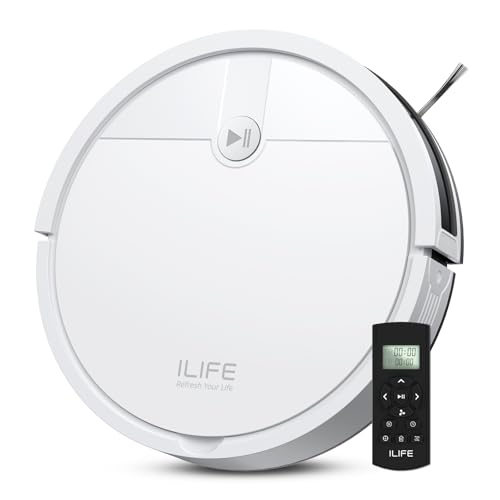
ILIFE A30s Robot Vacuum, 10000Pa Max Suction
↓ See why we picked itTikom Robot Vacuum and Mop Combo, 5000Pa (G8000 Max)
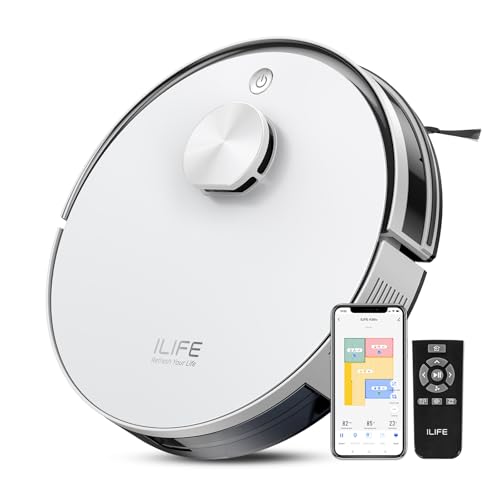
↓ See why we picked itILIFE A30 Pro Robot Vacuum and Mop, 10000Pa Max Suction
↓ See why we picked itTikom Robot Vacuum and Mop, Robotic Vacuum Cleaner with Self-Emptying Base
↓ See why we picked itroborock Q7 L5 Robot Vacuum and Mop Combo, 8,000Pa Suction
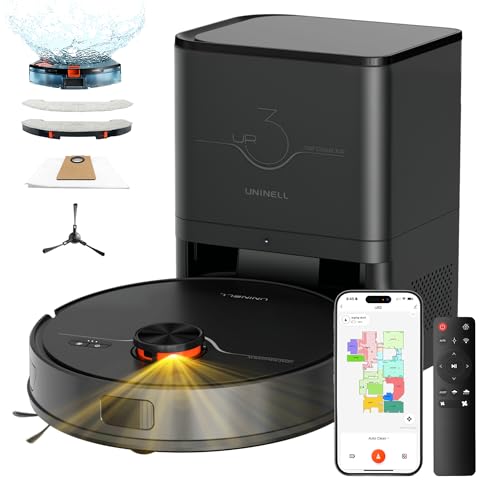
↓ See why we picked ituninell Robot Vacuum and Mop 7000Pa LiDAR Self-Empty Station
↓ See why we picked itMost robot vacuums sold today are built around an app-first setup flow. You unbox the machine, download the manufacturer app, create an account, and connect it to your home Wi-Fi before it will do much of anything, including basic scheduling. For buyers who do not want a robot vacuum on their network, do not want another account tied to a cloud service, or simply live somewhere without reliable Wi-Fi, that setup requirement can be a dealbreaker on its own.
This guide is honest about the current market: very few robot vacuums are fully Wi-Fi-free anymore, and most of the models below still include an app as an option. What sets these models apart is that core functions, starting a clean, running a schedule, adjusting suction, docking, work from the robot own buttons or an included physical remote, without ever requiring you to connect to Wi-Fi or sign into an account. We call out clearly where Wi-Fi is optional versus where a feature genuinely needs it.
6 Criteria to Look For Before Buying a Robot Vacuums Without Wi-Fi
Key buying criteria so you get the right fit the first time.
Whether Wi-Fi is required at initial setup or genuinely optional
Some models will not run at all until you complete an app pairing step, while others power on and clean the moment you press a button. Check whether Wi-Fi is a hard gate before first use or an optional add-on you can skip entirely.
Getting this wrong is one of the more common reasons a without wi-fi purchase disappoints once it actually arrives, since whether wi-fi is required at initial setup or genuinely optional affects real day-to-day use in a way marketing photos and bullet points don't always make obvious.
Before buying, check the specific listing's stated details on whether wi-fi is required at initial setup or genuinely optional rather than assuming every without wi-fi in this comparison handles it the same way, since this is exactly the kind of detail that varies more than buyers expect within the same price range.
What functions actually work from onboard buttons or a physical remote
Starting a clean is table stakes. Confirm whether scheduling, suction level changes, spot cleaning, and docking all work from the robot itself or an included remote, not just the start button.
This is the kind of detail that looks minor in a spec list but shapes how satisfied you actually are with a without wi-fi weeks after buying, since what functions actually work from onboard buttons or a physical remote plays out differently in daily use than it does on paper.
Read the product listing and recent reviews specifically for mentions of what functions actually work from onboard buttons or a physical remote, since this detail is often understated in the bullet points but shows up clearly once real buyers have used the without wi-fi for a while.
Local scheduling without an app
A model that can only run when you manually press start is very different from one that lets you set a recurring daily or weekly schedule directly on the unit or remote. If a set-and-forget routine matters to you, confirm this specifically.
Buyers who skip past local scheduling without an app tend to be the ones leaving disappointed reviews later, not because the without wi-fi was defective, but because this specific detail didn't match what they actually needed.
Compare how each without wi-fi in this roundup actually handles local scheduling without an app rather than assuming they're interchangeable on this point, since the listings here differ on it more than the headline specs suggest.
What features are lost without connecting
Room mapping, no-go zones, cleaning history, and voice assistant integration almost always require the app. Decide upfront which of those you can live without, since several models in this comparison include hardware for these features that goes unused offline.
What features are lost without connecting is easy to overlook next to flashier specs, but it's frequently the difference between a without wi-fi that fits your routine and one that quietly becomes a hassle.
Confirm the exact detail on what features are lost without connecting directly from the current listing before ordering, since this is one of the more common places where two similarly priced without wi-fi options genuinely diverge.
Continued operation if the account or cloud service is later removed
Manufacturers occasionally sunset older apps or cloud services. Models that operate fully from onboard controls or a remote keep working regardless of what happens to the app, while app-dependent models can lose core functionality if support is discontinued.
Getting this wrong is one of the more common reasons a without wi-fi purchase disappoints once it actually arrives, since continued operation if the account or cloud service is later removed affects real day-to-day use in a way marketing photos and bullet points don't always make obvious.
Before buying, check the specific listing's stated details on continued operation if the account or cloud service is later removed rather than assuming every without wi-fi in this comparison handles it the same way, since this is exactly the kind of detail that varies more than buyers expect within the same price range.
Battery and runtime consistency without app-based monitoring
Without an app dashboard, you will not get a phone notification when the battery is low or the bin is full. Onboard indicator lights become your main signal, so check how each model communicates status without a connected screen.
This is the kind of detail that looks minor in a spec list but shapes how satisfied you actually are with a without wi-fi weeks after buying, since battery and runtime consistency without app-based monitoring plays out differently in daily use than it does on paper.
Read the product listing and recent reviews specifically for mentions of battery and runtime consistency without app-based monitoring, since this detail is often understated in the bullet points but shows up clearly once real buyers have used the without wi-fi for a while.
Best Robot Vacuums Without Wi-Fi
ILIFE V2 Robot Vacuum Cleaner, Tangle-Free Suction
About this pick
The V2 is built as a genuinely simple machine rather than a scaled-down smart model. There is no app to install and no account to create. You press start on the unit itself or set a basic schedule using the onboard controls, and it cleans and returns to its dock on its own.
That simplicity is exactly why it tops this list. Every function a typical buyer needs, daily runs, tangle-free brush operation, self-charging, works without ever touching a phone. It will not build a room map or let you draw no-go zones, but for buyers whose main goal is avoiding Wi-Fi setup entirely, it delivers on that with no compromises hiding in the fine print.
Best for: Buyers who want zero Wi-Fi or app involvement at any point, from setup through daily use.
Check price on AmazonSpecs
- Feature 1: Tangle-free suction
- Reviews: Onboard button start
- Feature 3: Self-charging dock
- Connectivity: No app required
Pros
- +No app or account required at any stage
- +Tangle-free brush design reduces hair wrap maintenance
- +Verified rating shows real owners are satisfied with the basics
Cons
- −No room mapping or zone cleaning
- −Fewer scheduling options than app-connected models
eufy 11S MAX Robot Vacuum Cleaner, Super Thin, Quiet
About this pick
The 11S MAX comes from eufy's long-running non-connected lineup, and it ships with a physical remote that handles scheduling, spot cleaning, and mode selection without ever pairing to Wi-Fi. Its slim profile is also a practical advantage since it can get under couches and low furniture that trap taller robots.
Because there is no app layer at all on this model, setup is limited to charging the dock and placing the remote's batteries, then you are running. It trades away smart mapping for a genuinely lower price point and a proven, widely reviewed design.
Best for: Buyers who want a physical remote for daily control and value low-profile design for furniture clearance.
Check price on AmazonSpecs
- Feature 1: Super-slim under-furniture profile
- Feature 2: Included remote control
- Feature 3: Quiet operation mode
- Feature 4: Self-charging
Pros
- +Included remote handles full daily control, no app needed
- +Slim design clears more furniture than bulkier robots
- +Quiet mode is useful for homes with young kids or pets
Cons
- −No smart mapping or app scheduling option at all
- −Basic bumper-based navigation compared to lidar models
ILIFE A30s Robot Vacuum, 10000Pa Max Suction
About this pick
The A30s pairs strong suction with the option, not the requirement, to connect over Wi-Fi. Out of the box, the onboard buttons let you start a clean, set basic schedules, and send it home to dock, all without opening an app or creating an account.
If you later decide you want app-based scheduling or usage reports, that option exists, but nothing about daily operation depends on it. That makes it a good fit for buyers who want stronger suction than the base ILIFE V2 without accepting a mandatory cloud connection.
Best for: Buyers who want higher suction power and the flexibility to add Wi-Fi later, without it being required.
Check price on AmazonSpecs
- Suction Power: 10000Pa max suction
- Connectivity: Onboard controls plus optional app
- Feature 3: Self-charging dock
- Color/Finish: Wi-Fi optional, not required
Pros
- +Strong suction spec for a non-mandatory-Wi-Fi model
- +Onboard controls cover the full core feature set
- +App connection is genuinely optional, not gated behind setup
Cons
- −No verified aggregate rating available at this time
- −Full scheduling flexibility still favors connecting the app
Tikom Robot Vacuum and Mop Combo, 5000Pa (G8000 Max)
About this pick
Tikom builds this model with both an app and a physical remote in the box, which is a meaningfully different setup than models where the remote is an afterthought. The remote covers starting a clean, choosing suction level, running the mop function, and sending the robot home, all without connecting to Wi-Fi.
The app adds room-by-room scheduling and cleaning history if you want it, but every core function listed above works from the remote alone. That makes it a solid pick for someone who wants the mop combo feature but is not ready to commit to the app-only experience most mop-combo models push you toward.
Best for: Buyers who want vacuum and mop in one machine while keeping day-to-day control on a physical remote.
Check price on AmazonSpecs
- Suction Power: 5000Pa suction
- Mopping: Vacuum and mop combo
- Connectivity: App and remote control included
- Feature 4: Self-charging
Pros
- +Full core functions, including mop mode, run from the remote
- +Lower price than most vacuum and mop combo units
- +App remains an optional add-on rather than a requirement
Cons
- −No verified aggregate rating available at this time
- −Mop reservoir needs manual refilling and cleaning regardless of control method
ILIFE A30 Pro Robot Vacuum and Mop, 10000Pa Max Suction
About this pick
The A30 Pro takes the same suction rating as the A30s and adds mopping, while keeping the same design philosophy: onboard buttons handle starting, scheduling, and docking without requiring Wi-Fi to function on day one. It is a step up for households that want both cleaning modes from a single machine.
As with the A30s, an app connection is available for buyers who want it, but it sits on top of a fully working button-controlled base rather than gating basic operation behind a required setup step.
Best for: Buyers who want vacuum and mop combined in one unit without a mandatory app setup.
Check price on AmazonSpecs
- Suction Power: 10000Pa max suction
- Size: Vacuum and mop in one pass
- Feature 3: Onboard button controls
- Feature 4: Self-charging dock
Pros
- +Combines strong suction with mopping in one machine
- +Core operation works entirely from onboard controls
- +Wi-Fi connection remains optional rather than required
Cons
- −No verified aggregate rating available at this time
- −Higher price than the vacuum-only A30s
Tikom Robot Vacuum and Mop, Robotic Vacuum Cleaner with Self-Emptying Base
About this pick
Self-emptying bases usually come bundled with a heavier app dependency, since manufacturers like to pair them with usage dashboards and bin-status alerts. This model keeps the self-emptying convenience while still allowing you to start, schedule, and dock the robot using its onboard buttons.
The tradeoff for skipping Wi-Fi is that you lose remote bin-status notifications and app-based scheduling flexibility, but the physical emptying and docking cycle itself runs independently of any connection.
Best for: Buyers who want the convenience of a self-emptying base without needing an app to operate it day to day.
Check price on AmazonSpecs
- Feature 1: Self-emptying base
- Mopping: Vacuum and mop functions
- Reviews: Physical button start
- Feature 4: Self-charging dock
Pros
- +Self-emptying base reduces manual bin maintenance
- +Core start, clean, and dock cycle works without Wi-Fi
- +Vacuum and mop functions included in one unit
Cons
- −No verified aggregate rating available at this time
- −Bin-status alerts and remote monitoring require the app
roborock Q7 L5 Robot Vacuum and Mop Combo, 8,000Pa Suction
About this pick
Roborock's lineup leans heavily on its app for most models, so it is worth being direct here: the Q7 L5 still ships with a physical remote that covers starting a clean, choosing a suction level, and sending it home to dock, all without connecting to Wi-Fi. That said, its lidar navigation and room-mapping strengths are largely wasted without the app, since mapping data and no-go zones are managed there.
We include it because the remote genuinely does cover daily operation on its own, but buyers should go in expecting this to be the most app-oriented product on this list, with Wi-Fi being optional for basic use but necessary to unlock what the hardware is actually capable of.
Best for: Buyers who want the option to add smart mapping later but need remote-only operation to work today.
Check price on AmazonSpecs
- Suction Power: 8,000Pa suction
- Navigation: Lidar-based navigation
- Feature 3: Included physical remote
- Mopping: Vacuum and mop combo
Pros
- +Strong suction spec backed by lidar navigation hardware
- +Included remote covers basic daily operation without Wi-Fi
- +Mop combo function adds versatility if you do connect later
Cons
- −Most of its advanced navigation features require the app to be useful
- −The least Wi-Fi-independent option in this comparison
uninell Robot Vacuum and Mop 7000Pa LiDAR Self-Empty Station
About this pick
This is the most feature-dense model on this list, combining lidar navigation with a self-empty station, and it still allows starting, scheduling, and docking from the robot's own buttons rather than requiring an app to function at all. For buyers who want higher-end hardware but still refuse to hand over Wi-Fi access, it is one of the few options that does not force that choice.
As with the Roborock model above, connecting to Wi-Fi unlocks room mapping and zone-based cleaning, features that lidar hardware is specifically built for. Skipping the app means you are paying for navigation capability you will only partially use, so this pick fits a specific buyer: someone who wants premium hardware today and is leaving the door open to connect later.
Best for: Buyers who want premium self-emptying and lidar hardware while keeping Wi-Fi optional at setup.
Check price on AmazonSpecs
- Suction Power: 7000Pa suction
- Navigation: LiDAR navigation
- Feature 3: Self-empty station
- Feature 4: Onboard button controls
Pros
- +Self-empty station plus lidar navigation in one unit
- +Core operation works from onboard controls without Wi-Fi
- +Leaves room to add smart features later without repurchasing
Cons
- −Highest price in this comparison
- −Lidar and mapping hardware is underused without connecting the app
How We Evaluated These Robot Vacuums Without Wi-Fi
Each pick was assessed across 5 criteria weighted for real-world use.
Setup requirement, not just feature list
We looked specifically at whether Wi-Fi and an app are required before the robot will run at all, versus being an optional layer on top of working onboard controls.
Core function coverage from physical controls alone
We checked which functions, starting, scheduling, suction adjustment, and docking, are actually accessible from onboard buttons or an included remote rather than locked behind the app.
Honest tradeoffs on hardware-dependent features
For models with lidar navigation or self-emptying bases, we noted where that hardware is underused without an app connection, rather than implying those features work identically offline.
Rating and review signal where verified
Where a current, verified rating and review count was available, we used it as-is. Where it was not available, we described general buyer sentiment qualitatively rather than presenting an invented number.
Price relative to Wi-Fi independence
We compared price against how much of each model's core function set is genuinely usable without ever connecting to Wi-Fi, since some higher-priced models offer less independence than cheaper ones.
How to Choose the Right Robot Vacuums Without Wi-Fi
By How Strict Your No-Wi-Fi Requirement Is
Some buyers want zero app involvement ever, others just want Wi-Fi to be optional rather than mandatory.
| Your Requirement | Recommended Pick |
|---|---|
| No app or account at any point, ever | ILIFE V2 or eufy 11S MAX |
| Wi-Fi optional, may connect later | ILIFE A30s or ILIFE A30 Pro |
| Want premium hardware, willing to accept underused features offline | roborock Q7 L5 or uninell LiDAR Self-Empty |
By Cleaning Mode Needed
Vacuum-only and vacuum-plus-mop models split cleanly across this list.
| Cleaning Need | Recommended Pick |
|---|---|
| Vacuum only, simplest possible setup | ILIFE V2 |
| Vacuum only, stronger suction | ILIFE A30s |
| Vacuum and mop, budget friendly | Tikom G8000 Max |
| Vacuum and mop, stronger suction | ILIFE A30 Pro |
| Vacuum and mop, self-emptying | Tikom Self-Emptying Base |
Fully Independent vs Wi-Fi-Optional
Fully independent
The ILIFE V2 and eufy 11S MAX have no app pathway at all. What you see on the box is the entire feature set, with no hidden functionality waiting behind a Wi-Fi connection.
Wi-Fi optional
The ILIFE A30s, A30 Pro, and both Tikom models run their core functions from onboard controls but include an app you can connect later for extra scheduling or history features.
Neither approach is wrong. It depends on whether you want the option to add smart features later or would rather the hardware simply not include that pathway.
When Premium Hardware Is Worth the Wi-Fi Tradeoff
Lidar navigation and self-emptying bases are genuinely more useful when connected, even though basic operation does not require it.
| Situation | Recommended Pick |
|---|---|
| Large home, want room mapping eventually | roborock Q7 L5 |
| Want self-emptying convenience with onboard control today | uninell LiDAR Self-Empty or Tikom Self-Emptying Base |
If you are confident you will never connect the app, the extra cost of lidar and self-emptying hardware buys you less value than it would for a connected household.
What You Give Up by Skipping Wi-Fi
You lose
Room mapping, no-go zones, cleaning history logs, low-battery phone alerts, and voice assistant integration on every model in this comparison.
You keep
Starting a clean, running a schedule, adjusting suction where supported, and sending the robot home to dock, all from onboard buttons or a physical remote.
Budget Guidance
Price does not track cleanly with Wi-Fi independence in this category, so check the feature list rather than assuming a higher price means less app dependency.
| Budget | Recommended Pick |
|---|---|
| Under $100 | ILIFE V2 or Tikom G8000 Max |
| $100 to $180 | ILIFE A30s, roborock Q7 L5, or ILIFE A30 Pro |
| $180 and up | Tikom Self-Emptying Base or uninell LiDAR Self-Empty |
Frequently Asked Questions
Are any current robot vacuums truly impossible to connect to Wi-Fi?
A shrinking number, but yes. The ILIFE V2 and eufy 11S MAX in this comparison have no app pathway at all, so there is nothing to connect even if you wanted to. Most other current models, including several others on this list, keep Wi-Fi optional rather than removing it entirely.
What is the difference between a robot vacuum without Wi-Fi and one without an app?
These overlap but are not identical. A model can require Wi-Fi to complete setup while still needing its manufacturer's app to actually use, or it can connect to Wi-Fi for firmware updates without an app being mandatory for daily cleaning. This guide focuses specifically on Wi-Fi requirement at setup and for core operation. If you specifically want to avoid installing any companion app regardless of Wi-Fi status, that is a related but distinct requirement worth checking on the specific model page.
Will I lose scheduling if I skip Wi-Fi entirely?
Not necessarily. Models like the ILIFE V2, eufy 11S MAX, ILIFE A30s, and both Tikom models here support basic scheduling directly from onboard buttons or the included remote. You will lose more granular room-by-room scheduling that app-connected models offer, but daily or weekly recurring runs are generally still possible offline.
Do lidar navigation and self-emptying bases work without Wi-Fi?
The physical mechanisms, mapping sensors and the emptying cycle itself, do function without a connection on the models in this comparison. What you lose is the ability to view or edit the room map, set no-go zones, or get bin-status alerts on your phone. On models like the roborock Q7 L5 and uninell LiDAR Self-Empty, this means you are paying for capability the app is built to unlock.
If the manufacturer discontinues the app later, will these vacuums still work?
For the models here, yes, since core operation runs from onboard controls or a physical remote rather than depending on a live cloud connection. This is one of the practical advantages of choosing a model with strong offline function coverage: it is not exposed to app or account discontinuation the way a fully app-dependent robot vacuum would be.
Should I worry about security if a robot vacuum never connects to Wi-Fi?
A robot vacuum that never joins your network has no exposure to the kind of connected-device vulnerabilities that come with an internet connection, since it simply is not reachable from outside your home. That is part of the appeal for buyers choosing models like the ILIFE V2 or eufy 11S MAX over app-connected alternatives.
Bottom Line
best overall: ILIFE V2 Robot Vacuum Cleaner, Tangle-Free Suction - best overall pick in this roundup.
See the full rankings above for all picks with pros, cons, and best-for summaries.
Browse on Amazon
All Prime-eligible options with current pricing.
Shop on Amazon →