4 Best Linksys Wi-Fi Extenders in 2026
Four Linksys Wi-Fi extenders compared, from a Wi-Fi 6 booster to a Velop mesh node and refurbished AC models, with advice on which fits.


At a Glance
Linksys has been selling range extenders for years, and the lineup now spans a new Wi-Fi 6 booster, a Velop mesh add-on node and certified refurbished units from older generations. That variety is useful but confusing, because two Linksys boxes that look alike can behave very differently on your network. One of them only works with a specific Linksys mesh router, and two of them are renewed rather than new.
We evaluated the four Linksys extenders that are true matches for this brand, based on product specs and buyer feedback in their listings. We compared Wi-Fi generation, rated coverage, the Push Button Connect and Spot Finder features, and how each one fits with routers from other brands. Nothing here is a personal hands-on test, and every number comes from the listings.
If you already own a Linksys Velop mesh system, your choice is nearly made for you. If you own any other router, read the compatibility notes first and then choose between the Wi-Fi 6 model and the refurbished options.
6 Criteria to Look For Before Buying a Linksys Wi-Fi Extender
Key buying criteria so you get the right fit the first time.
Standalone versus mesh node
The first question with Linksys is whether the product works on its own or only inside a Linksys system. The Velop Micro Mesh node adds 1500 sq ft only when it joins an existing Linksys Cognitive Mesh router, while the Wi-Fi 6 booster at 2,000 sq ft, the RE7000 and the AC750 work with ordinary routers. Check your router's brand and model before ordering, because a node that cannot find its parent system is useless. If you own a Velop router, the node keeps everything on one network name.
Matching generation to router
An extender's ceiling is set by the signal it receives, so match its Wi-Fi generation to your router. The Linksys WiFi 6 Range Booster benefits from a Wi-Fi 6 router, while the RE7000 at AC1900 and the AC750 are Wi-Fi 5 designs suited to older routers. Buying Wi-Fi 6 for a Wi-Fi 5 router wastes most of the extra headroom. If you plan to upgrade the router within a year or two, the Wi-Fi 6 booster will grow with you.
New versus refurbished
Two of the four picks are renewed units, so condition matters more than usual. The RE7000 is described as Linksys Certified refurbished, tested, upgraded to the latest firmware and certified by technicians. The AC750 listing comes with a 90-day warranty, which is short compared with a new unit's cover. Test any refurbished extender in the first week and keep the packaging so a return is easy.
Coverage numbers you can trust
Rated area is an open-space best case, and walls cut it down fast. Linksys lists 2,000 sq ft for the Wi-Fi 6 booster, 1500 sq ft added by the Velop Micro node and 1,000 sq ft for the AC750. The AC750 listing also mentions up to 6,500 square feet, which conflicts with its own rating, so trust the smaller number. Buy to cover the problem room, not the whole floor plan.
Setup and placement helpers
Push Button Connect appears on the Wi-Fi 6 booster, the RE7000 and the AC750, and it replaces typing a long password on a small screen. Spot Finder Technology on the RE7000 and AC750 tells you which outlet gives the best result, which removes a lot of trial and error. The best spot is generally between the router and the weak room, where the router signal is still strong. A good placement helper matters most for people setting this up for a relative.
Single network name or two
Conventional extenders often create a second network name, so devices cling to the router when they would do better on the extender. The Velop Micro mesh node avoids this by sharing a single name through the mesh. The Wi-Fi 6 booster is described with simultaneous 2.4GHz and 5GHz transmission, but it remains a conventional extender. If your household roams with phones and tablets, a mesh node is smoother than two names.
4 Best Linksys Wi-Fi Extenders in 2026
Linksys WiFi 6 Range Booster, 2,000 Sq. Ft
About this pick
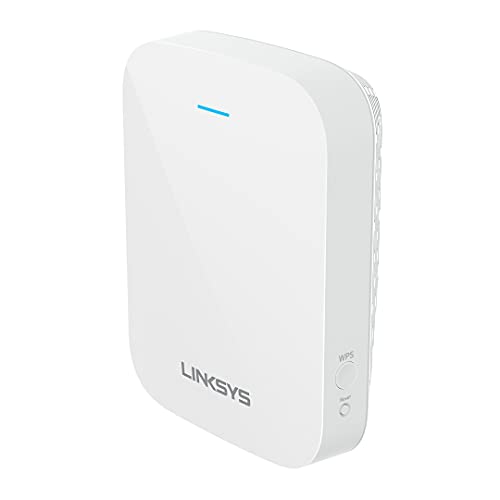
The Linksys WiFi 6 Range Booster is the current-generation model in this lineup, built as a dual-band unit with a 2,000 sq ft coverage rating. Linksys describes it as a great-value way to bring next-generation networking to the whole household. It transmits on the 2.4GHz and 5GHz bands simultaneously, which gives devices a choice between reach and speed.
Wi-Fi 6 is mainly worthwhile when your router and several of your devices already support it, because a Wi-Fi 5 router limits what the extender can receive. The 2,000 sq ft rating is a best-case figure for open space, so expect a smaller practical area through walls and floors. Linksys positions it as an everyday upgrade for a large home rather than a specialist tool.
Setup is the strongest part of the ownership story, since Push Button Connect syncs the extender with your router and also lets you add devices to the network. That is easier than typing passwords into an app for anyone who dislikes setup screens. Against the Velop Micro node at 1500 sq ft it covers more area and works with ordinary routers, and against the AC750 at 1,000 sq ft it doubles the rated area.
Best for: Most homes that want a current Linksys extender that works with any router.
Check price on AmazonSpecs
- Wi-Fi standard: Wi-Fi 6, dual-band
- Rated coverage: Up to 2,000 sq ft
- Bands: 2.4GHz and 5GHz at the same time
- Setup: Push Button Connect
Pros
- +Wi-Fi 6 generation with a 2,000 sq ft coverage rating
- +Push Button Connect pairs it with your router quickly
- +Transmits on 2.4GHz and 5GHz simultaneously
- +Works as a standalone unit, unlike the Velop add-on
Cons
- −Wi-Fi 6 benefits need a Wi-Fi 6 router and devices
- −2,000 sq ft is an open-space best-case rating
- −A plug-in unit rather than a mesh system with one network name
Linksys Max-Stream RE7000 AC1900 (Renewed)
About this pick
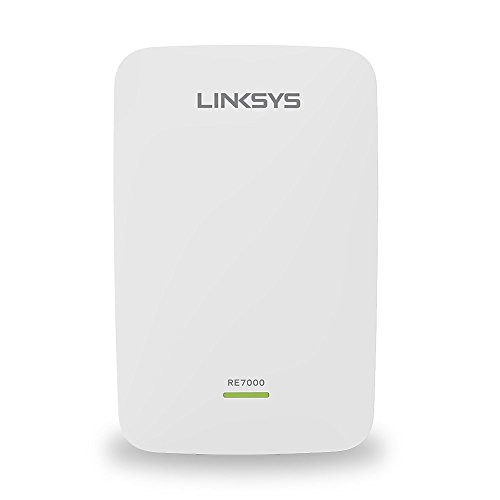
The Max-Stream RE7000 is an AC1900 Wi-Fi 5 range extender with MU-MIMO and a Gigabit rating in its title. This listing is a renewed unit, and Linksys states that its certified refurbished products are tested, upgraded to the latest firmware and certified by Linksys technicians. It is listed as working with all Wi-Fi routers and with MU-MIMO routers.
The appeal is the AC1900 class, which sits above the AC750 on bandwidth without moving to Wi-Fi 6 pricing or router requirements. MU-MIMO lets an MU-MIMO router talk to several devices at once instead of one after another. The tradeoff is that you are buying a Wi-Fi 5 design, so it will not take advantage of a Wi-Fi 6 router's newer features.
Spot Finder Technology is the helpful ownership feature, since it tells you where to place the unit for the best result instead of leaving you to guess. Push Button Connect handles the pairing in one press. Compared with the Wi-Fi 6 booster at 2,000 sq ft, the RE7000 gives up the newer standard but stays universal, and compared with the AC750 it offers the higher bandwidth tier and the Gigabit rating.
Best for: Wi-Fi 5 homes that want more bandwidth than the AC750 without a Wi-Fi 6 router.
Check price on AmazonSpecs
- Wi-Fi standard: Wi-Fi 5 (AC1900)
- Features: MU-MIMO, Gigabit
- Placement help: Spot Finder Technology
- Condition: Linksys Certified refurbished
Pros
- +AC1900 class bandwidth above the AC750 refurb
- +MU-MIMO support for routers that serve many devices
- +Spot Finder Technology guides where to plug it in
- +Linksys states it is certified refurbished with updated firmware
Cons
- −Renewed unit rather than brand new stock
- −Wi-Fi 5 design with no Wi-Fi 6 features
- −No rated square footage given in the listing
Linksys Velop Micro Mesh WiFi 6 Add-on Node
About this pick
The Velop Micro Mesh WiFi 6 node is not a stand-alone extender, because it is designed to be added to an existing Linksys Cognitive Mesh WLAN router. Linksys lists it as adding an additional 1500 sq ft of coverage in a dual-band Wi-Fi 6 package. If you do not own a compatible Linksys mesh router, this node will not work on its own.
The benefit of staying inside the mesh is that devices see a single network and move between nodes without manual switching. That avoids the second network name problem that many conventional extenders create. Because it is a micro node, it is meant to fill in a room or a hallway rather than blanket a sprawling house on its own.
Ownership is simple for existing Velop users, since adding a node is the same exercise as setting up the original system. For everyone else it is the wrong choice, and the Wi-Fi 6 booster at 2,000 sq ft is the closer match. Compared with the AC750 at 1,000 sq ft, the Velop Micro covers a larger area and brings Wi-Fi 6, but it demands a specific router to do it.
Best for: People who already own a Linksys Velop mesh router and need one more room covered.
Check price on AmazonSpecs
- Wi-Fi standard: Wi-Fi 6, dual-band
- Added coverage: About 1500 sq ft per node
- Requirement: Existing Linksys Cognitive Mesh router
- Role: Mesh add-on node
Pros
- +Wi-Fi 6 node that adds about 1500 sq ft to a Linksys mesh
- +Joins the mesh so there is one network name
- +Dual-band design from the same family as the router
- +Expands an existing system without replacing it
Cons
- −Requires a Linksys Cognitive Mesh router to function
- −Not usable with another brand's router
- −Covers less area than the 2,000 sq ft Wi-Fi 6 booster
Linksys AC750 WiFi 5 Range Booster (Refurbished)
About this pick
The AC750 is a dual-band Wi-Fi 5 range booster rated for 1,000 sq ft with speeds up to 750 Mbps. This listing is manufacturer refurbished, shows limited or no wear and includes all original accessories plus a 90-day warranty. It supports Push Button Connect and Spot Finder Technology for placement help.
The listing also quotes boosting signal coverage up to 6,500 square feet, which does not square with the 1,000 sq ft rating and should be treated cautiously. The more conservative rating is the one to plan around, which makes this unit best for one apartment bedroom, a den or a home office. It is the least powerful of the four and fits modest needs.
Its value in ownership is simplicity, as the same pairing buttons and placement guide appear on the larger Linksys models. A 90-day warranty is short compared with a new product, so check the unit when it arrives and test it soon. Against the RE7000 at AC1900, it gives up bandwidth, and against the Wi-Fi 6 booster at 2,000 sq ft it covers half the rated area.
Best for: A small apartment or single room with a basic Wi-Fi 5 router.
Check price on AmazonSpecs
- Wi-Fi standard: Wi-Fi 5 (AC750)
- Rated coverage: Up to 1,000 sq ft
- Speed class: 750 Mbps
- Warranty: 90 days, manufacturer refurbished
Pros
- +Dual-band AC750 with Push Button Connect pairing
- +Spot Finder Technology helps place it well
- +Includes original accessories and a 90-day warranty
- +Smallest rated area, matched to a single room
Cons
- −Refurbished unit with a short 90-day warranty
- −Listing coverage claims are inconsistent with each other
- −Lowest bandwidth and range of the four
How We Evaluated These Linksys Wi-Fi Extenders
Each pick was assessed across 5 criteria weighted for real-world use.
Compatibility with routers
We checked whether each extender works with any router or only with a Linksys system. The Velop Micro node requires a Linksys Cognitive Mesh router, while the Wi-Fi 6 booster, the RE7000 and the AC750 are listed as general-purpose. Models that work widely scored higher for the typical buyer.
Wi-Fi generation and bandwidth
We compared the Wi-Fi standard and bandwidth class of each model. The Wi-Fi 6 booster and Velop Micro node lead on generation, the RE7000 leads on Wi-Fi 5 bandwidth at AC1900, and the AC750 sits at the bottom with 750 Mbps. Higher bandwidth only helps when the router can deliver it.
Condition and warranty
Because two picks are refurbished, we weighed what the listings promise about condition. The RE7000 is described as certified refurbished by Linksys technicians, and the AC750 includes original accessories with a 90-day warranty. New-condition products earn confidence that refurbished ones must offset with documented testing.
Ease of setup
We looked at the pairing and placement tools described in the listings, based on product specs and buyer feedback. Push Button Connect is common to three of the four, and Spot Finder Technology appears on the RE7000 and AC750. The Velop Micro node is easy for existing Velop owners but impossible for anyone else.
Lineup positioning
We placed the four models against each other so the roles are clear. The Wi-Fi 6 booster leads on rated area at 2,000 sq ft, the Velop Micro leads for Linksys mesh owners at 1500 sq ft added, the RE7000 leads on Wi-Fi 5 bandwidth at AC1900, and the AC750 is the small-room option at 1,000 sq ft.
How to Choose the Right Linksys Wi-Fi Extenders
By Your Current Router
Your router decides which Linksys extender you can use at all, so begin with the brand on your router's label.
| Your router | Best pick | Reason |
|---|---|---|
| Linksys Velop or Cognitive Mesh | Linksys Velop Micro Mesh WiFi 6 Add-on Node | Joins the mesh and adds about 1500 sq ft |
| Any brand, Wi-Fi 6 | Linksys WiFi 6 Range Booster, 2,000 Sq. Ft | Matches the generation and rates 2,000 sq ft |
| Any brand, Wi-Fi 5 with MU-MIMO | Linksys Max-Stream RE7000 AC1900 (Renewed) | MU-MIMO support and AC1900 class bandwidth |
| Any brand, basic Wi-Fi 5 | Linksys AC750 WiFi 5 Range Booster (Refurbished) | Simple 750 Mbps unit for one room |
| Router brand unknown | Linksys WiFi 6 Range Booster, 2,000 Sq. Ft | The standalone model that works with any router |
The Velop Micro node is the only pick that will not work with a router from another brand.
By Budget
Tiers are relative, because refurbished stock and new models price differently from week to week.
| Tier | Pick | What you get |
|---|---|---|
| Entry | Linksys AC750 WiFi 5 Range Booster (Refurbished) | 1,000 sq ft and 750 Mbps with a 90-day warranty |
| Entry to mid | Linksys Max-Stream RE7000 AC1900 (Renewed) | AC1900 bandwidth, MU-MIMO and Spot Finder |
| Mid | Linksys Velop Micro Mesh WiFi 6 Add-on Node | Wi-Fi 6 mesh node, best if you already own the router |
| Premium | Linksys WiFi 6 Range Booster, 2,000 Sq. Ft | New Wi-Fi 6 unit with the largest rated area |
Extender vs Mesh Node
The Linksys family offers both approaches, and the difference shows up in how your devices roam through the house.
Standalone extender
A standalone extender receives your router's signal and rebroadcasts it, often under a second network name. It works with almost any router and costs less than rebuilding your network. The Linksys WiFi 6 Range Booster at 2,000 sq ft, the RE7000 at AC1900 and the AC750 at 1,000 sq ft all fall here. Choose this if you want one weak area fixed without replacing your router.
Mesh add-on node
A mesh node joins an existing Linksys mesh system and shares its single network name, so devices move between nodes automatically. The Velop Micro Mesh WiFi 6 Add-on Node adds about 1500 sq ft this way. It only makes sense if the parent Linksys router is already in place. Choose this if you already own Velop and want seamless roaming.
If you own no Linksys mesh gear, buy a standalone extender and skip the node.
New vs Refurbished Stock
Condition is a real decision with this brand, because half the lineup is renewed.
| Condition | Pick | What to expect |
|---|---|---|
| New | Linksys WiFi 6 Range Booster, 2,000 Sq. Ft | Current-generation Wi-Fi 6 with full warranty cover |
| New | Linksys Velop Micro Mesh WiFi 6 Add-on Node | Wi-Fi 6 node for an existing Linksys mesh |
| Certified refurbished | Linksys Max-Stream RE7000 AC1900 (Renewed) | Tested, updated firmware and certified by Linksys technicians |
| Manufacturer refurbished | Linksys AC750 WiFi 5 Range Booster (Refurbished) | Limited or no wear with a 90-day warranty |
For Streaming Video Specifically
Streaming is the quickest way to find out whether an extender is doing its job in a far room.
Look for
Look for a strong 5GHz connection with a good link back to the router and a placement tool that keeps you out of the dead zone. A Wi-Fi 6 model on a Wi-Fi 6 router handles several simultaneous streams best. A single stream in one room needs far less.
In this comparison
The Linksys WiFi 6 Range Booster, 2,000 Sq. Ft is the strongest all-round choice for several streams. The Linksys Max-Stream RE7000 AC1900 (Renewed) suits a Wi-Fi 5 household with MU-MIMO. The Linksys AC750 WiFi 5 Range Booster (Refurbished) is enough for one TV at modest quality.
When to Spend More
Spend more only where it changes the result you will actually see.
| Spend more if | Save if |
|---|---|
| Your router is Wi-Fi 6 and you want the Linksys WiFi 6 Range Booster at 2,000 sq ft | Your router is Wi-Fi 5, so the RE7000 at AC1900 is the better fit |
| You own Velop and want seamless roaming from the Velop Micro node | You have a non-Linksys router, where the node cannot work |
| You want new-condition stock with full warranty cover | You accept a renewed RE7000 with certified testing |
| Your problem area exceeds 1,000 sq ft, the AC750's rating | One room is weak and the AC750 refurb is enough |
Frequently Asked Questions
Which Linksys extender works with any router?
The Linksys WiFi 6 Range Booster, the Max-Stream RE7000 and the AC750 are all listed as general-purpose extenders. The RE7000 is specifically described as working with all Wi-Fi routers and MU-MIMO routers. The Velop Micro node is the exception, since it needs a Linksys Cognitive Mesh router.
Can I use the Velop Micro node with a non-Linksys router?
No. Linksys lists the node as an add-on for an existing Linksys Cognitive Mesh WLAN router. Without that parent system, it has nothing to join. If you own a different brand, the Wi-Fi 6 booster is the closer Linksys match.
Is a refurbished Linksys extender a good idea?
It can be, if you check the details. The RE7000 is described as Linksys Certified refurbished, tested and upgraded to the latest firmware. The AC750 is manufacturer refurbished with limited or no wear and a 90-day warranty. Test either one soon after delivery and keep the packaging in case a return is needed.
Will the Wi-Fi 6 booster make my internet faster?
Not by itself, because the plan you pay for sets your top speed. The Wi-Fi 6 booster improves coverage in rooms your router reaches poorly, and its 2,000 sq ft rating is a best-case area. If your router is Wi-Fi 5, the extra Wi-Fi 6 headroom will mostly go unused.
What do Push Button Connect and Spot Finder do?
Push Button Connect pairs the extender to your router with a button press so you avoid typing a password. Spot Finder Technology helps you find the best outlet by indicating signal quality. Together they cover the two steps that trip most people up, which are pairing and placement.
Why does the AC750 listing mention two different coverage numbers?
The listing gives a 1,000 sq ft rating in its title and also says it boosts coverage up to 6,500 square feet. These figures do not agree, so plan around the smaller rating. Square-foot claims are best-case open-space numbers, and walls always reduce them.
Should I buy a Linksys extender or switch to a full mesh system?
One weak area suits a plug-in extender, while several dead rooms suit a full mesh system. If you already own Linksys Velop, the Velop Micro node is the natural way to grow it. If you own a different router and have one weak room, a standalone Linksys extender is enough.
Bottom Line
best overall: Linksys WiFi 6 Range Booster, 2,000 Sq. Ft - best overall pick in this roundup.
See the full rankings above for all picks with pros, cons, and best-for summaries.
Browse on Amazon
All Prime-eligible options with current pricing.
Shop on Amazon →