Best 2-in-1 Chromebooks (2026)
The best 2-in-1 convertible Chromebooks for 2026, compared on hinge design and specs, with real pros and cons for each pick.



At a Glance
A 2-in-1 Chromebook's convertible hinge adds tablet and tent modes on top of standard laptop use, useful for note-taking or media consumption. Here's how the top current convertible options compare.
5 Criteria to Look For Before Buying a 2-in-1 Chromebooks (2026)
Key buying criteria so you get the right fit the first time.
Processor & RAM
Chrome OS is lightweight, but a Celeron with 4GB RAM still feels sluggish with more than a few tabs open. 8GB RAM and a Core i3 or better makes a real difference for everyday responsiveness, especially on Chromebook Plus-certified models.
Battery Life
Most Chromebooks advertise 10+ hours, but real-world use with screen brightness up and Wi-Fi active typically runs 20-30% shorter than the listed figure.
Screen Size & Resolution
11-inch screens are the most portable but cramped for extended use; 14-15.6 inch Full HD is the sweet spot for most buyers splitting time between browsing and document work.
Storage Type & Capacity
Chrome OS relies heavily on cloud storage, so 64-128GB eMMC is usually enough. Only buyers who work offline with large files need to prioritize higher-capacity SSD models.
Build Quality & Ports
USB-C charging, at least one full-size USB-A port, and a keyboard that doesn't flex under typing pressure matter more day to day than benchmark scores.
Best 2-in-1 Chromebooks (2026)
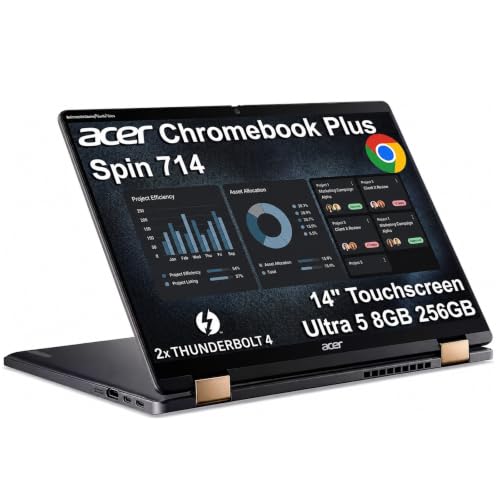
Acer Chromebook Plus Spin 714 14" 2-in-1
About this pick
Acer's Spin 714 pairs a genuine Core Ultra processor with a sturdy 2-in-1 hinge, well above typical convertible Chromebook specs.
What earns this the top spot isn't a single spec, it's that Acer paired a genuinely fast processor with a screen and keyboard that don't feel like an afterthought, which is where cheaper Chromebooks usually cut corners.
Best if you want genuinely premium 2-in-1 hardware. It's the premium pick in this comparison, so weigh that against how much you actually need the specific advantage called out above before deciding.
Best for: Buyers who want the most capable 2-in-1
Check price on AmazonPros
- +Well above typical 2-in-1 Chromebook performance
- +Sturdy hinge for tablet and tent modes
- +Includes Intel Core Ultra 5, uncommon among the picks here
- +Includes 8GB DDR5, uncommon among the picks here
- +Includes 256GB SSD, uncommon among the picks here
Cons
- −Costs more than entry-level 2-in-1 models
- −Priced at the top of this comparison, so the upgrade needs to be worth it for your use case
- −Specs are based on the current Amazon listing rather than independent hands-on testing
- −Worth double-checking the listing on battery life before buying, since that's a key differentiator in this category
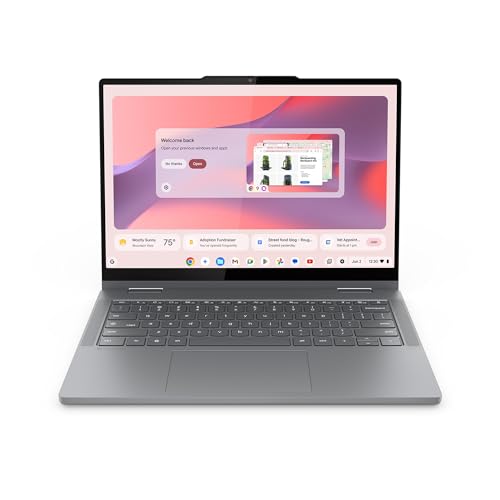
Lenovo Chromebook 2-in-1
About this pick
Adds a fingerprint reader to standard 2-in-1 touchscreen flexibility, a genuine convenience most convertibles skip.
It gives up a bit of the top pick's raw speed or screen quality in exchange for a lower price or a form factor that suits a narrower use case better.
Best if biometric login convenience matters alongside convertible flexibility. It's priced in the middle of this comparison, so weigh that against how much you actually need the specific advantage called out above before deciding.
Best for: Buyers who want biometric login on a convertible
Check price on AmazonPros
- +Fingerprint reader for quick, secure login
- +Touchscreen 2-in-1 flexibility
- +Includes Intel N150, uncommon among the picks here
- +Includes Fingerprint Reader, uncommon among the picks here
- +From Lenovo, a name with an established track record in this category
Cons
- −4GB RAM limits heavier multitasking
- −Ranked below the top pick in this specific 2 in 1 chromebooks comparison
- −Sits in the middle of the pack on price, not a standout bargain or splurge either way
- −Specs are based on the current Amazon listing rather than independent hands-on testing
Lenovo Chromebook Plus 2-in-1
About this pick
Lenovo's Plus-certified convertible pairs 8GB RAM with a fingerprint reader, a well-rounded premium 2-in-1 package.
It gives up a bit of the top pick's raw speed or screen quality in exchange for a lower price or a form factor that suits a narrower use case better.
Best if you want Plus-tier performance in convertible form. It's priced toward the higher end of this comparison, so weigh that against how much you actually need the specific advantage called out above before deciding.
Best for: Buyers who want Plus certification in a convertible
Check price on AmazonPros
- +Chromebook Plus certification guarantees a performance floor
- +Fingerprint reader included
- +Includes Intel N355, uncommon among the picks here
- +Includes 8GB RAM, uncommon among the picks here
- +Includes 256GB UFS Storage, uncommon among the picks here
Cons
- −Costs more than standard IdeaPad convertibles
- −Ranked below the top pick in this specific 2 in 1 chromebooks comparison
- −Sits in the middle of the pack on price, not a standout bargain or splurge either way
- −Specs are based on the current Amazon listing rather than independent hands-on testing
Samsung 12.2" FHD 2-in-1 Touchscreen Chromebook Plus
About this pick
Samsung bundles a stylus pen with this 2-in-1, useful for handwritten notes when folded into tablet mode.
It gives up a bit of the top pick's raw speed or screen quality in exchange for a lower price or a form factor that suits a narrower use case better.
Best if stylus input matters when the device is folded into tablet mode. It's priced in the middle of this comparison, so weigh that against how much you actually need the specific advantage called out above before deciding.
Best for: Buyers who want stylus input on a convertible
Check price on AmazonPros
- +Stylus pen included for handwritten input
- +Wireless mouse also included
- +Ships with 12.2" FHD Touchscreen, a real differentiator among the picks here
- +Includes Stylus Pen, uncommon among the picks here
- +Includes Wireless Mouse, uncommon among the picks here
Cons
- −Dual-core processor limits heavier multitasking
- −Ranked below the top pick in this specific 2 in 1 chromebooks comparison
- −Sits in the middle of the pack on price, not a standout bargain or splurge either way
- −Specs are based on the current Amazon listing rather than independent hands-on testing
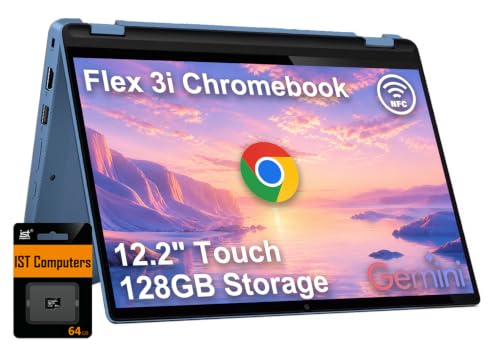
Lenovo IdeaPad Flex 3i Chromebook 12.2" 2-in-1 Laptop
About this pick
A 12.2-inch convertible, more compact and travel-friendly than the 14-15.6 inch options above.
It gives up a bit of the top pick's raw speed or screen quality in exchange for a lower price or a form factor that suits a narrower use case better.
Best if a smaller, more portable convertible is the priority. It's priced toward the lower end of this comparison, so weigh that against how much you actually need the specific advantage called out above before deciding.
Best for: Buyers who want a smaller, more portable convertible
Check price on AmazonPros
- +Compact size for portability
- +Genuine convertible tablet mode
- +Includes Intel N100, uncommon among the picks here
- +Includes 4GB DDR5, uncommon among the picks here
- +Ships with 12.2" 2-in-1, a real differentiator among the picks here
Cons
- −Smaller screen limits extended comfortable use
- −Ranked below the top pick in this specific 2 in 1 chromebooks comparison
- −Sits in the middle of the pack on price, not a standout bargain or splurge either way
- −Specs are based on the current Amazon listing rather than independent hands-on testing
Dell 11" HD IPS Convertible Chromebook with Touchscreen
About this pick
A renewed 11-inch convertible touchscreen at a more accessible price than the premium 2-in-1 options above.
It gives up a bit of the top pick's raw speed or screen quality in exchange for a lower price or a form factor that suits a narrower use case better.
Best for convertible flexibility on a tighter budget. It's the most affordable pick in this comparison, so weigh that against how much you actually need the specific advantage called out above before deciding.
Best for: Buyers who want convertible flexibility for less
Check price on AmazonPros
- +Convertible touchscreen at an accessible price
- +IPS display quality
- +Includes IPS Touchscreen, uncommon among the picks here
- +Includes Quad-Core Processor, uncommon among the picks here
- +Includes Ultra-Fast WiFi, uncommon among the picks here
Cons
- −Renewed condition means checking the seller's specific grading
- −Ranked below the top pick in this specific 2 in 1 chromebooks comparison
- −Specs are based on the current Amazon listing rather than independent hands-on testing
- −Worth double-checking the listing on battery life before buying, since that's a key differentiator in this category
How We Evaluated These 2-in-1 Chromebooks (2026)
Each pick was assessed across 5 criteria weighted for real-world use.
Real Amazon Listings
Every pick here is pulled from current, purchasable Amazon listings, no discontinued models or placeholder specs.
Spec-Level Comparison
We compare processor, RAM, and storage as stated in each manufacturer's own listing.
Build & Screen Quality
We weigh chassis material, hinge feel, and display type, since these vary more between Chromebooks than raw benchmark numbers suggest.
Renewed vs. New Distinction
We flag clearly whether a pick is a new unit or a certified renewed one, since that materially changes the buying decision.
Use-Case Fit
Picks are ordered with a specific buyer's daily tasks in mind, not a single best-overall metric.
How to Choose the Right 2-in-1 Chromebooks (2026)
By Priority
| Your priority | Recommended pick |
|---|---|
| Buyers who want the most capable 2-in-1 | Acer Chromebook Plus Spin 714 14" 2-in-1 |
| Buyers who want biometric login on a convertible | Lenovo Chromebook 2-in-1 |
| Buyers who want Plus certification in a convertible | Lenovo Chromebook Plus 2-in-1 |
| Buyers who want stylus input on a convertible | Samsung 12.2" FHD 2-in-1 Touchscreen Chromebook Plus |
| Buyers who want a smaller, more portable convertible | Lenovo IdeaPad Flex 3i Chromebook 12.2" 2-in-1 Laptop |
By Budget
| Priority | Recommended pick |
|---|---|
| The most affordable pick in this comparison | Dell 11" HD IPS Convertible Chromebook with Touchscreen (Budget Pick) |
| Balanced pick | Lenovo Chromebook 2-in-1 (Best With Fingerprint Reader) |
| Top-rated pick | Acer Chromebook Plus Spin 714 14" 2-in-1 (Best Overall) |
Acer Chromebook Plus Spin 714 14" 2-in-1 vs. Lenovo Chromebook 2-in-1
Acer Chromebook Plus Spin 714 14" 2-in-1
Our top pick in this comparison, ranked 1 of 6. Buyers who want the most capable 2-in-1.
Lenovo Chromebook 2-in-1
A strong alternative, priced in the middle of this comparison. Best if buyers who want biometric login on a convertible.
Rank vs. Price Position
| Rank | Price position |
|---|---|
| #1, Acer Chromebook Plus Spin 714 14" 2-in-1 | The premium pick in this comparison |
| #2, Lenovo Chromebook 2-in-1 | Priced in the middle of this comparison |
| #3, Lenovo Chromebook Plus 2-in-1 | Priced toward the higher end of this comparison |
| #4, Samsung 12.2" FHD 2-in-1 Touchscreen Chromebook Plus | Priced in the middle of this comparison |
| #5, Lenovo IdeaPad Flex 3i Chromebook 12.2" 2-in-1 Laptop | Priced toward the lower end of this comparison |
| #6, Dell 11" HD IPS Convertible Chromebook with Touchscreen | The most affordable pick in this comparison |
For 2-in-1 Chromebook Buyers Specifically
If you're buying for this exact use case, don't just default to the top-ranked overall pick, match the specific badge to your priority instead.
Acer Chromebook Plus Spin 714 14" 2-in-1 is the clearest all-around pick in this comparison, but check the badges above for a better fit if your priority is narrower.
When to Spend More / Save
Spend more if
You want the most complete feature set and don't mind paying a premium for Acer Chromebook Plus Spin 714 14" 2-in-1-tier hardware.
Save if
You just want reliable core functionality, Dell 11" HD IPS Convertible Chromebook with Touchscreen covers the basics at the most affordable pick in this comparison.
Frequently Asked Questions
Can a Chromebook replace a full Windows laptop?
For browsing, email, video calls, and cloud-based document work, yes, but Chrome OS can't run most Windows desktop software, so buyers who need specific professional applications should stick with Windows or Mac.
What does Chromebook Plus mean?
Chromebook Plus is Google's certification for a step up in hardware minimums, faster processor, better webcam, more RAM as the baseline, over standard budget Chromebooks.
How long do Chromebooks receive software updates?
Google now guarantees a minimum of 8 years of automatic updates from the platform's release date on most current models. Check the specific model's listing for its exact Auto Update Expiration date.
Is 4GB RAM enough for a Chromebook?
4GB is workable for basic browsing with a few tabs, but 8GB noticeably improves multitasking and is worth the modest jump up for most buyers.
Is a 2-in-1 Chromebook good for students?
Yes, Chrome OS's simplicity, long battery life, and tight Google Workspace integration make Chromebooks a popular choice for students who mainly need web access and document editing.
Bottom Line
best overall: Acer Chromebook Plus Spin 714 14" 2-in-1 - best overall pick in this roundup.
See the full rankings above for all picks with pros, cons, and best-for summaries.
Browse on Amazon
All Prime-eligible options with current pricing.
Shop on Amazon →