6 Best 2.4GHz Wi-Fi Extenders in 2026
Six Wi-Fi extenders with a 2.4GHz band for smart plugs, cameras and far rooms, compared on 2.4GHz speed, wall penetration, antennas and dual-band options.




At a Glance
The 2.4 GHz band is the old workhorse of home Wi-Fi, and it is the one most smart plugs, cameras, thermostats and doorbells still depend on. It is slower than 5 GHz but travels farther and passes through walls better, which is exactly what a garage sensor or a back-porch camera needs. If your gadgets keep dropping off in far corners, an extender that handles this band well is the right tool.
Shopping for it takes a slightly different eye. Many listings shout about total bandwidth, but the figure that matters here is the 2.4 GHz number on its own, plus how many antennas feed it. A unit with a fast 5 GHz band can still be a weak performer for smart-home gear if its 2.4 GHz side is modest.
We evaluated six extenders based on product specs and buyer feedback, concentrating on 2.4 GHz capability, antenna count and dual-band flexibility. Remember that an extender stretches coverage but does not speed up your internet plan.
6 Criteria to Look For Before Buying a 2.4GHz Wi-Fi Extender
Key buying criteria so you get the right fit the first time.
Know which band your gadgets use
Most smart plugs, cameras and thermostats only speak 2.4 GHz, so a 5 GHz-only fix does nothing for them. Check the product pages of your devices before buying anything. The TP-Link RE105 is a 2.4 GHz-focused N300 unit, while the RE315 and RE550 serve both bands. If everything in the dead zone is a gadget, a single-band unit is enough. Look for the words 2.4 GHz only on the box or in the app of each smart device, since newer models sometimes add 5 GHz support. When in doubt, a dual-band extender covers both cases without a second purchase.
Look at the 2.4 GHz speed separately
Combined bandwidth totals hide how fast the 2.4 GHz side actually is. The Aodcaopul lists 300 Mbps on that band, and the RE105 is an N300 model. Totals like the RE550's 1.9 Gbps or the ZMISDRI's 1200 Mbps do not tell you the long-range figure. For gadgets, 300 Mbps is more than enough, so do not pay for numbers you will not use. A camera streaming video uses far more than a plug, though, so add up the heaviest gadget in the zone. Two or three video cameras on one 2.4 GHz link can fill it faster than a dozen sensors would.
Count antennas and their type
More antennas can mean better reception, but whether they aim matters too. The Rinkarlay has four omni-directional antennas, the ZMISDRI has four, the RE550 has three adjustable ones and the RE105 and RE315 have two. Adjustable antennas let you point at a garage, while omni types spread evenly. Choose adjustable if the target is one direction and omni if it is a central spot. External antennas can be folded or rotated, so test two or three angles with a phone nearby. Vertical antennas tend to favor signal across the same floor, while tilted ones reach upstairs and down.
Expect the single-band penalty
A single-band extender uses one radio for both the router link and the clients, so throughput can fall to roughly half. That is fine for plugs and cameras but poor for streaming. Dual-band models like the RE315 and the Rinkarlay dedicate the 5 GHz band to faster devices. Match the unit to the heaviest device in the dead zone. Remember that a TV or console in that zone changes the answer from a simple plug fix to a dual-band choice. The RE105 at N300 is perfectly happy with sensors, but it will make a streaming box buffer.
Think about interference on 2.4 GHz
This band is crowded with microwaves, baby monitors, cordless phones and neighbors' networks. Keep the extender away from the kitchen and from big metal objects. If your neighborhood is dense, a dual-band unit lets you move phones to 5 GHz and leave 2.4 GHz for gadgets. The RE550 and RE315 offer that split. Changing the router's 2.4 GHz channel to 1, 6 or 11 can also reduce overlap with neighbors. Those three channels do not overlap each other, which is why they are the usual choices.
Be skeptical of giant coverage claims
Listings quote 9789, 12880 or 19999 square feet, but these assume open space and no obstacles. Real coverage in a house with walls is a fraction of the headline. The RE550 at 2100 square feet and the RE315 at 1500 are more modest and more realistic. Judge by antenna count and band layout rather than the largest number. A well-placed modest unit beats a poorly placed giant one every time. If the claim reads like a football pitch, assume a typical house gets a small slice of it.
6 Best 2.4GHz Wi-Fi Extenders in 2026
TP-Link AC1900 RE550 Range Extender
About this pick
The RE550 gives the strongest overall package for a mixed home of smart devices and phones. It carries three adjustable external antennas, 1.9 Gbps of dual-band bandwidth and rated coverage up to 2100 square feet. Having both bands means the 2.4 GHz side serves distant sensors while the 5 GHz side serves phones and laptops.
The listing does not break out the 2.4 GHz speed, so you cannot see exactly how fast that side runs. It is also the largest body in the group, which matters in a crowded socket. For a household that wants one unit to serve everything, the flexibility is worth the bulk.
In use, the antennas let you point the signal at a garage or a yard, which helps the long-range band do its job. Against the TP-Link RE315 at 1500 square feet it adds 600 square feet and a third antenna, and against the N300 RE105 it brings a full 5 GHz band that the RE105 lacks. Choose it when range and breadth matter more than size. Because it is dual band, you can move laptops and TVs to the faster band and leave the longer-range band to gadgets. A tidy way to do that is to name the two bands differently during setup.
Best for: Mixed homes with phones, laptops and far-flung smart devices.
Check price on AmazonSpecs
- Standard: AC1900 Wi-Fi 5
- Total bandwidth: 1.9 Gbps
- Antennas: 3 adjustable external
- Listed coverage: 2100 sq ft
Pros
- +Both bands serve gadgets and phones
- +Three antennas can be pointed at a garage
- +2100 sq ft listed coverage
- +1.9 Gbps total on Wi-Fi 5
Cons
- −2.4 GHz speed is not broken out
- −Largest body in this group
- −Wi-Fi 5 only
TP-Link N300 RE105 Wi-Fi Extender
About this pick
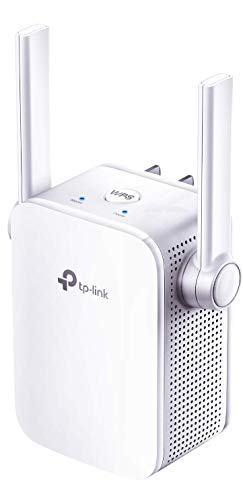
The RE105 is the purest answer to a 2.4 GHz problem. It is an N300 model, which means it focuses on the longer-range band, with two external antennas, a fast Ethernet port and an access point mode. It works with any Wi-Fi router, gateway or access point, so it fits almost any setup.
The limitation is simple: it has no 5 GHz band, so phones and laptops that would benefit from the faster band get nothing extra. Single-band extenders also use one radio for both the router link and the clients, which roughly halves throughput. That is acceptable for plugs and cameras but unwelcome for a streaming TV.
Ownership is easy, with the port available for a wired device and AP mode for a cabled room. It undercuts the RE315 and RE550 on features but costs less in complexity, and its two antennas match the RE315's pair. Choose it for a garage, a workshop or a shed where only smart gear lives and speed is not the point. Pair it by WPS or a browser, then plug a spare device into the port to confirm the link. If you later add a cable run, the access point mode lets the same unit serve that room more cleanly.
Best for: Smart plugs, cameras and sensors in far corners.
Check price on AmazonSpecs
- Standard: N300
- Antennas: 2 external
- Wired port: Fast Ethernet
- Modes: Extender and access point
Pros
- +Focused on the longer-range band
- +Fast Ethernet port for a wired device
- +Access point mode included
- +Works with any router or gateway
Cons
- −No 5 GHz band for phones and laptops
- −Single radio halves throughput
- −Not for HD streaming
TP-Link AC1200 RE315 Dual Band Extender
About this pick
The RE315 pairs the 2.4 GHz reach you want for smart gear with a fast 5 GHz band for phones. Its listing shows 1.2 Gbps of dual-band bandwidth with 867 Mbps on 5 GHz, two adjustable external antennas and Adaptive Path Selection for a cleaner route to the router. The rated reach is up to 1500 square feet.
The weakness for this guide is that the listing does not name its 2.4 GHz speed directly, although the total implies about 300 Mbps on that band. It also lacks the third antenna that helps in awkward layouts. For a typical home where gadgets and phones share a single extender, it is a balanced middle.
Placement is the main task: put it halfway between the router and the far room so the 2.4 GHz link stays strong. It matches the NETGEAR EX6120 at 1.2 Gbps and 1500 square feet but adds aimable antennas, and it trails the RE550's 1.9 Gbps. It makes sense for a modest home with both smart devices and streamers.
Best for: Modest homes where gadgets and phones share one extender.
Check price on AmazonSpecs
- Standard: AC1200 Wi-Fi 5
- 5 GHz speed: 867 Mbps
- Listed coverage: 1500 sq ft
- Antennas: 2 adjustable external
Pros
- +Both bands in one compact unit
- +867 Mbps 5 GHz plus a 2.4 GHz reach band
- +Two aimable antennas
- +Adaptive Path Selection routing
Cons
- −2.4 GHz speed is not stated separately
- −Only two antennas
- −1500 sq ft is a best-case rating
Aodcaopul Long Range WiFi Extender
About this pick
This unit leans into the long-range idea, with a listing that quotes 300 Mbps on the 2.4 GHz band and coverage up to 9789 square feet. Setup is described as plugging it in, finding its network on your phone and following the prompt. That path suits people who would rather not touch a router page.
The coverage number is a maximum, and walls cut it down, so treat it as marketing rather than a promise. The brand is little known, and the listing says little about the 5 GHz side. It is best read as a straightforward booster for gadgets rather than a performer for streaming.
In practice it should serve a garage camera or a back-bedroom plug well enough. Its 300 Mbps on 2.4 GHz is on par with the 2.4 GHz side of the RE315, though the RE315 adds a fast second band. It makes the most sense as an inexpensive helper for low-demand devices. Save the pairing details somewhere safe because support for a little-known brand may be hard to reach. If it misbehaves, a power cycle usually restores the link.
Best for: Low-demand smart gear in a distant room.
Check price on AmazonSpecs
- 2.4 GHz speed: 300 Mbps
- Listed coverage: 9789 sq ft
- Setup: Plug in, join, phone prompt
- Type: Long-range repeater
Pros
- +300 Mbps listed on 2.4 GHz
- +Phone-guided setup with no router page
- +Large claimed coverage
- +Simple plug-in use
Cons
- −Unknown brand support
- −Coverage figure is an upper limit
- −Little detail on a 5 GHz band
Rinkarlay 1200Mbps Dual Band Extender
About this pick
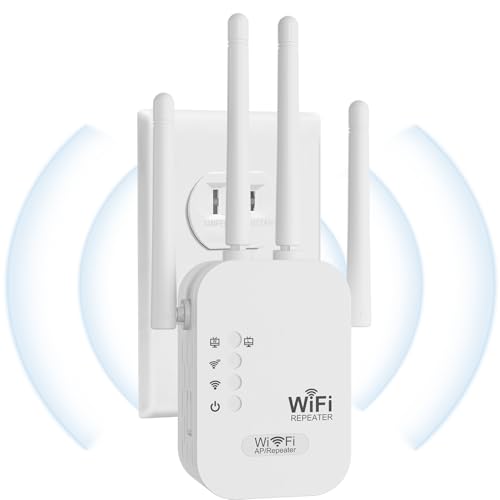
The Rinkarlay explicitly pitches its 2.4 GHz band for getting through walls, and backs it with four omni-directional high-gain antennas. It lists 1200 Mbps across two bands and support for 90 or more devices at once. The aim is basements, bedrooms and other spots where concrete and plaster block signal.
Omni-directional antennas spread the signal in all directions rather than aiming it, which suits an open central location but wastes some energy in empty directions. Big device counts are theoretical, and the brand has a thin track record. If your problem is thick walls, though, the emphasis on the longer-range band fits.
Ownership is simple, with a plug and a pairing step. It carries four antennas to the RE315's two and the RE550's three, which makes it the most heavily antennaed pick here. Choose it when masonry is the enemy and you would rather have more antennas than a famous badge. Keep it centrally placed so the omni pattern covers the rooms around it. Test a smart plug on each side of the wall before you trust the result.
Best for: Homes with thick walls and many small devices.
Check price on AmazonSpecs
- Total bandwidth: 1200 Mbps
- Antennas: 4 omni high-gain
- Focus: 2.4 GHz wall penetration
- Device limit: 90+ devices
Pros
- +Four high-gain omni antennas
- +Marketed around 2.4 GHz wall penetration
- +1200 Mbps across two bands
- +High stated device capacity
Cons
- −Less established brand
- −Omni antennas cannot be aimed
- −Device count is a theoretical limit
ZMISDRI 1200Mbps Dual Band WiFi Extender
About this pick
The ZMISDRI throws out the biggest numbers of the group: 19999 square feet of listed coverage, four antennas and room for more than 115 devices. It runs 2.4 GHz and 5.8 GHz bands at 1200 Mbps in total. The idea is to keep a houseful of smart gadgets and phones online from one unit.
Those figures are best-case and the manufacturer's own, and no extender covers twenty thousand square feet in a real house. The listing is light on details such as per-band speed, and it comes from a brand with a limited record. Use the numbers as an upper bound and expect far less.
Set-up is the usual plug-and-pair routine. On listed coverage it dwarfs the RE550 at 2100 and the RE315 at 1500, though those two come from a company with stronger support. It is a reasonable experiment for a large, open home when the other units fall short. Treat the device limit as a ceiling, not a target, since airtime is shared. A sensible plan is to keep the busiest devices on the faster band.
Best for: Large open homes that need a lot of coverage on paper.
Check price on AmazonSpecs
- Total bandwidth: 1200 Mbps
- Antennas: 4
- Listed coverage: 19999 sq ft
- Device limit: 115+ devices
Pros
- +Four antennas across two bands
- +Very large listed coverage
- +High stated device capacity
- +1200 Mbps dual-band class
Cons
- −Coverage and device figures are theoretical
- −No per-band speeds listed
- −Limited brand track record
How We Evaluated These 2.4GHz Wi-Fi Extenders
Each pick was assessed across 5 criteria weighted for real-world use.
2.4 GHz capability
We looked first at what each listing says about the 2.4 GHz band, since that is the focus. The Aodcaopul states 300 Mbps and the RE105 is built around N300. Others only give totals, so they scored lower on clarity for this niche.
Antenna count and type
We compared adjustable, omni and directional antennas. The Rinkarlay and ZMISDRI list four, the RE550 offers three adjustable ones, and the RE105 and RE315 have two. Adjustability counted for targeted coverage, and omni designs for central placement.
Dual-band flexibility
We checked whether a 5 GHz band is available alongside 2.4 GHz. The RE315 and RE550 pair both with solid figures, and the RE105 offers only the long-range band. Flexibility mattered for homes that mix gadgets with streamers.
Wired ports and modes
We noted the RE105's fast Ethernet port and access point mode as a practical bonus for wired devices. Models without a stated port lost points for this use. Ports mattered less than band performance overall.
Lineup positioning
We ranked picks against one another. The RE550 leads on breadth, the RE105 on pure 2.4 GHz focus, the RE315 on balanced value, the Aodcaopul on simple setup, the Rinkarlay on antennas for thick walls and the ZMISDRI on stated coverage. Prices and popularity were not scored.
How to Choose the Right 2.4GHz Wi-Fi Extenders
By Device Type
Match the extender to what actually lives in the weak area.
| Devices in the dead zone | Pick | Reason |
|---|---|---|
| Smart plugs and sensors only | TP-Link N300 RE105 | 2.4 GHz focus and a wired port |
| Garage camera plus a phone | TP-Link AC1200 RE315 | Both bands, 867 Mbps on 5 GHz |
| Many gadgets and streamers | TP-Link AC1900 RE550 | 1.9 Gbps and three antennas |
| Basement behind concrete | Rinkarlay 1200Mbps Extender | Four antennas, 2.4 GHz penetration |
| Low-demand remote room | Aodcaopul Long Range Extender | 300 Mbps on 2.4 GHz |
Check each gadget's spec page to confirm it uses 2.4 GHz.
By Budget
Tiers are relative so you can see where each fits.
| Tier | Pick | What you get |
|---|---|---|
| Entry | TP-Link N300 RE105 | Single-band N300 with a port |
| Entry | Aodcaopul Long Range Extender | Simple 300 Mbps 2.4 GHz repeater |
| Mid | TP-Link AC1200 RE315 | Dual band with 867 Mbps on 5 GHz |
| Mid | Rinkarlay 1200Mbps Extender | Four omni antennas |
| Mid to upper | ZMISDRI 1200Mbps Extender | Four antennas and big claims |
| Premium | TP-Link AC1900 RE550 | Three adjustable antennas at 1.9 Gbps |
Pay extra for brand support if the extender will run unattended for years.
Single Band vs Dual Band
The band layout changes what the unit does for your devices.
Single band side
A single-band unit uses one radio, so throughput is shared and roughly halved. The TP-Link RE105 sits here, and it suits plugs, cameras and sensors. Choose it when nothing demanding lives in the weak area.
Dual band side
Dual-band units split the work between 2.4 GHz for reach and 5 GHz for speed. The TP-Link RE315 and RE550, Rinkarlay and ZMISDRI sit here. Choose them when phones and TVs share the space.
Gadgets only means single band is enough, and streamers mean dual band.
By Wall Type
What the signal has to pass through changes which unit helps.
| Obstacle | Pick | Reason |
|---|---|---|
| Drywall and wood | TP-Link AC1200 RE315 | 1500 sq ft is plenty for light walls |
| Plaster and brick | TP-Link AC1900 RE550 | Three antennas aimed along the hall |
| Concrete basement | Rinkarlay 1200Mbps Extender | Four antennas, 2.4 GHz focus |
| Detached garage | TP-Link N300 RE105 | Long-range band and a port |
| Large open plan | ZMISDRI 1200Mbps Extender | Four antennas, huge listed range |
Place the unit before the thickest wall rather than after it.
For Smart Home Devices Specifically
Smart gear has its own habits and weak points.
Look for
Look for a stable 2.4 GHz link, enough device capacity and a clear way to keep gadgets off the congested band. A separate network name can help when devices refuse to join a combined one.
In this comparison
The TP-Link RE105 and Aodcaopul focus on the 2.4 GHz band with 300 Mbps, while the Rinkarlay lists support for 90 or more devices and the ZMISDRI for 115 or more. The RE315 and RE550 split bands for mixed homes.
Keep a note of which room each gadget lives in so you can test after setup.
When to Spend More
Extra spending helps in specific cases.
| Spend more if | Save if |
|---|---|
| You need the RE550's three antennas and 1.9 Gbps for a mixed home | You only have sensors and the RE105 handles them |
| You want brand support on a whole-home extender | The unit only serves a garage and the Aodcaopul is enough |
| Concrete walls need the Rinkarlay's four antennas | Drywall rooms suit the RE315 at 1500 sq ft |
| Phones and TVs share the area with gadgets | Only a few plugs live there |
If gadgets are scattered across three or more rooms, a mesh system may serve better.
Frequently Asked Questions
Why would I want a 2.4 GHz extender in particular?
Most smart plugs, cameras and sensors only use the 2.4 GHz band, and it travels farther through walls than 5 GHz. An extender with a strong 2.4 GHz side keeps those devices connected in far corners. Dual-band units give you both bands. A single-band unit like the TP-Link RE105 suffices when only gadgets are in the weak area.
Is 2.4 GHz slower than 5 GHz?
Yes, it is usually slower, with listings such as the Aodcaopul quoting 300 Mbps on the band. The tradeoff is better range and wall penetration. For plugs and cameras the speed is plenty. For streaming video, the 5 GHz band on a dual-band unit works better.
Can a 2.4 GHz extender help my phone?
It will connect, but phones benefit more from the 5 GHz band when they are close enough. In a far room, the longer-range band may still give a better signal. A dual-band unit like the RE315 lets the phone pick. Check the signal in your actual spot.
Why is my smart device dropping off even with an extender?
The band is crowded with microwaves, cordless phones and neighbors' networks, and interference can interrupt gadgets. Move the extender away from the kitchen and large metal objects. Some devices also refuse to join a combined network name. Setting up a separate 2.4 GHz network can fix this.
Do bigger coverage numbers mean better range?
Not necessarily. Claims like 9789 or 19999 square feet assume open space with no walls. A modest unit such as the RE315 at 1500 square feet may serve a real house just as well. Look at antennas and band layout instead. Real coverage depends on the walls between the router and the unit, not on a number printed on the box. Walk the house with a phone to see where the signal truly fades.
Where should I place a 2.4 GHz extender?
Put it about halfway between the router and the devices that drop, where the router signal is still strong. Placing it inside the dead zone only repeats a weak signal. For a detached garage, place it on the nearest wall facing the router. Avoid spots near microwaves and baby monitors.
Is a single-band extender enough?
It is enough when only gadgets use the weak area, because they rarely need much speed. A single-band unit uses one radio for both jobs, which roughly halves throughput, so it is a poor choice for HD streaming. If phones and TVs share the space, pick a dual-band model. The RE315 is the simplest step up. It keeps the long-range band for gadgets while giving phones 867 Mbps on 5 GHz.
Bottom Line
best overall: TP-Link AC1900 RE550 Range Extender - best overall pick in this roundup.
See the full rankings above for all picks with pros, cons, and best-for summaries.
Browse on Amazon
All Prime-eligible options with current pricing.
Shop on Amazon →